Clean and re-seat your current mount with isopropyl alcohol, then move it out of direct sun; that fixes most heat-related failures. If it still drops, switch to a CD-slot or mechanical clamp mount that doesn’t rely on suction or adhesive.
If your phone mount falls off in heat, the mount itself usually isn’t broken—heat is simply defeating the materials that make it hold. Most heat-related failures can be fixed with a thorough cleaning, a smarter location, or a different mount style, so it’s worth understanding what’s happening before you order a replacement.
Key Takeaways
Heat causes: Trapped air expands and breaks suction seals while heat softens adhesive pads.
Try first: Clean the cup or pad with isopropyl alcohol and re-seat it on a dry.
Watch surfaces: Textured, stitched, or soft-touch dashboards reject adhesive pads and need a mount disk.
Choose by design: CD-slot and spring-clamp mounts avoid heat-vulnerable suction and adhesive parts.
Buy smart: Confirm phone width, weight, case thickness, and wireless-charging compatibility before ordering.
Why Your Phone Mount Falls Off in Heat: The Simple Explanation
Every phone mount holds your phone using one of three physical tricks: suction, adhesive, or mechanical clamping. All three rely on materials that change when temperatures rise. On a sunny afternoon, the inside of a closed, parked car can get dramatically hotter than the air outside, and the windshield, dashboard, and vents absorb that heat directly.
When those materials get hot, the suction cup loses its vacuum, the adhesive pad turns soft, and plastic clips lose their stiffness. Your phone’s weight then wins the fight, and the mount lets go slowly or suddenly, depending on how quickly the heat builds and how much vibration the road adds. That’s why the same mount can hold perfectly in the morning and drop your phone on the drive home.
5 Common Failure Points Behind a Phone Mount Falling Off in Heat
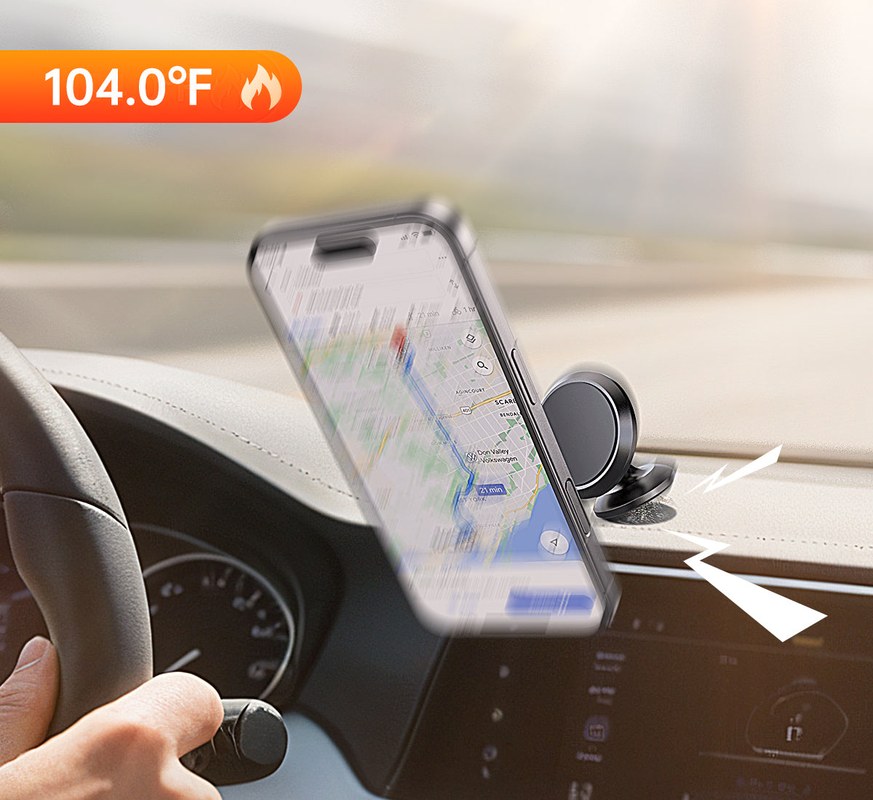
Heat weakens adhesive and plastic clips, causing phone mounts to detach from dashboards and
Different mount styles fail in different ways. Identify which of these five matches your situation, because the right fix for one failure point won’t help another.
Adhesive Pads Soften and Slide
Adhesive pads work because the glue flows into the microscopic texture of the mounting surface. Heat softens that glue and reduces its internal strength, so the pad slowly creeps downward under the phone’s weight. A dash pad that held for months in cooler weather can slide off during a single hot afternoon.
Suction Cups Lose Their Seal as Air Expands
A suction cup holds because the air pressure outside the cup is higher than the pressure inside it. When trapped air heats up, it expands and pushes outward against the rim, breaking the vacuum seal. The cup pops off with little warning, which is why suction mounts tend to fail so dramatically.
Vent Mounts and Clips Deform Under High Cabin Temps
Vent mounts grip the slats of your dashboard vent with spring-loaded clips or rubber arms. Many are made of molded plastic that softens in high cabin temperatures, especially if the vent is also blowing warm air. The grip loosens gradually, and a bump or hard turn drops the phone even though the mount still looks fine.
Magnetic Mounts Slip With Heavy Cases
The magnet itself holds up well in heat, but the thin metal plate inside your case is usually attached with adhesive. When that adhesive warms up, the plate can shift or detach entirely. A heavy, rugged case adds leverage, and road vibration can slide the phone out of alignment even when the magnet is strong.
Dashboard Surfaces Release Their Grip
Dashboards are built from vinyl, leather, soft-touch coatings, and textured plastics—none of which are designed to bond with adhesive. Heat causes surface oils and plasticizers to migrate upward, breaking the adhesive bond from underneath. No amount of pressing will fix a dashboard surface that is actively rejecting the pad.
Quick Fixes to Stop Your Phone Mount From Falling Off Today
These three fixes cost almost nothing and solve the majority of heat-related mount failures. Try them in this order before spending money on a new mount.
Clean and Re-Seat the Suction Cup or Adhesive Pad
Remove the mount and wipe the suction cup or adhesive pad, plus the mounting surface itself, with an isopropyl alcohol wipe. Let everything dry completely, then press the mount firmly and evenly into place. Skin oils, dust, and old adhesive residue are common hidden causes of failure that only show up when heat is added.
Add a Mount Disk to Textured or Porous Dashboards
A smooth adhesive mount disk gives the phone mount a flat, clean surface to grip when your dashboard is grain-textured, stitched, or coated with soft-touch material. Attach the disk to the dashboard, let its adhesive cure, then mount the phone holder to the disk. This is particularly useful for dashboards that don’t interact well with suction cups.
Reposition the Mount Out of Direct Sunlight
A mount sitting in direct sun absorbs far more heat than one shaded by the roofline or rearview mirror. Move the mount to a shaded position, especially if you park outdoors during the workday. On hot days, this one change can add hours of holding time.
Choosing a Heat-Resistant Phone Mount: What Actually Works<
A vent-mounted phone holder keeps the device visible to the driver.
/h2>
If quick fixes don’t hold, choose a mount whose design avoids the exact component that keeps failing in your car. Here is how the main mount styles compare in hot-weather use.
CD Slot vs. Vent vs. Windshield vs. Dash Mounts
Mount type
Best for
Owner consideration
Driver consideration
CD slot mount
Drivers who rarely use the CD player and want a fixed mechanical grip
No suction or adhesive to fail; verify slot depth and phone reach
Position sits lower in the dash, so glance time may be longer
Vent mount
Drivers who want the phone out of direct sun and near eye level
Clips can loosen in heat; check vent slat shape and depth
Avoid blocking the vent if you rely on defrost or cabin cooling
Windshield mount
Drivers who need the phone high and visible with a strong suction seal
Requires clean glass and periodic re-seating in summer
Check your state’s rules on windshield obstructions
Dash mount
Drivers with smooth, flat dashboard surfaces
Adhesive fails on textured or degrading dash materials
Keep the mount clear of the passenger airbag deployment path
Materials and Adhesives That Survive Extreme Cabin Heat
Look for mounts with metal or reinforced arms, aluminum bodies, and silicone or rubber grips instead of soft molded plastic. If the mount uses adhesive, choose one with automotive-grade acrylic foam tape rather than basic double-sided tape. Also check how the mount fails: if suction cups keep releasing, switch to a mechanical grip like a CD slot or spring clamp; if adhesive pads keep sliding, switch to a mount that doesn’t rely on sticky surfaces at all.
Phone and Case Compatibility: Weight, Size, and Wireless Charging
Heat weakens the grip of every mount, so a mount that is barely strong enough in winter can fail in summer. Check the mount’s stated phone-width and weight range, and leave a margin for your case. Heavy rugged cases and phones with large batteries add significant weight.
If you use wireless charging, verify that the mount’s charging coil works through a magnetic plate and case thickness. Some magnetic mounts interrupt wireless charging or slow it down, and a metal plate placed over the coil can trap heat on the back of the phone.
Installation Guide: How to Mount It So It Stays All Summer
Proper installation matters more than the price of the mount. Follow these steps, and give the adhesive the time it needs.
Surface Preparation: Clean, Dry, and Prime
Clean the mounting surface with isopropyl alcohol to remove oils, dust, and old residue from a previous mount. Let it dry completely. Some adhesive pads include a small primer wipe to improve bonding; use it only if the mount’s instructions say it is intended for your surface type.
Curing Time: Why You Should Wait Before Attaching Your Phone
Adhesive needs time to flow into the surface and reach full strength. Many manufacturers recommend waiting several hours, and some instruct you to wait a full day before hanging a phone on a fresh adhesive mount. Follow the cure time printed in the included instructions, especially during warm weather.
Placement: Visibility, Reach, and Airbag Safety
Position the phone so you can see it with a brief glance without moving your head far from the road. It should be reachable without leaning or stretching, but never placed where it blocks your view of the road, mirrors, or instruments. If you mount on the passenger side, keep the mount out of the front passenger airbag’s deployment zone.
U.S. Legal and Safety Rules for Phone Mount Placement
There is no single federal law that tells every driver where a phone mount can go, but two layers of rules apply. First, many states restrict items mounted on the windshield or driver’s side that could obstruct the view of the road. Second, distracted-driving laws allow officers to cite drivers for using a phone in a way that interferes with safe operation.
The National Highway Traffic Safety Administration has long urged drivers to keep their eyes on the road and hands on the wheel. A mount that forces you to look away for more than a moment is a safety problem even if it is technically legal.
Maintenance Tips to Prevent Your Phone Mount From Falling Off Again
A heat-resistant mount still needs regular care. A few minutes of maintenance at the start of summer can prevent a mid-drive failure.
Cleaning Routine for Suction Cups and Adhesive Pads
Wipe the suction cup with isopropyl alcohol every few weeks, especially if you park outdoors or in dusty conditions. Dust and skin oils gradually break the seal. For adhesive pads, clean only the exposed edges with a lightly damp cloth, and avoid solvents that can dissolve the adhesive.
Seasonal Checks and When to Replace Adhesive Pads
At the start of summer, check the mount for warped or softened plastic, a cloudy or cracked suction cup, or adhesive that has become shiny and slick. If the pad no longer holds after a proper cleaning, replace it. Some brands sell replacement pads and suction cups; others require a full new mount.
Repair vs. Replace: Cost, Warranty, and Final Verdict
At some point you have to decide whether to keep troubleshooting or start over. Here is how to make that call.
Cost of Replacement Parts vs. a New Mount
Replacement adhesive pads, suction cups, and mounting plates are often cheaper than a full mount, but not every brand sells spare parts. Check the manufacturer’s website and warranty terms before buying anything. If the spare parts cost close to half the price of a new mount and the mount is more than a year old, replacement is usually the better value.
When to Stop Troubleshooting and Upgrade
If you have cleaned, repositioned, and properly cured the mount and it still fails on hot days, the mount is not matched to your climate or your phone. That is the signal to upgrade to a different design: replace a suction mount with a CD-slot or spring-clamp mount, or replace a basic adhesive pad mount with one rated for automotive interiors and sustained heat.
Final Verdict
Best for: Most drivers whose phone mount falls off in heat should start with an alcohol cleaning and re-seat, then move the mount out of direct sunlight.
Think twice if: The mount has already survived a full summer, has warped plastic, or still drops after cleaning and curing—that points to replacement, not another repair cycle.
Next step: Verify your state’s mounting rules and your vehicle’s airbag locations, then choose a mount style that avoids the exact component that keeps failing for you.
Frequently Asked Questions
Heat makes the air inside a suction cup expand and break its seal, while the adhesive on sticky pads softens so the phone’s weight slowly pulls the mount off. Both are normal responses to high cabin temperatures and are not usually signs of a defective mount.
Remove the mount, clean the suction cup or adhesive pad with isopropyl alcohol, let it dry completely, and press it back onto a clean surface that is out of direct sunlight. If the mount uses adhesive, follow the manufacturer’s cure time before reattaching your phone.
CD-slot mounts and spring-loaded clamp mounts are less vulnerable to heat because they use mechanical grip instead of suction or adhesive. If you prefer a windshield mount, choose one with a silicone suction cup and be prepared to re-seat it regularly in summer.
Rules vary by state, and several states restrict anything mounted on the windshield or driver’s side that obstructs the view of the road. Check your state’s vehicle code or DMV guidance before mounting a phone on the windshield.
Follow the cure time printed in the mount’s instructions. Many manufacturers recommend waiting several hours, and some require a full 24 hours before the adhesive reaches maximum strength.
If the mount has warped plastic, a cracked suction cup, or adhesive that no longer holds after cleaning and curing, replacement is usually the better option. Check whether the manufacturer sells replacement pads or cups first, but if spare parts cost close to half the price of a new mount, upgrade to a more heat-resistant design.
Hi, I'm Ethan Carter, and I've spent over a decade testing automotive electronics, dash cams, and interior accessories. I created TopBestCar.com to help car owners cut through marketing hype and find gear that actually performs for their exact make and model — backed by hands-on testing, spec comparisons, and real owner feedback.