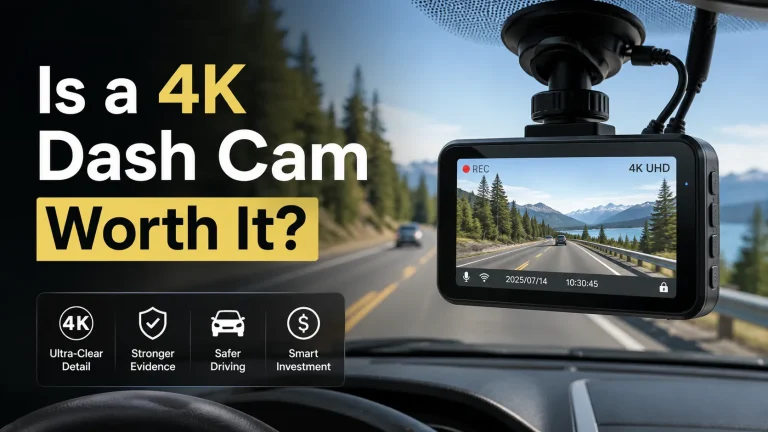
W:contentReference[oaicite:2]{index=2} Avoid
Do not put a dashcam where it blocks any part of your road view, covers a factory camera or sensor, sits in an airbag deployment path, or lets cables hang near the steering wheel, pedals, or shifter. Avoid tinted bands, dirty glass, and areas outside the windshield-wiper sweep.
Knowing where not to put a dashcam matters as much as choosing the camera. A poor mounting spot can reduce your view, spoil the video, or interfere with vehicle safety features.
In my view, the best setup is small, stable, and easy to forget while driving. The camera should see the road without becoming something you keep looking at.
Most drivers should start with a high, discreet spot near the rearview mirror. Do not mount until you check your state rules, the dashcam manual, and the vehicle owner’s manual. The safest spot must protect your view, factory sensors, airbags, and cable clearance.
The Worst Places for a Dashcam
A dashcam should record the road without creating a new risk. These are the main areas to avoid.
Directly in the Driver’s Line of Sight
Do not place the camera in front of your eyes or near the center of your normal road view. Even a small screen or mount can hide a person, bike, sign, or vehicle at the wrong moment.
Sit in your usual driving position before mounting it. Look through turns, intersections, and the full windshield. If the device catches your eye or blocks the road, move it.
Over a Factory Camera or Sensor
Many newer vehicles use cameras and sensors for lane warnings, automatic braking, and other driver-assistance features. These parts are often near the rearview mirror, grille, bumper, or windshield.
Do not cover a lens, sensor window, vent, or marked service area. NHTSA explains that lane departure warning can use a camera to read lane markings. It also tells owners to review the vehicle manual for system details in its driver-assistance technology guide.
Inside an Airbag Deployment Path
Do not mount a camera, cable clip, or power pack over a marked airbag cover. Do not tuck a cable through an airbag path just because the trim has space.
Check the airbag section of your owner’s manual. If the manual shows an airbag near the A-pillar, roof edge, dashboard, or windshield area, keep the camera and wire clear.
Low on the Windshield Near the Dashboard
A low mount can block your view of the road close to the hood. It may also create strong dashboard reflections in the video.
This area can be tempting because the cable is easy to hide. That convenience is not worth a blocked view or poor footage.
On a Moving or Unstable Surface
Do not attach the camera to a loose trim panel, textured mirror housing, moving sun visor, or weak mount. Shaking can blur video and may cause the camera to fall.
The mounting surface should be clean, flat, and approved by the dashcam maker. Test the mount before driving.
Unsafe Dashcam Locations at a Glance
The table below shows the main placement mistakes and a safer direction.
| Avoid This Spot | Main Risk | Safer Direction |
|---|---|---|
| Driver’s eye line | Blocks the road view | High and out of sight |
| Factory camera area | May affect assistance systems | Check the owner’s manual |
| Airbag cover or path | Creates a deployment hazard | Route outside marked zones |
| Loose trim or visor | Camera may shake or fall | Use approved glass mounting |
| Outside wiper sweep | Rain may hide the view | Keep the lens on cleared glass |
| Near pedals or controls | Cable may snag | Secure the full cable run |
Where the Power Cable Should Not Go
A safe camera can become unsafe when the cable is poorly routed. Do not leave wire hanging across the windshield, steering column, shifter, parking brake, or footwell.
Never let extra cable rest near the pedals. A wire that moves under braking or steering needs to be secured before you drive.
Cable clips should hold the wire without pinching it. For related cabin setup ideas, see our car interior accessories guide.
Places That Can Ruin the Recording
A legal and safe mount can still produce poor video. Avoid spots that leave the lens behind a dark tint band, sticker, toll tag, dirt patch, or heavy reflection.
Outside the Wiper-Cleared Area
Place the lens where the wipers clear rain and light snow. A camera outside that area may record water, dirt, or ice instead of the road.
Behind Dark Tint or Printed Dots
Some windshields have a shaded band or black dotted area near the mirror. These areas may affect the view or weaken an adhesive mount.
Check the live view before sticking the mount. Confirm that the road, traffic lights, and license-plate area look clear in daylight and at night.
Too Close to the Rearview Mirror
A high position near the mirror can work well, but do not crowd the mirror. Make sure the mirror can move through its full range.
Also check whether the camera body, plug, or cable blocks a factory sensor housing. “Behind the mirror” is not safe when it interferes with other equipment.
How to Test a Mounting Spot Before You Stick It
Do a dry test first. Keep the adhesive cover on and hold the camera in place. You can use removable tape for a short parked test if it will not harm the surface.
Set the seat and mirror as you use them every day.
Look left, right, ahead, and through turns. Move the camera if it blocks anything.
Find windshield cameras, sensor housings, vents, mirrors, and marked airbag zones.
Power the camera while parked. Check the horizon, hood, glare, and wiper coverage.
Keep wire away from airbags, moving trim, sharp edges, controls, and pedals.
Dashcam Placement Test
| Test | Pass | Fail |
|---|---|---|
| Driver view | Camera stays out of sight | Device blocks the road |
| Factory systems | No lens or sensor covered | Housing or sensor blocked |
| Video view | Road image is clear | Tint, glare, or trim shows |
| Wiper area | Lens sees cleared glass | Lens sits in dirty zone |
| Cable route | Wire stays fixed | Wire reaches moving controls |
| Mount security | Mount stays firm | Camera shakes or drops |
Check: Your vehicle year, make, model, trim, windshield sensor layout, airbag map, power outlet, fuse guidance, and approved mounting method. Limitations: A spot that works in one trim may block equipment in another trim.
US Dashcam Placement Laws Vary
There is no safe reason to assume one windshield rule applies in every state. Some laws focus on any object that blocks the driver’s view. Others list narrow exceptions for certain devices and mounting areas.
For example, California law includes a limited exception for a defined “video event recorder” in certain windshield areas. The device and use must fit the law’s wording. See California Vehicle Code section 26708.
Michigan law bars an object that obstructs the driver’s vision, except where law allows it. See the Michigan windshield and window rule.
Avoid Dashcam Distraction While Driving
Do not put a bright screen or flashing status light where it keeps pulling your eyes away from the road. Turn off or dim the screen when the product allows it.
NHTSA says distracted driving includes any activity that takes attention away from safe driving. That can include adjusting an in-vehicle device. Review the agency’s distracted driving guidance.
Before You Install
- Check your state’s current windshield and recording rules.
- Read the vehicle manual for cameras, sensors, and airbags.
- Read the dashcam manual for approved mounting surfaces.
- Test the driver’s view from the normal seat position.
- Keep the lens inside the wiper-cleared area.
- Plan a fixed cable route away from controls and pedals.
- Test the video while parked before applying adhesive.
- Mount high and outside the driver’s main view.
- Check the live image before final mounting.
- Secure every part of the power cable.
- Inspect the mount and lens often.
- Cover a factory camera or sensor.
- Route wire across an airbag zone.
- Leave cable near pedals or steering parts.
- Change camera settings while driving.
For more setup and ownership help, visit our car electronics guide. You can also use our car care guide to keep the windshield and cabin area clean.
- Best for: Drivers who can place a small camera high, stable, and outside the road view.
- Think twice if: The only open area blocks a sensor, airbag path, mirror, or clear windshield view.
- Next step: Check your manuals and state law, then test the exact spot while parked.
Frequently Asked Questions
Only if it does not block your view and your state permits that location. A center mount can sit directly in the driver’s sight line. A high spot near the mirror may be less visible, but you must still check factory sensors and current law.
No. It is often a useful starting point because the camera may stay out of sight. However, that area may contain a factory camera, sensor housing, or tinted section. Check the video view, mirror movement, vehicle manual, and state rules first.
Yes, a poorly placed dashcam or mount may cover a factory camera or its viewing area. Advanced driver-assistance systems, often called ADAS, may use cameras for lane or collision features. Keep the dashcam clear and follow the vehicle manual.
No. State rules differ on windshield objects, driver visibility, device size, and allowed mounting areas. Some laws include narrow exceptions. Check the current law where you live and where you drive before fixing the camera to the glass.
Only after checking the vehicle manual for airbag locations and approved cable paths. Do not place wire across a marked airbag cover or deployment area. When the route is unclear, use a trained installer instead of pushing the cable behind trim.
Yes, when possible. The lens should look through glass that the wipers can clear. A lens outside that area may record rain, dirt, ice, or snow. Make sure the camera itself still stays outside the driver’s main view.
Only if the maker allows it, the mount is stable, and it does not block the road view or an airbag area. Dashboard reflections may also reduce video quality. Test the live view while parked before choosing that position.
Conclusion
Do not put a dashcam where it blocks your view, covers factory equipment, crosses an airbag path, or leaves loose wire near the controls. Those are the main safety concerns for drivers and owners.
A good location gives the camera a clear, wiper-cleaned view while keeping it out of your attention. The main limit is that vehicle layouts and state laws differ.
Before you install it, check the dashcam manual, your vehicle manual, and the current law. Then test the exact camera view and cable route while the car is parked.