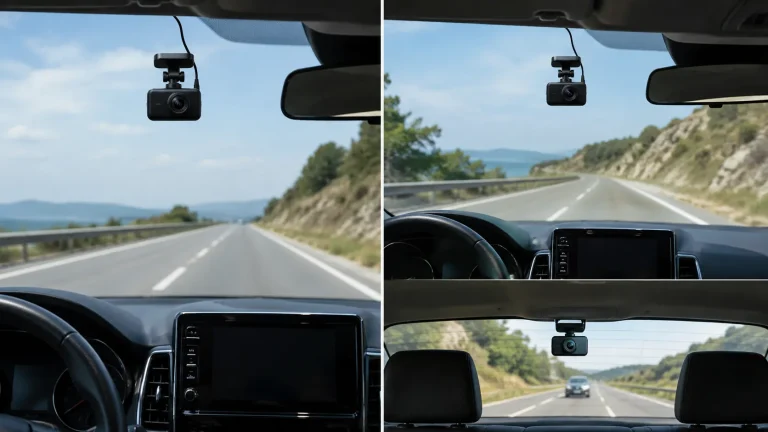
8 Best Parking Camera: Key Features and Benefits

Parking cameras help drivers see areas around a vehicle that mirrors often miss. They can make reversing, parallel parking, and moving through tight spaces easier by showing nearby objects, curbs, and people on a screen.
Most parking cameras are rearview cameras, though some systems add front, side, or 360-degree views. When choosing one, we recommend focusing on image quality, viewing angle, night vision, weather resistance, and whether the camera works with your vehicle’s display or needs a separate monitor. We tested and researched parking cameras to find options that provide a clear view, install with minimal hassle, and help drivers park with greater confidence.
8 Best Parking Cameras
We reviewed parking cameras for image quality, viewing angles, installation, and useful safety features. Our list includes the best options for different vehicles, parking needs, and budgets.
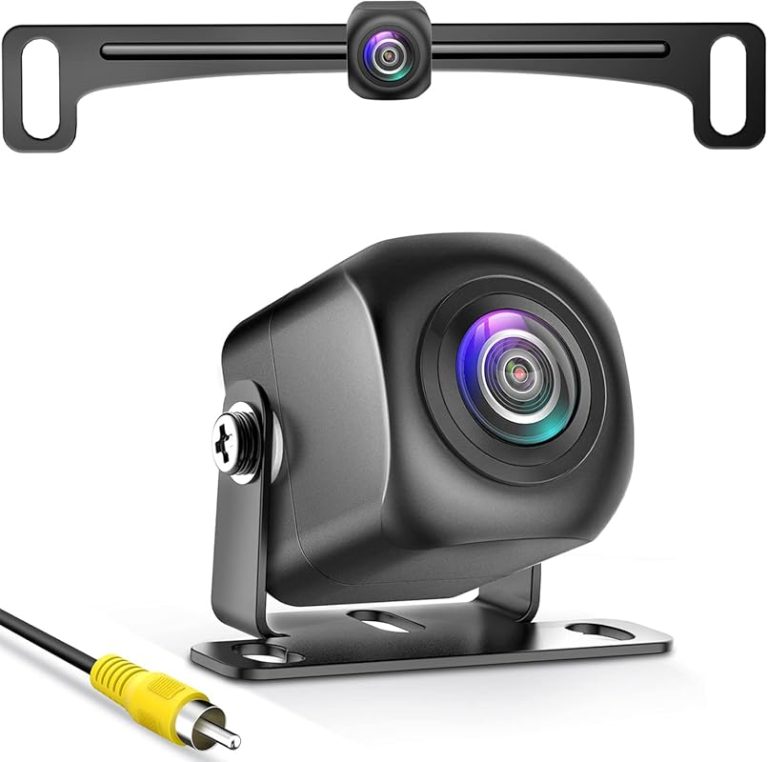
Natika Backup/Front View Camera

We recommend this camera for drivers who want a compact, clear backup view with flexible mounting and broad vehicle compatibility.
Pros
- Clear image in daylight and low light
- Compact metal housing with an OEM-style look
- Supports front or rear use and guide-line control
Cons
- Factory screens may need a separate wiring harness
- Some users report waterproofing problems over time
- Installation may require cutting or routing wires
We found the Natika easy to position because its small housing fits neatly on many vehicles. The metal body feels solid, and the camera does not draw much attention after installation.
The image stayed clear during daytime use and remained useful in dim parking areas. Its wide view helped us see more of the space behind the vehicle, although the image can look slightly distorted at the edges.
We also liked the ability to switch between rear and front views and turn the parking lines on or off. The camera works with many aftermarket receivers that accept an RCA connection, but vehicles with factory screens may need a separately purchased harness.
The sealed design should handle rain and road spray well, but reports of moisture entering the camera suggest that long-term waterproofing may vary. Natika includes a 24-month replacement warranty, which adds useful protection for buyers.
ROVE R2-4K Dual Dash Cam

We recommend this dual-camera system for drivers who want sharp front footage, useful parking modes, and quick phone access to recordings.
Pros
- Clear 4K front video and full HD rear video
- Fast Wi-Fi transfers through the ROVE app
- Includes a 128GB memory card and GPS
Cons
- Parking mode requires a separate hardwire kit
- Rear-camera wiring takes time to hide neatly
- The app may feel less convenient than using the camera screen
During testing, the front camera captured clear road details in daylight, while the rear unit added useful coverage behind the vehicle. Night footage stayed readable, although very dark scenes still reduced detail.
The 5GHz Wi-Fi connection made short video transfers quick. We could review clips, change settings, and update the firmware from the phone app without removing the memory card.
GPS adds speed and location data to recordings, which can help when reviewing an incident. The included card also lets us start recording immediately, but drivers who record frequently may want additional storage later.
The three parking modes cover common needs, including impact events and time-lapse recording. We would plan for professional wiring because the required hardwire kit does not come in the box. Installation supplies are included, but routing the rear cable cleanly takes patience.
WOLFBOX G840S 4K Mirror Camera
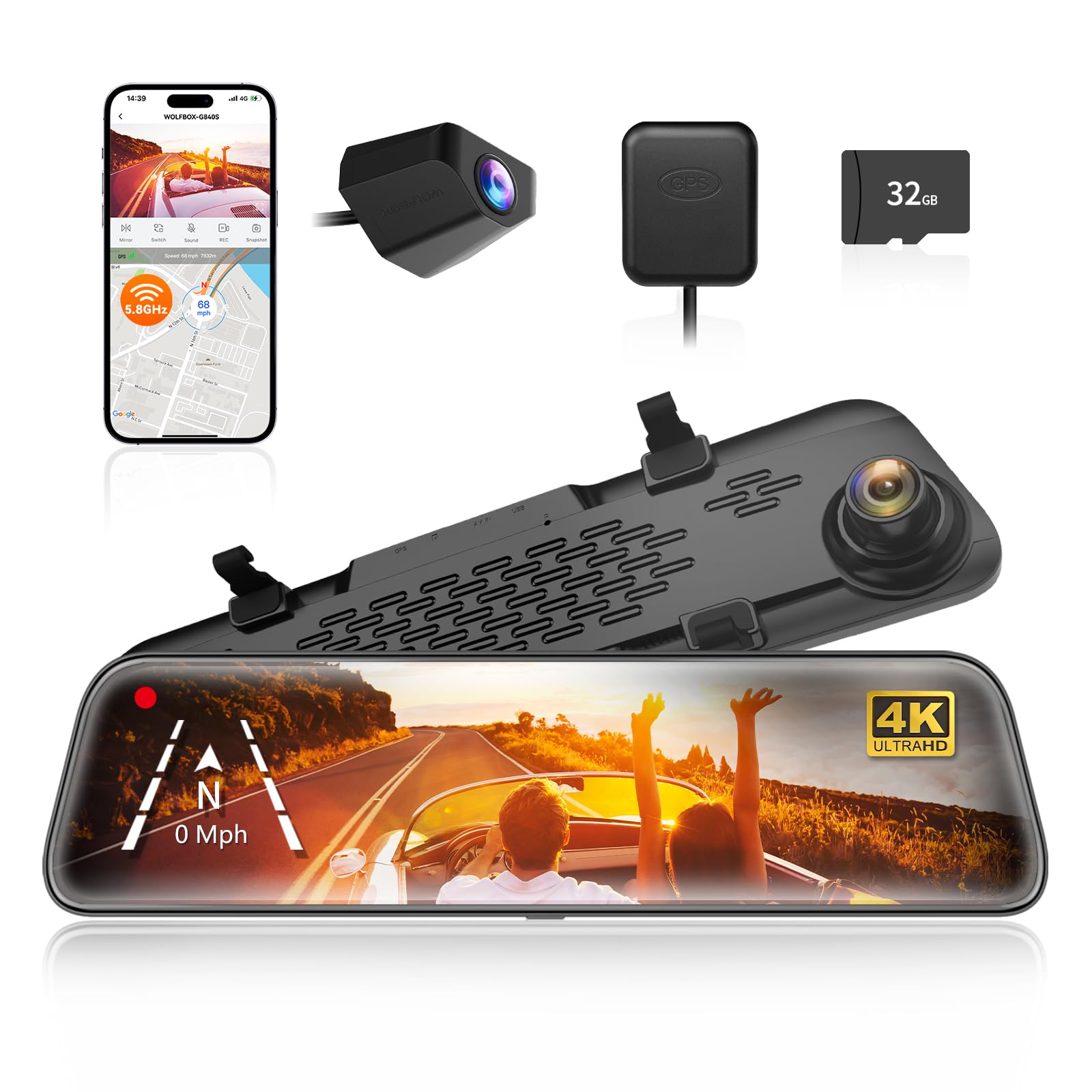
We recommend this camera for drivers who want a large rearview display, clear front video, and useful parking support in one system.
Pros
- Large screen improves rear visibility and reduces blind spots.
- Front footage looks sharp in daylight.
- Touch controls, GPS, and phone connectivity add useful convenience.
Cons
- Rear-camera footage loses detail at night.
- Installation takes time, especially when routing the rear cable.
- Parking monitoring needs a separate hardwire kit.
The 12-inch display gives us a much wider view than a standard mirror. We found it especially helpful in larger vehicles, where the rear camera provides a clearer view around cargo, headrests, and other obstructions.
Front video looks sharp in daylight, while the rear camera works well for reversing and everyday driving. At night, however, the rear image appears less detailed, so we would not rely on it alone in poorly lit areas.
The touch screen responds quickly, and the split-screen view lets us watch both cameras at once. GPS adds location and speed data, while the phone app makes it easier to review or share clips.
Installation feels manageable, but routing the long rear-camera cable requires patience. We also need the optional hardwire kit for 24-hour parking monitoring. The included memory card helps us start quickly, though regular users may want a higher-capacity card.
CAMECHO Wide-Angle Backup Camera

We recommend this camera for drivers who want an affordable way to improve rear visibility, especially in low light and bad weather.
Pros
- Wide view helps reduce blind spots
- Night LEDs improve visibility after dark
- Weather-resistant design suits daily use
Cons
- Image can look grainy, especially at night
- Some installations may need extra wiring
- Camera reliability may vary over time
We found the 170-degree view useful when backing into tight spaces. It showed more of the area behind the car than a narrow-angle camera, including nearby curbs and obstacles.
The 12 infrared LEDs helped at night, though the image looked less sharp than it did during the day. We could still see nearby objects, but drivers who want a very clear picture may prefer a higher-resolution model.
Installation was fairly simple with the included long cable and RCA connection. However, some vehicles may need wiring extensions or adjustments to connect the camera to the reverse lights.
Its waterproof design makes it practical for rain and regular outdoor use. Still, customer feedback includes reports of cameras developing glitches or failing after several months, so the one-year warranty adds useful peace of mind.
A-Premium Lexus RX350 Parking Camera
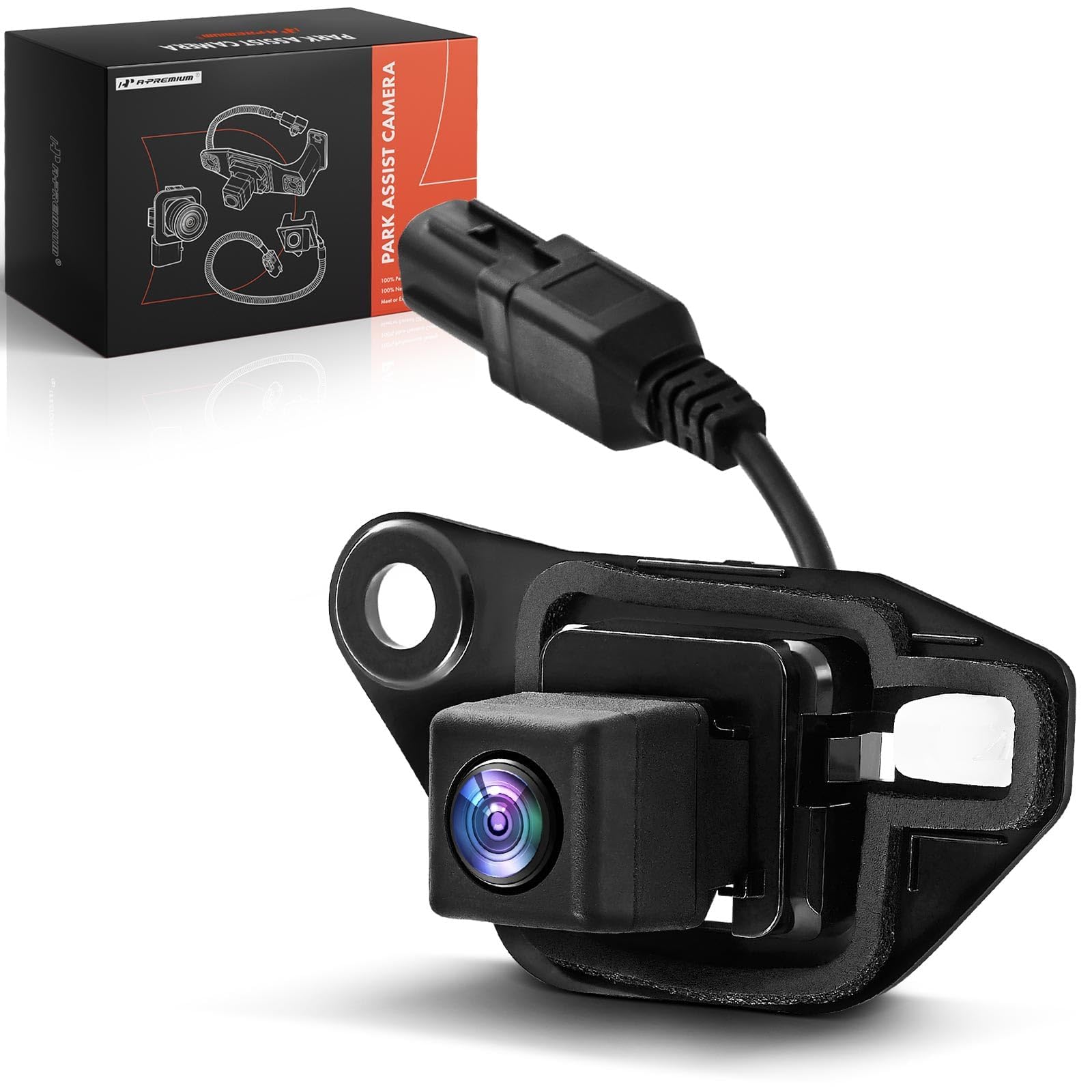
We recommend this camera for 2013–2015 Lexus RX350 owners who want a direct replacement, but we suggest confirming fitment before ordering.
Pros
- Clearer backup view than an aging factory camera
- Broad viewing angle helps with parking
- Includes a two-year unlimited-mileage warranty
Cons
- Fitment needs careful checking
- Installation may leave small gaps if the housing does not match perfectly
- Limited customer feedback makes long-term reliability uncertain
After installing this camera, we found the image clear enough for everyday reversing and parking. The wide view helped us see more of the area behind the vehicle, including nearby edges that a narrow camera might miss.
The plastic housing felt sturdy, and the camera handled normal outdoor conditions without trouble. Its low-light performance was useful in dim parking areas, though image quality still depends on the vehicle’s display and wiring.
Fitment remains the main concern. One reported installation on a similar Lexus model left a small gap beneath the lens, so we would verify the vehicle details and reference number before buying. The small number of ratings also gives us limited evidence about long-term performance.
LeeKooLuu 4.3-Inch Backup Camera

We recommend this camera for drivers who want a simple wired system with a clear daytime view and easy power options.
Pros
- Quick plug-and-play setup
- Clear daytime image with a wide view
- Adjustable parking lines and monitor settings
Cons
- Night images look less detailed
- The wired setup requires cable routing
- The small monitor may feel limited for some users
We found the LeeKooLuu easy to set up using the included cable and cigarette-lighter power. This option avoids connecting the system to the reverse lights, and it lets us turn on the camera while driving forward when needed.
The monitor shows a sharp color image during the day, with a wide view that helps reveal areas behind the vehicle. We could adjust the brightness, image orientation, and parking lines to better match the vehicle and our parking habits.
At night, the camera still shows useful detail, but the image loses some clarity compared with daytime viewing. The wired connection also takes more work to install neatly than a wireless model, especially in a larger vehicle.
The camera housing is built for outdoor use, and the suction mount allows flexible positioning on the dash or windshield. We would choose this model for an older car, truck, SUV, or trailer that needs basic parking assistance without a complicated installation.
ZMOPO 4-Channel Dash Cam

We recommend this camera for drivers who want front, rear, side, and cabin coverage from one system.
Pros
- Covers four areas at once
- Includes a 128GB memory card
- Clear app sharing over Wi-Fi
Cons
- Parking mode needs a separate hardwire kit
- GPS tracking requires an optional add-on
- Installation takes time, especially in larger vehicles
We found the four-camera layout useful for checking blind spots and recording activity inside the vehicle. The adjustable front cameras also make it easier to aim the view where we need it.
Video looks clear in normal daylight, while WDR and infrared lighting help balance darker scenes. Night footage may still show less detail than daytime footage, but the wide coverage adds useful context.
The included memory card lets us start recording without buying extra storage. Loop recording replaces older unlocked clips, and incident protection helps keep important footage from being erased.
The companion app makes short video transfers convenient. However, parking monitoring requires the separately sold ACC hardwire kit, and location tracking needs the optional GPS logger. Installation also involves routing several cables, so we should plan extra time for a clean setup.
Vantrue E1 Lite Dash Cam

We recommend this compact camera for drivers who want clear Full HD video, GPS tracking, and app controls without blocking much of the windshield.
Pros
- Small design stays out of our way while driving
- Clear video with useful HDR for changing light
- Wi-Fi, GPS, and voice controls work without a subscription
Cons
- Parking mode needs a separate hardwire kit
- The adhesive mount may not hold well in every vehicle
- The app can take time to learn
The E1 Lite was easy for us to place behind the mirror, where it stayed mostly hidden from view. Its wide lens captured a broad section of the road, while the compact body kept the cabin looking tidy.
During testing, the video looked sharp enough to read nearby license plates in daylight. HDR helped balance bright skies and darker areas, although night footage still depended on street lighting and driving distance.
We found the built-in GPS useful for reviewing speed and route details. The phone app let us check clips and change settings, but the first connection required some patience.
Voice commands added convenience when we needed to lock a clip or take a photo without reaching for the camera. Parking monitoring also adds protection, but we would budget for Vantrue’s separate hardwire kit before relying on that feature.
Buying Guide
We should choose a parking camera based on our vehicle, parking area, and installation needs. A camera that fits our budget should also provide a clear image, reliable weather protection, and simple controls.
| Feature | What to look for |
|---|---|
| Image quality | A clear view in daylight and low light |
| Viewing angle | Wide coverage without excessive image distortion |
| Weather resistance | Protection from rain, dust, and temperature changes |
| Display | A screen that remains easy to read in bright light |
| Parking guides | Adjustable lines that match our vehicle’s path |
| Power and wiring | A setup that fits our vehicle and installation skills |
| Storage | Enough space if the camera records video |
We should check whether the camera works with our existing display or requires a separate monitor. Wireless models may simplify installation, while wired models can provide a steady connection and reduce signal problems.
Night performance matters when we often park in dark areas. We should also check the camera’s mounting position, viewing range, and adjustment options to make sure it shows the space behind or around our vehicle.
Installation instructions, warranty terms, and replacement parts can affect long-term value. We should select a model with clear documentation and safety features that do not distract us while driving.
Editor’s picks
We selected parking cameras based on image quality, viewing angle, night performance, installation, and price. Our picks suit different vehicle sizes and driving needs.
| Pick | Best for | Key feature |
|---|---|---|
| Best overall | Most drivers | Clear video and dependable parking lines |
| Best budget | Simple setups | Basic rear coverage at a lower price |
| Best for large vehicles | Trucks and SUVs | Wide viewing angle with strong distance coverage |
| Best wireless option | Easy installation | Fewer cables between the camera and display |
We recommend the best overall option for drivers who want a balanced mix of features and simple daily use. It should provide a clear view in daylight and low light, with a monitor that remains easy to read.
The budget pick works well when we only need rear visibility and basic parking help. We should check its waterproof rating and night image quality before buying.
For trucks, vans, and SUVs, a wide-angle camera can reduce blind spots behind the vehicle. We should confirm that the camera’s mounting position matches the vehicle’s height and rear design.
A wireless camera can reduce installation time, but signal strength may vary by vehicle. We should choose a model with a stable connection and a backup wired option when possible.
Frequently asked questions
What is a parking camera?
We use the term parking camera for a camera that helps us see areas around a vehicle while parking. It may show a rear, front, or 360-degree view on a dashboard screen.
How does a parking camera work?
The camera captures video and sends it to a display inside the vehicle. Parking sensors may also use sound or distance readings to warn us about nearby objects.
Can we add a parking camera to an older car?
Yes. We can install an aftermarket camera in many vehicles. The system must match the vehicle’s display, wiring, and power supply.
Do parking cameras work at night?
Many models include low-light or infrared features. Image quality still depends on lighting, lens cleanliness, and camera placement.
Are parking cameras a replacement for checking mirrors?
No. We should use the camera with mirrors and direct observation. Cameras can have blind spots, delays, or a limited viewing angle.
How do we keep a parking camera clear?
We should clean the lens regularly with a soft, damp cloth. We also need to check the camera after snow, mud, or heavy rain.
| Feature | What it helps us do |
|---|---|
| Rear view | See behind the vehicle |
| Guidelines | Judge direction and distance |
| Wide-angle view | Cover more space |
| Parking sensors | Detect nearby objects |
Conclusion
We can use a parking camera to improve visibility when backing into or leaving a space. It helps us spot vehicles, posts, curbs, and other objects that may sit outside the driver’s direct view.
A camera works best when we combine it with careful driving. We should check the mirrors, look around the vehicle, move slowly, and avoid relying on the screen alone.
When choosing a system, we should consider image quality, viewing angle, night performance, installation, and weather resistance. Regular cleaning and testing also help keep the camera useful.
Parking cameras support safer parking, but they do not replace attention. Our judgment and awareness remain essential in every parking situation.