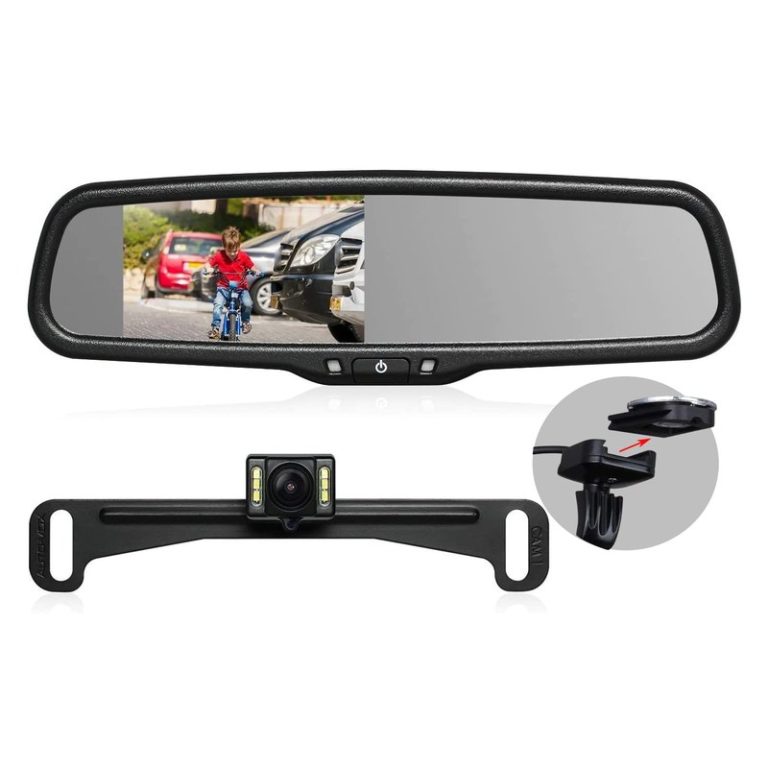
10 Best Parking Camera for Car: Top Picks for Safe Parking

Parking cameras help drivers see areas that mirrors and windows cannot, making it easier to reverse, park, and avoid nearby obstacles. Many systems use a rear-facing camera mounted near the license plate, while others add front or side views for wider coverage.
The best parking camera for a car should provide a clear image, a wide viewing angle, night visibility, and reliable weather protection. We also look for simple installation, a responsive display, parking guidelines, and compatibility with the vehicle’s screen or a separate monitor.
We compared leading parking cameras and considered image quality, ease of use, durability, and value to identify the models that make parking safer and less stressful.
10 Best Parking Cameras for Cars
We reviewed parking cameras for image quality, viewing angles, night performance, installation, and overall value. Our list includes reliable options for different vehicles, driving needs, and budgets.
LeeKooLuu 4.3-Inch Backup Camera

We recommend this camera for drivers who want an affordable, wired parking aid with simple power options and a clear daytime image.
Pros
- Simple plug-and-play setup
- Clear, low-delay daytime video
- Adjustable parking lines and viewing angle
Cons
- Night images lose some detail
- The small screen may not suit everyone
- Wired installation takes more work than wireless systems
We found the setup straightforward when using the included cable and 12-volt socket. The system can also connect to the reverse lights, which makes it start automatically when we shift into reverse.
The camera provided a sharp, useful view while parking. Its wide angle helped us see nearby obstacles, and we could adjust or remove the parking lines to match the vehicle. The monitor also allowed changes to brightness, contrast, and image orientation.
At night, the image remained usable, but it showed less detail than during the day. The 4.3-inch display stayed compact on the dashboard, while the adjustable mount made it easy to position. Its weather-resistant housing and two-year warranty add confidence for regular outdoor use.
WOLFBOX G840S 4K Mirror Dash Cam
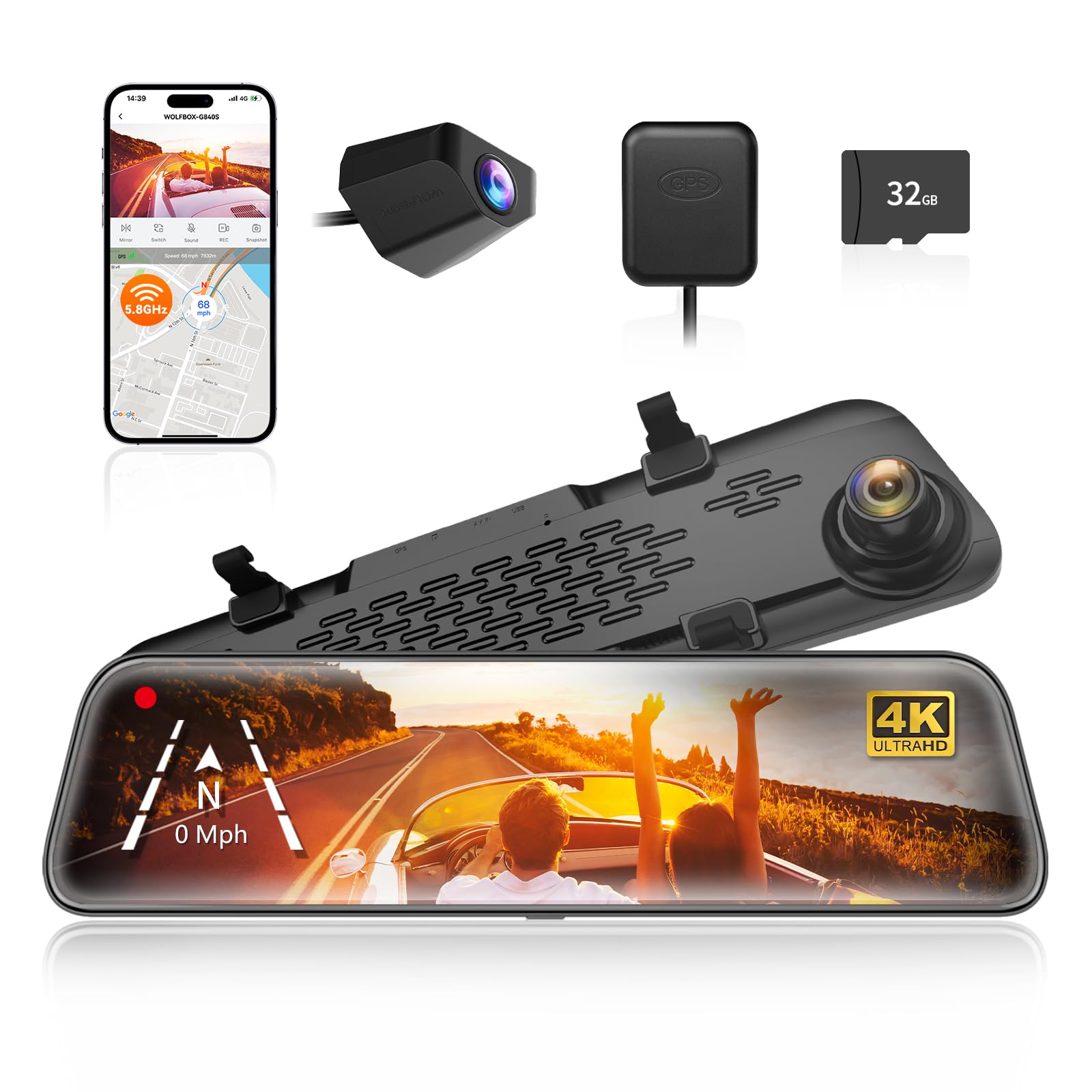
We recommend this camera for drivers who want a large rear view, clear front video, and parking assistance in one unit.
Pros
- Sharp 4K front video and a wide viewing angle
- Large 12-inch screen helps reduce blind spots
- GPS, Wi-Fi, and parking monitoring included
Cons
- Rear video can look less clear at night
- Parking monitoring needs a separate hardwire kit
- Installation takes time, especially when hiding cables
The 12-inch display gives us a much wider view than a standard mirror. Touch controls respond well, and the split-screen option lets us check the front and rear cameras at the same time. The mirror design also keeps the dashboard neat.
Front video looks sharp in daylight, while the 1080p rear camera provides useful coverage when reversing or changing lanes. Night performance is acceptable, but the rear image may lose detail in darker areas. We would not expect it to match the front camera after sunset.
Setup is manageable with the included cables, GPS antenna, and 32GB card. Hiding the rear-camera wire takes more effort, and vehicle size affects the installation time. The camera supports 24-hour parking monitoring, but we need the optional hardwire kit for that feature.
Wi-Fi makes it easy for us to view and share clips through the phone app. With a 4.3-star rating from more than 14,000 customers, the G840S offers strong value for drivers who want a parking camera with dash-cam features.
AUTO-VOX Solar Wireless Backup Camera

We recommend this camera for drivers who want a clear parking view without running wires through the vehicle.
Pros
- Simple license-plate installation
- Clear 1080p image with a wide view
- Long battery life with solar assistance
Cons
- Night images can look less bright
- Pairing may require a full battery charge
- The monitor needs a power connection
We found the setup quick and practical. The camera mounts near the license plate with screws or adhesive, while the monitor plugs into the vehicle’s power outlet. This makes it a useful choice for older cars, trucks, trailers, and SUVs without a factory camera.
The wireless connection worked well during normal parking. The five-inch screen showed a broad view behind the vehicle, helping us judge space during reverse parking and tight maneuvers. The image stayed clear in daylight, though nighttime visibility looked less bright than the daytime picture.
Battery performance stands out. The 5,000mAh battery, low-power mode, and built-in solar panel reduce the need for frequent charging. We also like the sleep timer, which helps conserve power when the camera is not in use.
The camera supports a second channel, so we could add another view for the front, side, or trailer. Its weather-resistant design should handle rain and car washes, but installation still requires a clear view of the plate area and a secure mounting position.
Jansite 10-Inch Mirror Dash Cam

We recommend this camera for drivers who want a wide rear view, parking guidance, and front-and-rear recording in one mirror-mounted unit.
Pros
- Large touch display improves rear visibility
- Clear front and rear video in daylight
- Parking lines and backup view help with tight spaces
Cons
- The screen no longer works as a regular mirror when turned off
- Installation takes time because of the rear-camera wiring
- Some users report reliability and support concerns
We found the 10-inch screen easy to read while reversing and useful in busy parking lots. The rear camera gives a wider view than a standard mirror, which can make nearby cars and obstacles easier to spot.
The touch controls respond quickly, letting us switch views and adjust the image without digging through complex menus. The front and rear cameras record at 1080p, and the rear image remains useful in low light, though bright headlights can appear harsh.
The included parking guide lines help with alignment, but we still needed to judge distance ourselves. The camera supports loop recording and locks footage after a detected impact. A microSD card is required, and the optional hardwire kit enables parking monitoring when the vehicle is off.
Installation uses straps over the existing mirror, so we avoided adding another windshield mount. However, the cables require careful routing, and buyers should check the original mirror’s size and weight capacity before installing it.
ZMOPO 4-Channel Dash Cam

We recommend this camera for drivers who want front, rear, side, and cabin coverage from one system.
Pros
- Four camera views help cover blind spots and the vehicle interior.
- The included 128GB card reduces setup costs.
- Wi-Fi makes short video clips easy to download.
Cons
- Parking mode requires a separate ACC hardwire kit.
- GPS tracking requires an optional GPS logger.
- Four camera cables may take time to route neatly.
We found the four-channel layout useful in crowded parking lots and tight spaces. The side views add coverage that standard front-and-rear dash cams miss, while the adjustable front cameras let us change the viewing angle.
The 1080p video looked clear in daylight, and WDR helped balance bright and dark areas. Night footage remained usable, though fine details may be harder to see in very dark locations.
The included memory card lets us start recording without buying extra storage. Loop recording clears older unlocked clips, while incident locking helps protect important footage.
Wi-Fi transfers worked well for sharing short clips, but longer videos took more time. The optional hardwire kit and GPS logger also raise the total cost, so we should include those expenses in the buying decision.
Its 24-month support period adds value, especially because routing four camera cables can require patience. Overall, this model suits drivers who want broad parking and driving coverage rather than the simplest installation.
ROVE R2-4K Dual Dash Cam

We recommend this camera for drivers who want clear front and rear coverage, GPS data, and useful parking protection in one kit.
Pros
- Sharp 4K front video and clear 1080p rear footage
- Fast app transfers through dual-band Wi-Fi
- Includes a 128GB memory card
Cons
- Parking mode needs a separate hardwire kit
- Rear-camera wiring takes time to hide neatly
- The front unit may feel large on smaller windshields
When we tested the ROVE R2-4K Dual, the front camera captured clear road signs, plates, and lane details in daylight. The rear camera added helpful coverage behind the car, while the wide viewing angles reduced blind spots around the vehicle.
Night footage stayed usable in low light, though bright headlights still caused some glare. The 3-inch screen made setup and playback simple, and the built-in GPS added speed and route information to recorded clips.
The ROVE app let us review and download videos without removing the memory card. Transfers felt quick over 5GHz Wi-Fi, but the rear cable required careful routing around the cabin trim.
Parking mode supports time-lapse, motion, and impact recording. We would choose the hardwire kit for regular parking protection, since the included car charger cannot power the camera while the vehicle remains off.
A 128GB card comes in the box, and the camera supports larger cards if needed. Overall, this kit suits drivers who want strong image quality and practical features without buying a separate rear camera.
SUVCON 3-Channel Dash Cam
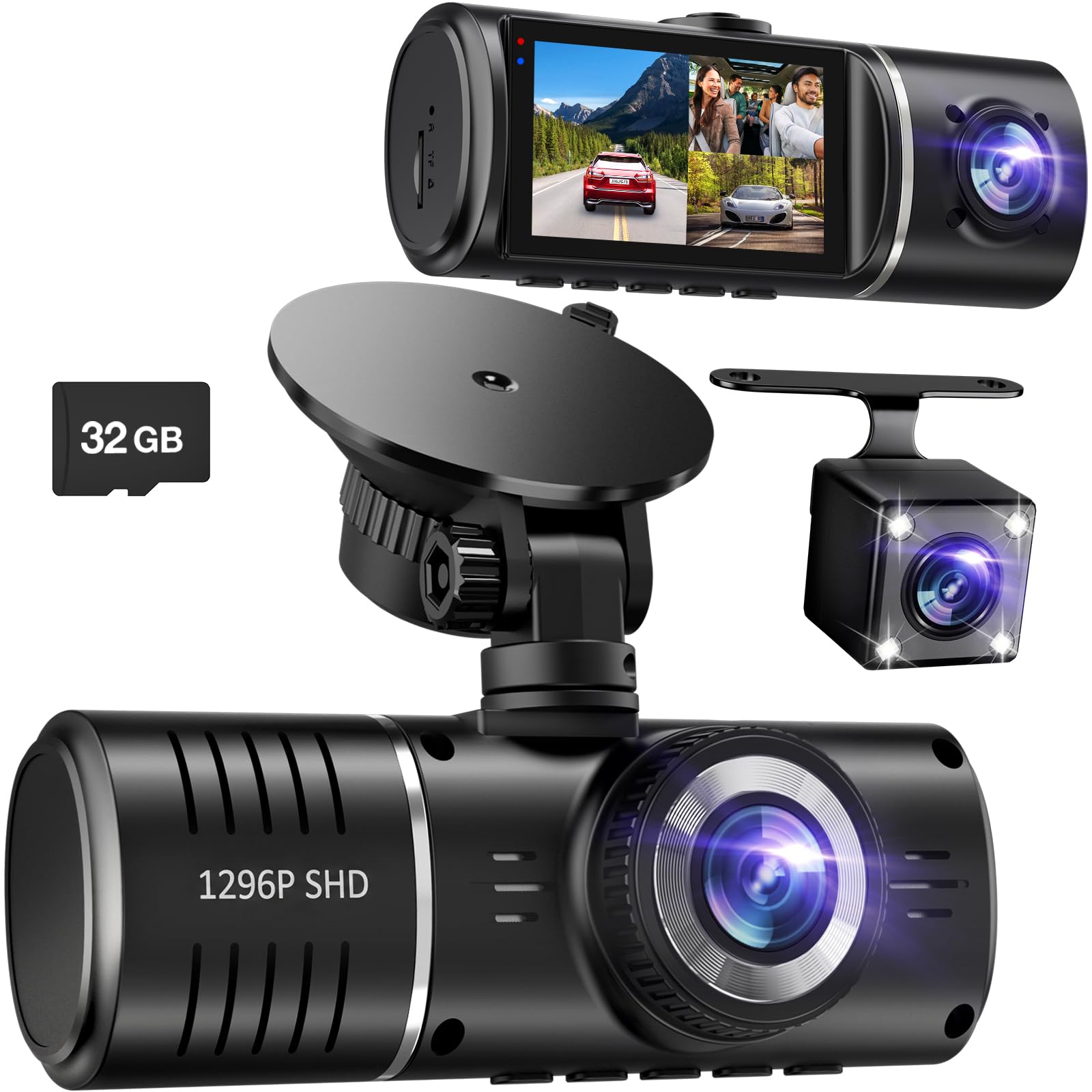
We recommend this camera for drivers who want front, rear, and cabin coverage in one affordable setup.
Pros
- Covers three viewing areas at once
- Includes a 32GB memory card
- Simple installation and parking-impact recording
Cons
- Rear and cabin video may look weaker than front footage
- No Wi-Fi for quick file transfers
- Some buyers reported unclear package contents
We found the SUVCON easy to mount and use. The front camera provides a wide view, while the rear unit helps cover blind spots during parking. The cabin camera also records passengers and activity inside the car.
Daytime footage looked clear enough for routine driving and parking evidence. Night performance was more mixed, especially from the rear and interior cameras. The infrared lights help inside the cabin, but we would not expect the same detail from all three views.
Parking monitoring and the G-sensor can lock footage after a detected impact. We would treat this feature as helpful protection, not a complete security system, because extended parking use may require a separate hardwire setup.
The included card makes setup faster, and loop recording prevents the camera from stopping when storage fills. However, transferring videos may take extra steps because the camera does not offer Wi-Fi.
REDTIGER F7NP 4K Dash Cam

We recommend the REDTIGER F7NP for drivers who want clear front and rear coverage, useful parking protection, and quick phone access to recordings.
Pros
- Sharp front video and useful rear coverage
- Fast Wi-Fi transfers and simple app controls
- Includes a 128GB memory card
Cons
- Parking mode requires a separate hardwire kit
- Rear-camera wiring takes time to hide
- App setup may require some patience
We found the F7NP compact enough to sit behind the mirror without blocking much of our view. The front footage captured clear road details, while the rear camera added helpful coverage in traffic and during parking.
Video quality stayed solid in low light. The front camera handled headlights and dark roads well, although license plates can still become difficult to read in poor conditions or at a distance.
The phone app made it easy for us to preview clips, check GPS data, and download recordings. Its faster Wi-Fi connection saved time compared with removing the memory card, but the initial setup took a few minutes.
Loop recording handled daily use without much attention. The included 128GB card also let us start recording immediately, while the impact sensor locked clips after sudden movement.
Parking protection works in two ways, but continuous parking monitoring needs the optional hardwire kit. The supercapacitor should also handle heat better than a battery-based design, though we would still follow the temperature and cable-use guidance.
IIWEY N6 360° Dash Cam
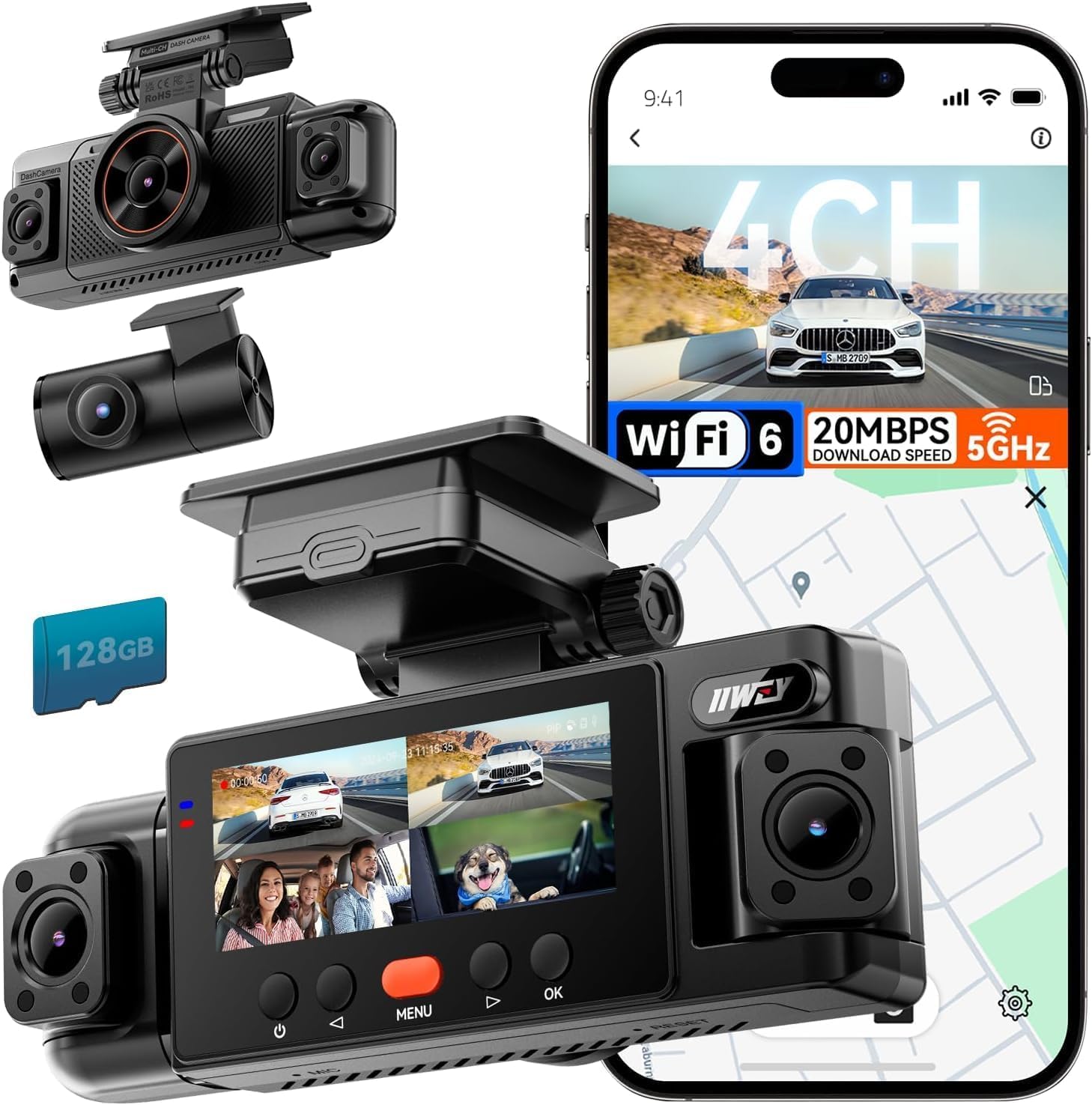
We recommend the IIWEY N6 for drivers who want broad coverage from four cameras and do not mind a more involved installation.
Pros
- Front, rear, and side views help reduce blind spots
- Includes a 128GB memory card
- Wi-Fi, GPS, and app controls simplify video access
Cons
- Parking mode requires a separate hardwire kit
- Side cameras need careful positioning
- Phone connection may take several steps
We found the four-camera layout useful for covering more than the road ahead. The front and rear views record clearly in daylight, while the side cameras add helpful coverage near doors, parking spaces, and intersections.
Night recording works well for general driving, and the infrared side cameras help show activity around the vehicle. Still, we needed to position the side units carefully to avoid blocked or uneven views.
The included 128GB card lets us start recording without buying extra storage. Loop recording replaces older files when the card fills, while the G-sensor locks clips after sudden impacts.
Wi-Fi makes it easier to preview and download clips than removing the card. However, connecting the camera to a phone may require opening the camera settings each time instead of connecting automatically.
The camera uses the included car charger for normal driving. Its parking features need the separately sold hardwire kit, so buyers seeking continuous parking protection should include that extra cost and installation step.
Galphi Q2 4K Dash Cam
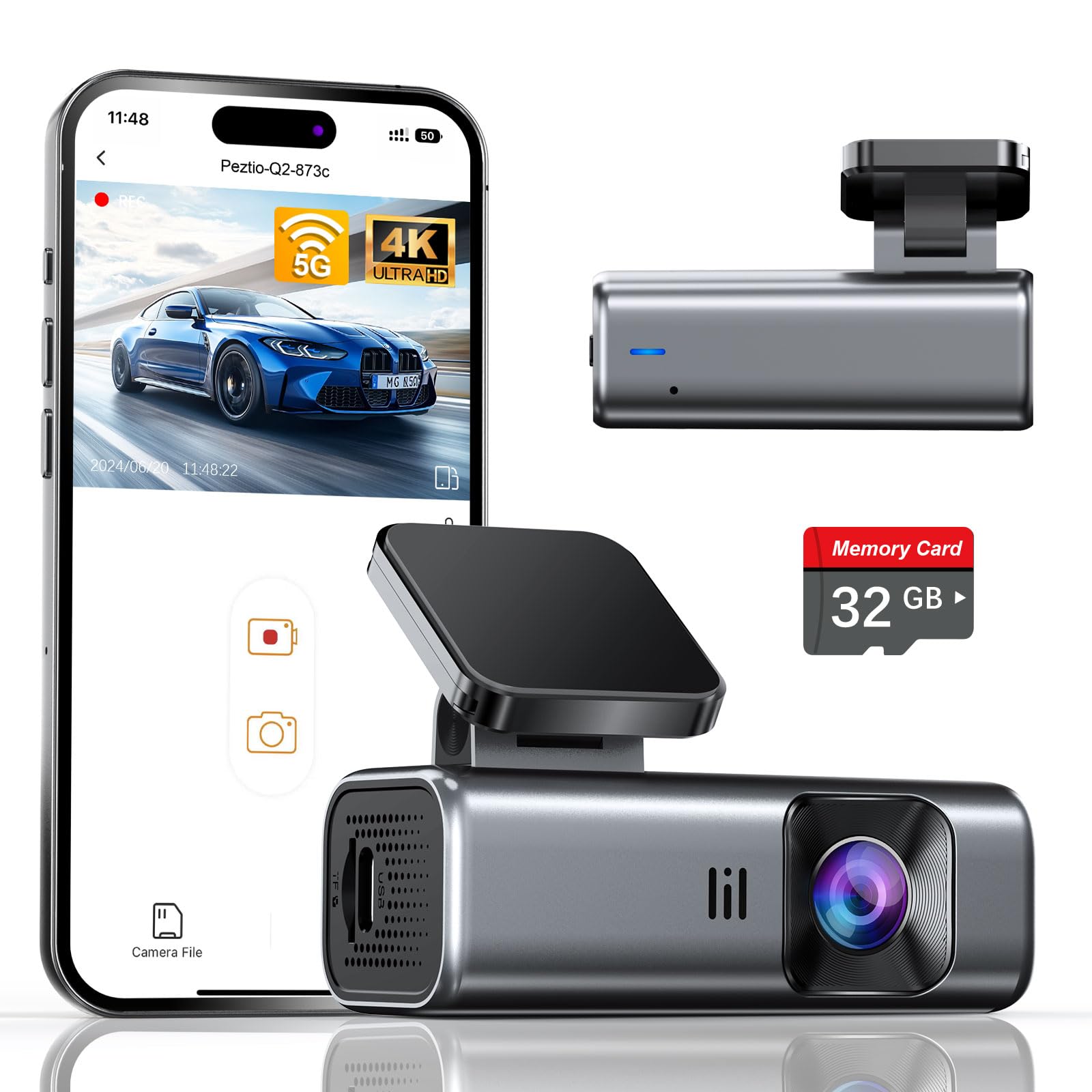
We recommend the Galphi Q2 for drivers who want sharp front-facing video, simple app control, and a discreet design without an onboard screen.
Pros
- Clear 4K video with useful night visibility
- Fast 5GHz Wi-Fi transfers through the app
- Includes a 32GB memory card and installation tools
Cons
- No built-in screen for quick playback
- Parking monitoring may require additional wiring
- App control depends on a smartphone connection
We found the camera easy to place behind the rearview mirror, where its small body stayed out of our view. The included adhesive pads, trim tool, clips, and long power cable made cable routing simpler than expected.
During daytime driving, the footage looked sharp enough to show signs, vehicles, and road details. The wide view covered a large area in front of the car without making the camera feel bulky.
Night recordings remained useful in low light, rain, and other difficult conditions. We also liked the screen-free design because it kept the windshield area clean and avoided another display competing for our attention.
The 5GHz Wi-Fi connection made short video transfers fairly quick. We used the app to review clips and save important footage, while loop recording handled routine storage. The impact sensor helped protect clips after sudden bumps.
This model suits drivers who want a discreet parking and driving camera with strong video quality. We should note that full parking-monitor use may need a separate hardwire setup, depending on how the vehicle powers the camera when parked.
Buying Guide
We should choose a parking camera based on our vehicle, parking needs, and installation options. A camera with a wide viewing angle can show more of the area behind or around the car, while clear image quality helps us see curbs, posts, and other obstacles.
| Feature | What we should look for |
|---|---|
| Image quality | Clear video in daylight and low light |
| Viewing angle | Wide coverage without heavy image distortion |
| Night vision | Infrared or low-light support for dark areas |
| Display | A screen that remains easy to read in bright light |
| Weather resistance | Protection against rain, dust, and temperature changes |
| Installation | Compatibility with our car and available wiring |
| Parking guides | Adjustable lines that match the vehicle’s path |
| Power source | A stable connection to the vehicle’s electrical system |
We should check whether the camera works with our existing display or requires a separate monitor. Wireless models can simplify installation, but signal strength and battery life may affect reliability. Wired models usually require more installation work but can provide a steady connection.
The camera should fit our parking space and driving conditions. For frequent night parking, we should prioritize low-light performance. For larger vehicles, we may need a wider view or multiple camera angles.
Before buying, we should review the mounting method, cable length, warranty, and installation instructions. We should also confirm that the camera can withstand the weather in our area and that its parking lines can be adjusted or turned off.
Editor’s picks
We recommend choosing a parking camera based on image quality, viewing angle, installation, and low-light performance. The best option depends on whether we need a simple backup view or a full parking-monitoring system.
| Pick | Best for | Key feature |
|---|---|---|
| Garmin BC 50 | Wireless installation | Clear video with a compatible Garmin display |
| AUTO-VOX CS2 | Simple backup viewing | Reliable signal and an easy-to-read monitor |
| eRapta ER0202 | Front and rear coverage | Dual-camera setup with wide viewing angles |
| Pioneer ND-BC8 | Sharp image quality | Detailed video and strong color accuracy |
The Garmin BC 50 suits us when we want a clean installation without running a video cable through the vehicle. It works with select Garmin navigators and supports a wide rear view.
The AUTO-VOX CS2 offers a practical choice for older cars or vehicles without a built-in screen. Its dedicated monitor keeps the system simple, while its wireless design reduces installation work.
For wider coverage, we can choose the eRapta ER0202. Its front and rear cameras help us monitor more of the vehicle, but the installation takes more time than a single-camera system.
The Pioneer ND-BC8 fits drivers who value a clear, detailed image. We need a compatible display, and professional installation may help us achieve the best results.
Frequently asked questions
What type of parking camera works best for most cars?
We usually recommend a rear-view camera with night vision, a wide viewing angle, and clear parking guidelines. A wired model often provides a more stable connection, while a wireless model can simplify installation.
Do we need a professional to install a parking camera?
We can install some cameras ourselves if we can safely access the vehicle’s wiring and follow the instructions. Professional installation may be better for models that require panel removal or connection to the reverse-light circuit.
Are wireless parking cameras reliable?
Wireless cameras can work well, but signal strength may vary with distance, interference, and vehicle design. We should choose a model with a strong connection and a monitor that receives power reliably.
What features should we look for?
- Night vision for low-light areas
- Water resistance for rain and washing
- Wide viewing angle to cover more space
- Parking guidelines to help judge distance
- Clear display with useful brightness controls
Can a parking camera record video?
Some models include recording, but many only show a live view. If we want evidence after a crash or while parked, we should choose a camera with loop recording and enough storage support.
Will a parking camera fit every car?
Most universal cameras fit many vehicles, but mounting space and wiring differ. We should check the camera’s size, power requirements, and display compatibility before buying.
Conclusion
We should choose a parking camera based on our vehicle, parking space, and driving needs. A clear image, wide viewing angle, night vision, and reliable weather protection matter more than extra features we may not use.
For many drivers, a rear camera with parking lines provides enough help for daily use. We may benefit from a front or 360-degree system if we park in tight spaces or drive a larger vehicle.
Before buying, we should check:
- Image quality in daylight and low light
- Camera placement and viewing angle
- Monitor or phone compatibility
- Power and installation needs
- Weather resistance
- Warranty and customer support
We should also confirm that the camera fits our car and does not block the license plate, lights, or rear view. Professional installation can help us avoid wiring problems and keep the system secure.