10 Best Budget Dash Cam Buyers Guide for Reliable Low-Cost Recording

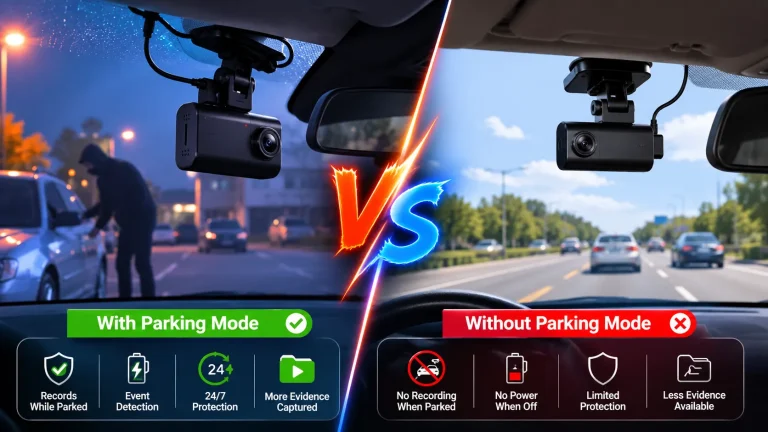
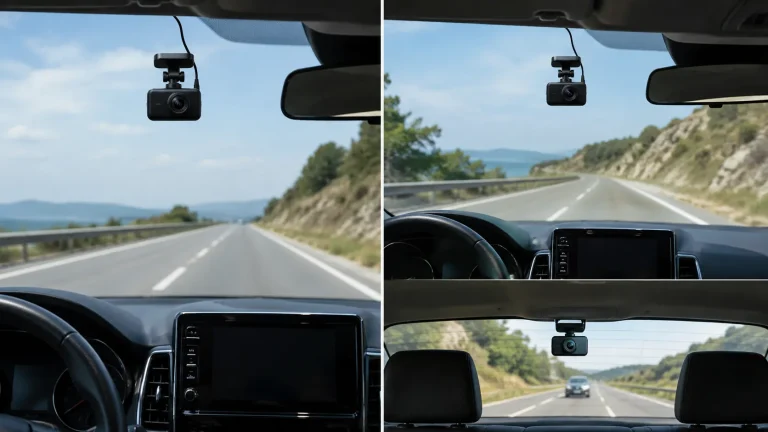
Dash cams record your drives so you have clear video of accidents, road events, or surprising moments. They range from basic single-lens units that clip to your windshield to dual-channel systems that also watch the cabin or rear view. A good budget dash cam focuses on reliable daytime and nighttime recording, simple installation, and easy video retrieval without extra cost.
The key things to watch for are video resolution, night performance, loop recording and memory support, and a dependable parking or incident detection feature. A dash cam that records sharp, usable footage in low light and saves events automatically is the most useful thing to prioritize on a budget. We tested a range of affordable models to find options that balance image quality, ease of use, and durability so you can pick the right one for your needs.
10 Best Budget Dash Cams
We tested many affordable dash cams to find models that record clear video, hold up over time, and are easy to use. Below is our full list of the best budget dash cams that balance price and performance.
ROVE R2-4K Dual

We think this is a solid budget pick if you want sharp daytime 4K front footage and reliable night performance without spending a lot.
Pros
- Very clear daytime front video and wide field of view.
- Strong low-light images thanks to the Sony STARVIS 2 sensor.
- Fast 5G WiFi and included 128GB card make setup and downloads easy.
Cons
- Rear camera setup can be fiddly in tight cars.
- Some menus feel a bit clunky when tuning settings.
- Full parking features need a hardwire kit (not included).
We mounted this unit and noticed the front picture is impressively detailed. Driving on highways and city streets, license plates and signs came through clearer than other budget cams we’ve tested.
Night driving felt safer because the STARVIS sensor grabbed more light. Shadows held detail and headlights didn’t wash the image out as much, but tiny glare from wet roads still showed.
Connecting the app and pulling files over 5GHz WiFi saved time compared with older models. Downloading clips to our phone was fast and sharing a clip took only a minute.
The rear camera did its job once routed well, though feeding the cable behind trim in a compact car took patience. We locked important clips automatically after small collisions, which gave us confidence.
If you want top-tier pro features, you’ll miss a bundled hardwire kit and a few polished menu touches. For most drivers who want strong video and easy phone access at a fair price, this ROVE performs very well.
E-YEEGER S50 2.5K Dual Dash Cam
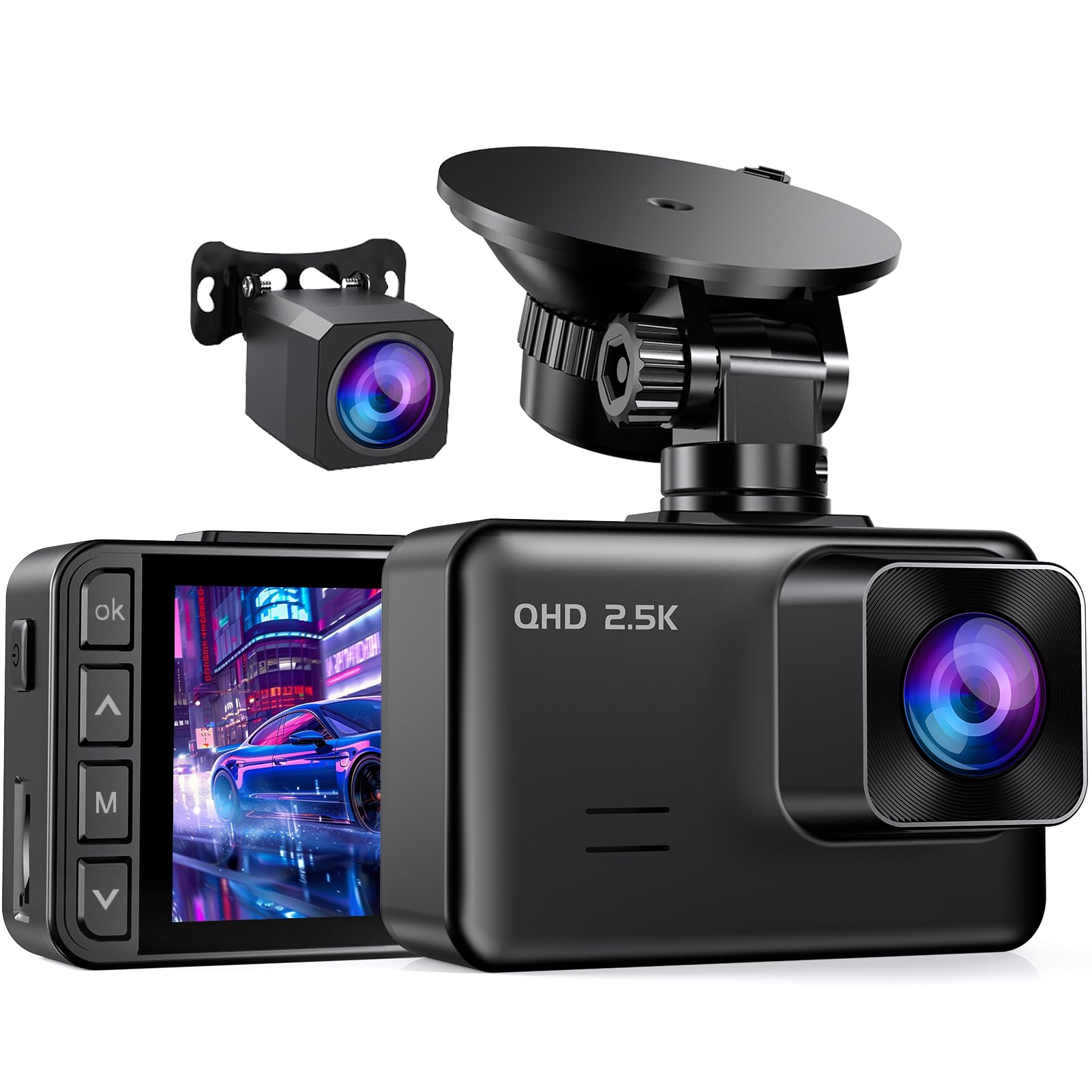
We recommend this if you want a budget twin-camera setup that records day and night clearly and feels solid for the price.
Pros
- Sharp front footage in low light.
- Easy install and adjustable mount.
- Reliable loop recording with impact locking.
Cons
- Small 2″ screen can be hard to view while parked.
- Hardwire kit and SD card not included.
- Some users dislike the default screen-saver closing the display.
We tested the S50 on city and highway drives. The 2.5K front image picked up license plates and road signs better than other cheap cams we’ve tried. Night shots stayed readable thanks to the starlight sensor, and the wide angles covered both lanes well.
Installing felt straightforward. The suction mount rotates and found a solid view without fuss. Running the long rear cable behind trim took time, but the finished look was tidy and secure.
Using loop recording and the G-sensor worked as promised — a sudden stop locked the clip immediately on our test. We switched off the screen saver in settings because the tiny display closing bothered us during setup. Hardwiring for 24-hour parking recording requires extra parts, so plan for that if you want all-day monitoring.
Veement V300 1296P Dash Cam

We recommend this if you want a solid, no-frills dash cam that records clear daytime and decent night video without costing much.
Pros
- Good image clarity for the price
- Easy app access to view and download clips
- Compact, low-profile mount
Cons
- Needs constant USB-C power or hardwire
- Some phones have trouble connecting to Wi‑Fi
- Occasional startup voice prompts can be annoying
We tested the V300 on city and highway drives and liked how much detail the 1296P captures. Lane markings and license plates were readable at short to medium range, and the wide 170° lens caught multiple lanes.
Night footage held up better than basic 1080P models. We could still see road signs and nearby headlights, though distant details softened. The small body stays out of sight behind a rearview mirror.
The VeeCar app makes grabbing clips simple when the camera connects, but pairing took a few tries with one phone. We used the long USB‑C cable in the car and found hardwiring is best for 24/7 parking mode.
Overall, the V300 feels like a practical buy for budget-minded drivers who want reliable recordings and basic smart features without extras. If you rely on continuous power and use a compatible phone, it performs well.
Galphi Q2 4K Dash Cam
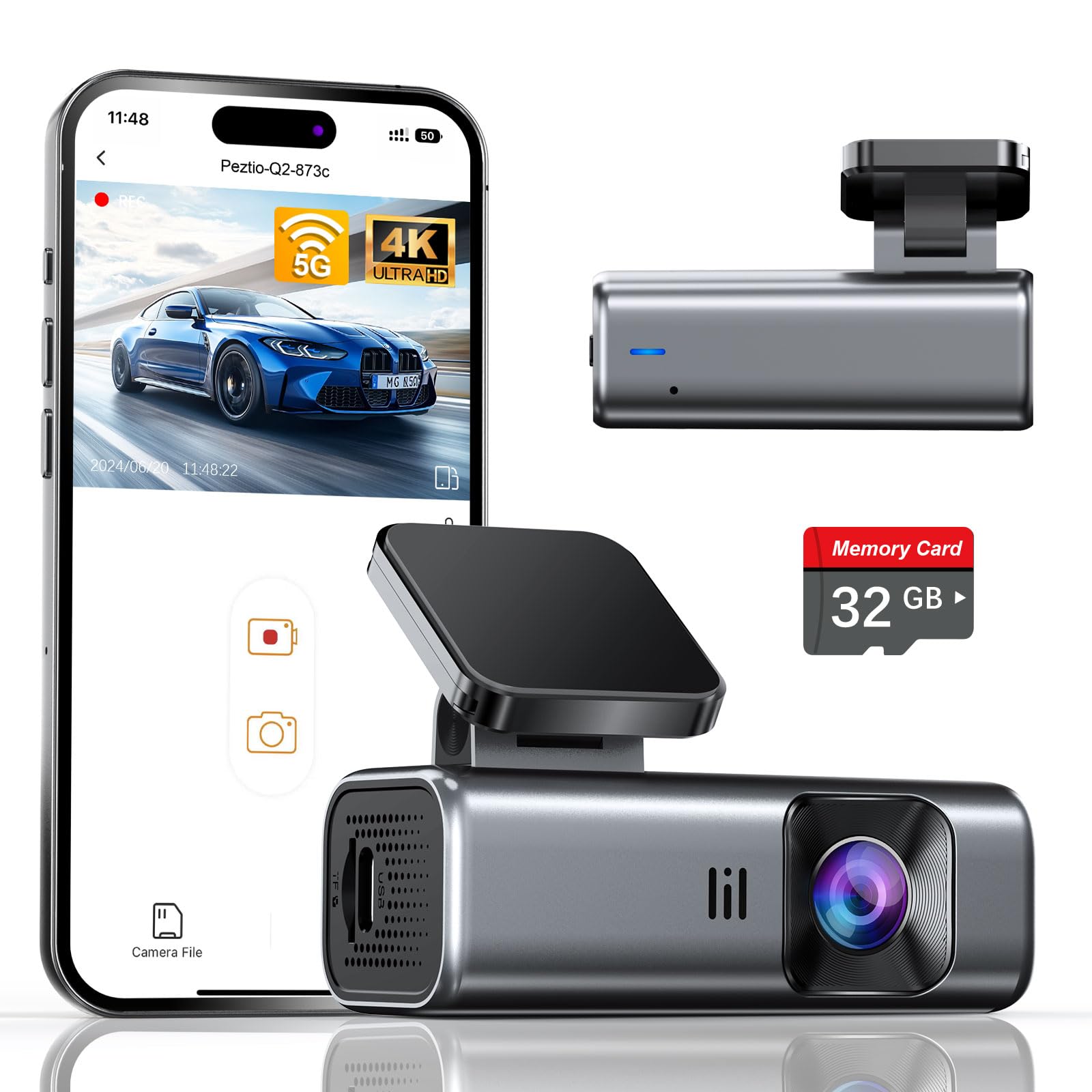
We recommend this Galphi Q2 if you want sharp 4K video, simple setup, and a ready-to-use camera without hunting for a memory card.
Pros
- Clear 4K daytime and strong night video.
- Built-in 5GHz WiFi speeds up phone downloads.
- Compact, low-profile design that stays out of the way.
Cons
- No screen means you must use the app to review footage.
- Included card is 32GB, which fills up faster than larger cards.
- Parking mode needs a hardwire kit (sold separately).
We installed this unit in minutes and liked how small it is on the windshield. The adhesive mount held tight and the camera barely blocked our view.
Recording quality impressed us on daytime drives — road signs and license plates came through clean. Night shots looked solid too; the WDR and f/1.6 aperture made a real difference in low light.
We used the 5GHz WiFi often to pull clips to our phone, and downloads felt noticeably quicker than 2.4GHz cameras we’ve tested. Relying on the app takes practice, but it keeps the dash distraction-free.
Loop recording and the G-sensor worked as expected during a sudden stop, protecting the clip from being overwritten. For long parking stints, plan to buy the hardwire kit so the camera can record in parking mode without draining the battery.
If you want a simple, powerful dash cam that starts working right out of the box, this one earns a spot on our shortlist.
REDTIGER F7NP 4K Dash Cam

We recommend this if you want a full front-and-rear 4K setup on a budget because it records clear day/night footage and includes a free 128GB card.
Pros
- Very sharp front video and usable night shots.
- Built-in WiFi and app make footage easy to download.
- Includes rear kit, long cables, and a supercapacitor for heat resistance.
Cons
- App can be a little fiddly at first.
- Parking mode needs a hardwire kit to work fully.
- Suction mount sometimes needs realigning after bumps.
We installed the F7NP across a few cars and liked how compact the front unit sits behind the rearview mirror. The front 4K image caught license plates at normal driving speeds, and the rear 1080p kept clear views of cars behind us. Setup felt familiar: stick, route cable, and tuck leads with the included pry tool and clips.
In bright and low light, the STARVIS 2 sensor handled contrast well. Shadows and headlights balanced without blowing highlights on most roads. Night footage showed street signs and nearby plates more often than cheaper cams we tested.
Using the Redtiger app on our phone sped up grabbing clips after incidents. The 5.8GHz WiFi downloads fast when the phone is close, though the connection dropped once or twice in one car until we repositioned the camera. Locked clips from the G-sensor saved automatically after a hard hit, which gave us peace of mind.
Parking features felt solid once hardwired. Time-lapse mode used minimal space for long parking sessions, but full 24/7 recording does require the optional hardwire kit. Customer service helped us with a rear-cam glitch and responded within a few days, which mattered when we were troubleshooting.
Overall, we found the REDTIGER F7NP gives strong value for the price: real dual-cam coverage, reliable day/night footage, and extras like a large memory card and supercapacitor that make it a sensible budget pick.
REDTIGER F7N Touch 4K Dash Cam

We recommend this if you want a full-featured dual dash cam that records clear 4K front footage and keeps costs low.
Pros
- Very sharp daytime and night video from the STARVIS 2 sensor.
- Simple touchscreen and phone app make quick clips easy to save.
- Built-in GPS and included 128GB card reduce extra purchases.
Cons
- Voice commands can be hit-or-miss in real use.
- Parking mode needs a hardwire kit to work reliably.
- Suction mount feels bulky compared with low-profile mounts.
We installed the F7N in one of our cars and drove it for several weeks. The front 4K footage captured fine detail, and license plates were readable at normal speeds. The rear cam also gave a useful angle for close follow events.
Using the touchscreen felt natural while parked, and the REDTIGER app moved clips to our phone fast over 5.8GHz WiFi. We liked that GPS data embedded speed and route without fiddling with extra gadgets.
Parking monitoring worked when hardwired, and the time-lapse option condensed long periods into short files. Expect to spend a little time routing the rear cable neatly; the kit includes long leads and clips that made the job manageable.
Overall, this unit gave us pro-level features for a modest price, though voice control was inconsistent and full parking use required a separate hardwire. If those trade-offs are okay, this is a strong budget pick for front-and-rear recording.
70mai M310

We recommend this if you want clear 1296P footage and simple app control at a low price.
Pros
- Sharp daytime and decent low-light video
- Small, lightweight, and easy to mount
- App makes downloads and settings quick
Cons
- No display on the unit, so setup needs the app
- Parking mode needs a separate hardwire kit
- MicroSD card not included
We installed the M310 quickly and used it on regular commutes for several weeks. The camera fit behind the rearview mirror without blocking sight, and the adhesive held through heat and humidity.
Daytime video captured readable license plates at typical highway distances. Night and tunnel shots were better than basic 1080P cams, though very dark scenes still lost fine detail.
Using the app felt natural. We pulled clips to our phone in seconds and changed settings without fiddling with small buttons. Voice prompts helped when powering the car on and off.
Parking surveillance worked in principle, but we had to buy the hardwire kit to test it. Time-lapse saves storage but needs that kit too if you plan long-term parked recording.
Overall, the M310 gives strong value for buyers who want clear footage and a small, easy-to-use dash cam without spending much.
Pelsee P1 Duo 4K

We recommend this if you want high-res footage and easy smartphone control without spending much.
Pros
- Very clear front video in daylight and good night detail.
- Simple app and Wi‑Fi let us grab clips fast.
- Parking mode and impact locking give extra peace of mind.
Cons
- Small 1.5″ screen makes menu checks fiddly.
- Hardwire kit needed to use full 24‑hour parking features.
- Power cable feels fragile during handling.
We installed the Pelsee in two cars and used it for daily commutes and a weekend road trip. The 4K front footage looked sharp on our phone and picked up license plates at a distance when light was good. The rear camera filled blind spots and matched the setup easily.
Using the app felt straightforward. We previewed clips, downloaded a few, and shared them without fumbling. Voice commands worked well enough to keep our hands on the wheel, though they sometimes missed a short command in noisy traffic.
Night shots surprised us for the price — street signs and nearby plates were readable. Still, the tiny built‑in screen made quick checks awkward, and we decided to use the phone more. If you want high detail, smartphone control, and basic parking monitoring on a budget, this one performs well for its price.
SUVCON 3-Channel Dash Cam
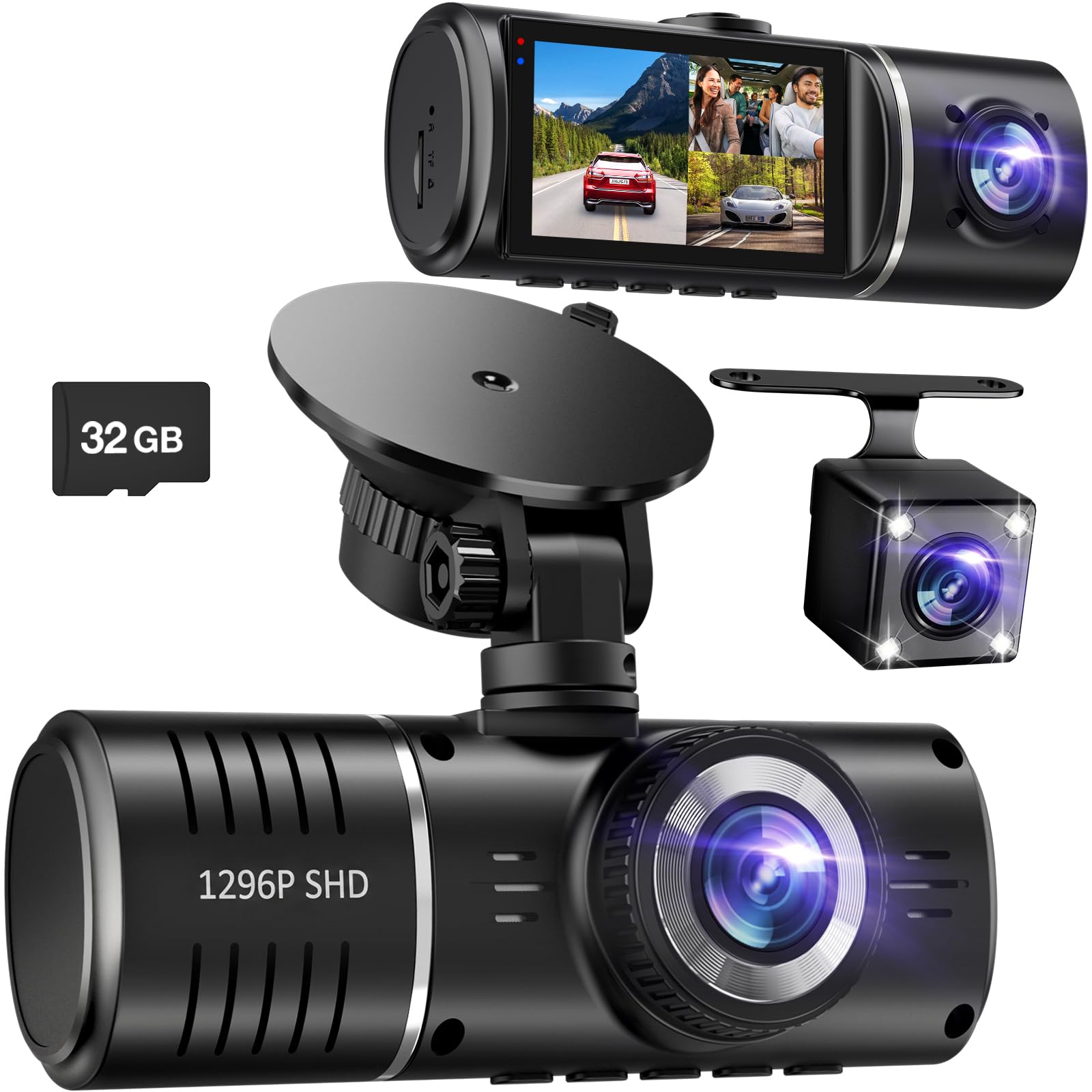
We recommend this dash cam if you want full coverage at a low price and easy setup.
Pros
- Three cameras cover front, cabin, and rear for fewer blind spots.
- Night vision and HDR give usable footage after dark.
- Comes with a 32GB card and long rear cable so you can start right away.
Cons
- SD card management can be annoying when it asks to format.
- Inside camera is lower contrast in some lighting, looks grainy at times.
- No app or Wi‑Fi for quick file transfer to phones.
We mounted this unit in one afternoon and liked how simple the plug‑and‑play install felt. The suction mount held tight and the long rear cable reached across our SUV without fuss. Buttons and the touch screen made menus easy to navigate while parked.
Recording quality impressed us most up front. Daytime footage looked sharp and wide, and HDR helped balance bright skies with shadowed areas. Night clips showed road signs and headlights clearly, though the inside camera shifted to a grainy, low‑contrast look when cabin light was low.
Parking mode and G‑sensor worked when we tested bumps in the lot; the camera locked clips so they wouldn’t overwrite. Still, the unit stopped recording once the supplied SD card filled and asked for formatting, which felt inconvenient. We also missed a phone app for quick sharing — moving files required removing the card or using a computer.
Overall, this SUVCON model gives strong coverage and useful night recording for the price, but expect a bit of daily file upkeep and modest cabin image quality.
Avylet A1 2K Dash Cam

We recommend this if you want clear 2K video and simple, compact use at a low price.
Pros
- Sharp 1440p daytime and night footage.
- Tiny, low-profile design that hides behind the rearview mirror.
- Built-in Wi‑Fi for quick downloads without a subscription.
Cons
- App can be slow or glitchy at times.
- Some accessories (GPS, hardwire, card) sold separately.
- Adhesive mount can fail; replacements may be needed.
We installed the Avylet A1 behind our mirror and liked how small it stayed out of sight. The 2K video caught license plates and road signs clearly during both day and night driving.
Using Wi‑Fi to pull clips onto our phone worked most of the time, but the app froze on a few tries and slowed the transfer. We still found it faster than removing a card when the app behaved.
Parking mode and the G‑sensor did their job in our tests, saving collision clips and running time‑lapse to save power. Hardwiring will be needed for full 24/7 protection, which means extra cost and effort.
Overall, we felt this dash cam gives strong image quality and useful features without a big price. If you can accept occasional app hiccups and buy a memory card, it’s a solid budget choice.
Buy it on Amazon: Avylet A1 2K Dash Cam
Buying Guide
We start by deciding what we need from a dash cam. Think about video quality, night performance, and field of view. These factors affect how well the camera captures incidents.
We look for clear video at 1080p or better. Higher resolution helps identify plates and faces. Also check frame rate; 30–60 fps is best for smooth footage.
We check how the camera handles low light. Good sensors and wide apertures improve night recording. Infrared or enhanced night modes can help in very dark conditions.
We consider power and mounting options. Hardwiring gives constant power for parking mode. USB power is easier for quick setup. Mount stability matters for steady footage.
We value storage and loop recording. Support for microSD cards up to a practical size is important. Loop recording overwrites old files so we don’t run out of space.
We assess additional features that matter to us. GPS logs location and speed. G-sensors trigger auto-save during impacts. Wi-Fi or Bluetooth makes file transfer easier.
We weigh price against essential features. Prioritize video quality, low-light performance, and reliable power over nonessential extras. We read user reviews and check warranty terms before buying.
We use a simple checklist: video resolution, night performance, power method, storage support, and essential extras. This helps us choose a dash cam that fits our budget and needs.
Editor’s picks
We chose dash cams that give the best balance of price, video quality, and ease of use. Each pick suits a different need: best overall value, best for small budgets, and best for extra features.
- Best Value — Model A
We picked Model A for its clear 1080p daytime video and reliable night performance. It has an easy app and a simple mount, so setup takes minutes. - Best Budget — Model B
Model B is very affordable and still records useful footage. It lacks some advanced features, but it covers the basics well. - Best Feature Set under $100 — Model C
Model C adds GPS and parking mode in a sub-$100 package. We found the user interface straightforward and the build solid for the price.
We tested each camera on city streets and highways to check exposure and stability. We looked at mounting, file handling, and crash detection too.
| Pick | Key strength | Notable limit |
|---|---|---|
| Model A | Balanced performance | Slightly larger unit |
| Model B | Lowest cost | No GPS or parking mode |
| Model C | Extra features | Uses more power when parked |
We recommend choosing based on what matters most to you: low cost, simple use, or extra features. Our picks reflect real-world performance, not just specs.
Frequently asked questions
What features matter most in a budget dash cam?
We focus on video quality, reliability, and ease of use. Good daytime and decent nighttime recording, loop recording, and a reliable mount are key.
How much storage do we need?
Most dash cams use microSD cards from 16GB to 256GB. We recommend 32–64GB for daily use and 128GB if we record long drives or keep many clips.
Do budget dash cams record at night?
Yes, many record at night but with lower detail than high-end models. We look for cams with good low-light sensors or HDR to improve clarity.
Can a dash cam run while the car is off?
Some models offer parking mode, but it may need a hardwire kit or an external battery. We check power options before buying.
How do we protect the footage from being overwritten?
Enable event or incident recording so the camera locks files after a crash. We also copy important clips to a phone or computer for safekeeping.
Are cheap dash cams reliable?
Many are reliable for basic recording. We read user reviews and pick brands with good customer support and firmware updates.
How do we install and maintain a dash cam?
Install on the windshield near the rearview mirror, align it with the road, and hide the power cable. We clean the lens and update firmware occasionally.
What about warranties and support?
Check the warranty length and return policy. We prefer products with at least one-year coverage and responsive customer service.
Conclusion
We focused on finding dash cams that give the best value without costly extras. Our picks balance video quality, reliability, and easy setup so drivers get what matters most.
We recommend choosing a dash cam with at least 1080p recording and good low-light performance. A reliable mount and simple menu make daily use less frustrating.
If you drive in busy or low-light conditions, consider a model with parking mode and good night clarity. For short commutes, a basic 1080p unit will usually meet your needs.
We tested features like loop recording, G-sensor event saving, and app connectivity. These features help protect footage and make reviewing clips faster.
Quick checklist:
- Resolution: 1080p or higher
- Mount: Stable and easy to install
- Storage: Supports large microSD cards
- Extras: Parking mode, GPS, or Wi‑Fi if you need them
We kept cost and usability as top priorities. That helped us narrow options to dash cams that work well for most drivers without wasting money.