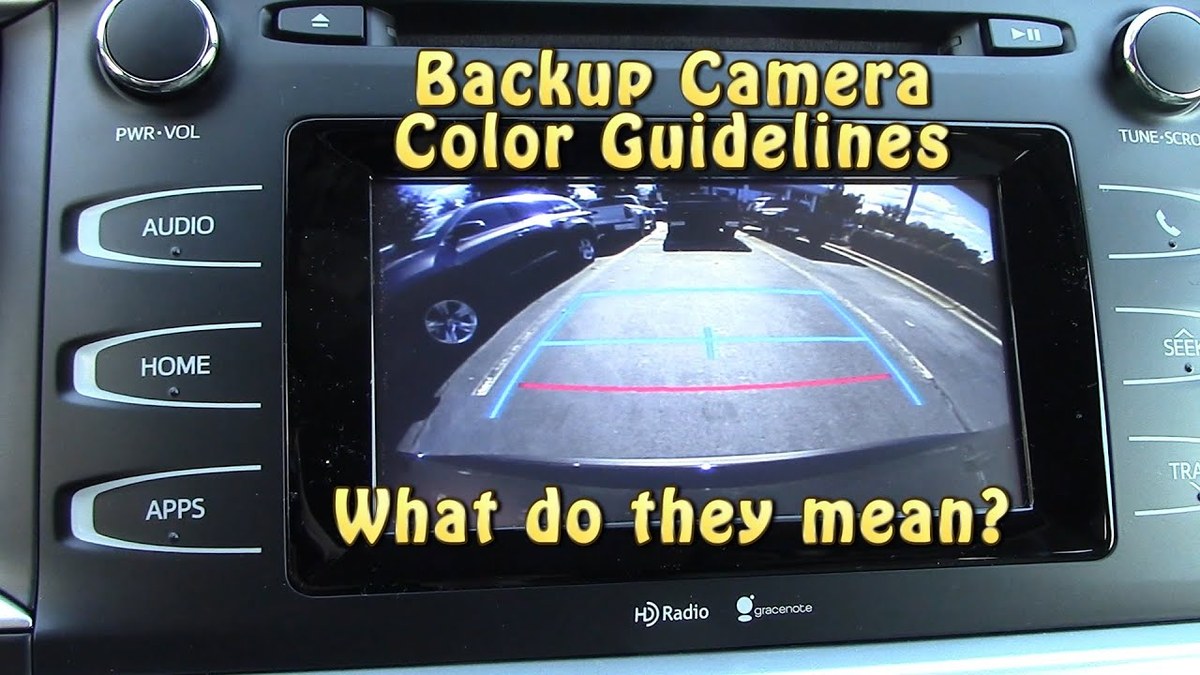
If your backup camera guide lines are frozen, the most likely cause is a steering angle sensor that lost calibration or a vehicle setting that disabled dynamic lines. Start with a soft reset and settings check before paying for repairs.
Few things are more frustrating than glancing at your rear display and realizing that the backup camera guide lines not moving even though you are turning the wheel. The lines stay locked in the center of the screen, which makes parking feel less precise and leaves many owners wondering whether the camera, the sensor, or the software is at fault. This guide walks through the most common causes and the safest ways to fix them.
Key Takeaways
Static vs. dynamic: Static lines never move by design; dynamic lines require steering angle data.
Common cause: A miscalibrated or disconnected steering angle sensor is the usual reason dynamic lines freeze.
First fix: Check the infotainment settings and perform a soft reset before replacing any parts.
Aftermarket limits: Most aftermarket cameras only display static lines unless you add a CAN-Bus adapter.
When to stop: If warranty covers the repair, stop troubleshooting and let the dealership handle it.
Why Your Backup Camera Guide Lines Are Not Moving (The Short Answer)
Before you start troubleshooting, it helps to know which type of guide lines your vehicle actually has. Static guide lines are a fixed overlay baked into the camera image or the display software. They always point straight back, regardless of steering input. Dynamic guide lines, by contrast, arc left or right as you turn the wheel, showing the projected path of the rear tires. Many drivers assume every car with guide lines has dynamic ones, but that is not true, especially on older trims or entry-level models.
Understanding the Difference Between Static and Dynamic Guidelines
A factory backup camera with dynamic lines pulls steering angle information from the vehicle’s network, usually through the CAN bus or a dedicated steering angle sensor. The camera module or head unit then overlays the moving arcs on the video feed. If that steering data never arrives, the lines freeze in the default centered position. To understand the full signal path, it helps to review how a rear view camera works from lens to display.
The Primary Culprit: Missing or Disconnected Steering Angle Sensor Data
The most common cause of frozen guide lines is missing or disconnected steering angle sensor data. The sensor itself may have failed, the wiring may have come loose, or the module may have lost its calibration after a battery disconnect, wheel alignment, or software update. In rarer cases, the head unit is running outdated firmware that no longer reads the sensor correctly.
Diagnostic Steps: Is It a Settings Issue or a Hardware Failure?
Diagnosing whether static backup camera lines stem from settings or hardware.
Before you book a dealership appointment, run through a few basic checks. Many so-called failures turn out to be a settings toggle or a temporary software glitch that clears in minutes.
Navigating Your Vehicle’s Infotainment Display Settings
Open the vehicle settings menu on your infotainment screen and look for camera, parking, or driver assistance options. Some manufacturers include a toggle for dynamic guidelines or steering trajectory lines. If that toggle is off, the lines will stay static even though the sensor is working perfectly. The exact menu path varies by make and model, so check your owner’s manual if you cannot find it. Also look for a camera display mode setting; some vehicles only show moving lines in the default rear view rather than in zoomed or top-down modes.
How to Perform a System Reboot or Soft Reset Safely
If the settings look correct, try a soft reset of the infotainment system. In most vehicles, you can do this by turning the car off, opening the driver’s door, waiting a few minutes, and restarting the engine. Some systems have a dedicated reset method, such as holding the power button for ten seconds or pressing a combination of buttons. A soft reset clears temporary glitches without erasing saved settings. If the reset does not bring the lines back, the next step is to check whether the rear camera system itself is functioning normally. A camera that is completely dark, blurry, or flickering points to a different set of problems, which you can explore in our guide on how to reset a rear view camera.
The Most Common Cause: Steering Angle Sensor Calibration
When settings and resets fail, the steering angle sensor becomes the prime suspect. This small electronic module sits near the steering column and measures the position and rate of the steering wheel, sending that data across the vehicle network. The camera module uses it to calculate where the rear wheels will travel.
Why the Sensor Stops Communicating with the Camera Module
When the sensor loses its zero-point calibration, the values it sends become unreliable, and the camera system may ignore them entirely. This is common after a wheel alignment, suspension work, battery replacement, or an airbag-related repair that required removing the steering column. In some cases, the sensor simply fails and needs replacement. If you are seeing other symptoms, such as a stability warning light or an off-center steering wheel, the sensor is likely involved. Our guide on why a rear view camera is not working covers related failure patterns that can help narrow down the cause.
DIY Calibration: Using an OBD-II Scanner to Reset the Sensor
Some vehicles allow you to reset and recalibrate the steering angle sensor with an OBD-II scanner. A basic code reader will not do this; you need a bidirectional scan tool that supports the steering angle sensor reset function. Connect the tool to the OBD-II port under the dashboard, turn the ignition on, and follow the tool’s prompts to read the sensor value, center the steering wheel, and set the new zero point.
Wiring and Connector Issues Behind the Dashboard and Trunk<
Intermittent wiring connections behind the dashboard or trunk can disrupt camera guide lines.
/h2>
Not every guide-line failure is electronic. The signal path from the steering sensor to the camera module travels through connectors, harnesses, and sometimes the body control module. A loose pin, corroded terminal, or broken wire can interrupt that path.
Checking the Camera Harness for Corrosion or Loose Pins
Start by inspecting the connectors you can reach. The camera harness is usually behind the trunk or tailgate trim, and the sensor harness is under the dashboard. Look for bent pins, green corrosion, moisture, or a connector that is not fully seated. Disconnect and reconnect each connector once to clean the contact surfaces, but do not force anything.
How Weather Exposure and Vibration Impact Signal Integrity
Moisture is the biggest enemy of camera wiring. A leaking tailgate seal or a cracked lens housing can let water reach the connector and corrode the pins. Vibration from rough roads can also loosen connectors over time. If you find corrosion, the affected connector or harness section usually needs to be replaced rather than cleaned.
Aftermarket Camera Units: Compatibility and Configuration Limits
Aftermarket backup cameras are a popular upgrade for older vehicles, but they behave differently from factory systems. Understanding those limits can save you from chasing a problem that does not exist.
Why Most Aftermarket Cameras Only Offer Static Lines
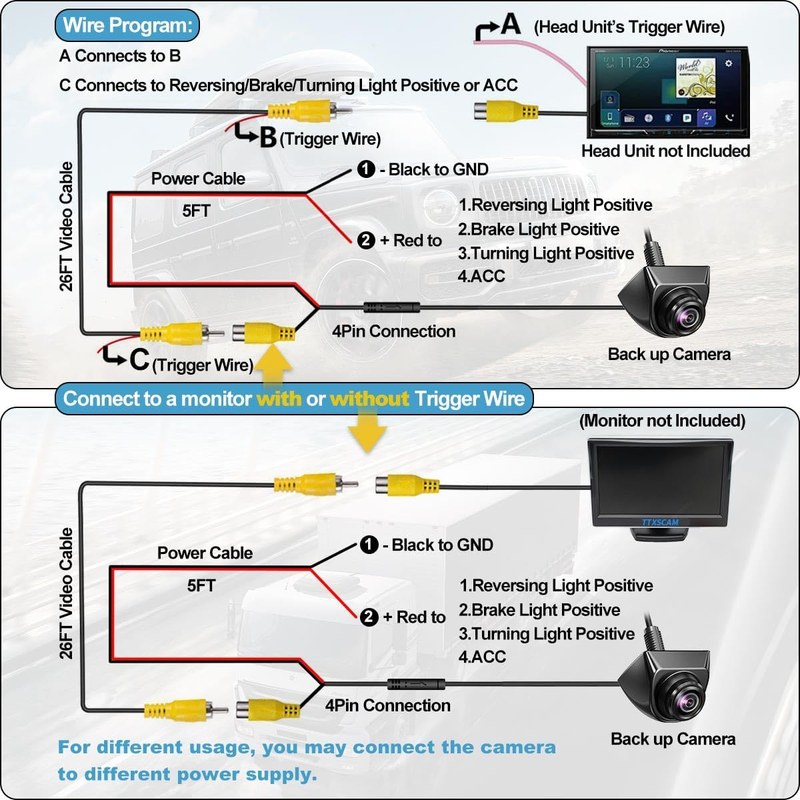
Most aftermarket cameras generate the overlay internally and have no way to know which way the steering wheel is turned. To get moving lines, the camera would need to receive steering angle data from the vehicle, and most budget and mid-range units simply do not have that input. Before you assume your aftermarket camera is broken, check the product manual. If the unit was only designed with a fixed overlay, the lines were never meant to move. If you are shopping for a replacement, our roundup of the best rear view cameras can help you identify which models support dynamic overlays.
Can You Retrofit Dynamic Lines? A Look at CAN-Bus Adapters
For some vehicles, yes. A CAN-Bus adapter reads the vehicle’s steering angle data and converts it into a video overlay signal that a compatible aftermarket camera or monitor can display. These adapters are vehicle-specific, so you need to confirm that the adapter supports your exact make, model, and year. The installation is more involved than a standard camera because it requires tapping into the vehicle’s data network.
Do
Confirm whether your camera was ever designed to show dynamic lines before troubleshooting
Verify that any CAN-Bus adapter matches your exact vehicle
Test the overlay while parked before driving
Don’t
Assume a static-line aftermarket camera is broken
Tap into the CAN bus without a wiring diagram
Rely on an unverified adapter claim from a listing
When the Lines Move Incorrectly: Calibration and Field of View
Sometimes the lines move, but they move in the wrong way. The projected arcs may point too far left, too far right, or they may not match the actual path of the tires. This usually points to alignment or data-quality issues rather than a complete failure.
Re-aligning the Camera Lens to Match the Steering Arc
If the camera lens is not aligned with the centerline of the vehicle, the overlay will be inaccurate even with perfect sensor data. Most factory cameras are mounted in a fixed position, but aftermarket units can shift over time. Loosen the mounting bracket, adjust the lens so the horizon sits at the intended height, and retighten everything while parked. The mounting position matters more than most owners realize; our guide on where to install a rear view camera explains how placement affects the visible path.
Display Behavior: Why the Lines Lag or Over-Rotate at Low Speeds
A slight lag between turning the wheel and the lines responding is normal because the system processes the steering data and redraws the overlay. However, if the lines lag by a full second or swing wildly, the sensor signal is probably noisy or the module is receiving intermittent data. Over-rotation at low speeds can also happen if the sensor was calibrated with the wheels not perfectly straight.
The Driver Impact: Safety, Parking Precision, and Owner Value
Frozen guide lines are more than an annoyance; they change how confidently you can maneuver in tight spaces. They also affect the long-term value of the vehicle if a buyer notices a malfunctioning camera system during a test drive.
How Frozen Guidelines Compromise Tight Parking Maneuvers
Static guide lines still help you judge distance, but they do not show the vehicle’s trajectory. In a tight parking garage or parallel parking spot, that missing information forces you to rely on mirrors and guesswork. For new drivers or anyone driving an unfamiliar vehicle, the lack of moving lines can make reversing feel noticeably less confident.
Legal and Safety Considerations for US Drivers
US federal regulations require nearly all new passenger vehicles to come with a rear visibility system, but they do not require dynamic guide lines. A camera with static lines is still compliant. State laws vary on aftermarket camera placement, screen positioning, and whether a display can obstruct the driver’s view, so verify local rules before installing or adjusting anything.
Cost of Repair: DIY vs. Dealership Diagnosis
Repair costs vary widely by vehicle, and exact pricing depends on your region and dealership. Understanding the difference between a software fix and a parts replacement helps you budget correctly and avoid unnecessary work.
Estimating Labor Costs for Sensor Replacement vs. Software Flashes
A software flash or sensor recalibration is usually the least expensive option because it involves labor time rather than parts. Replacing a faulty steering angle sensor adds the cost of the part itself, which varies by make and model. An aftermarket camera replacement is typically cheaper than a factory unit, but you may lose warranty coverage or original features.
Warranty Coverage and When to Stop Troubleshooting
If your vehicle is still under its factory bumper-to-bumper warranty, a failed steering angle sensor or camera module should be covered. The same applies to a certified pre-owned warranty in many cases. Check your warranty documents before paying for any repair. If the problem started after an accident, a recent repair, or an aftermarket installation, the dealership may classify it as non-covered, and that is the point where DIY troubleshooting should stop.
Preventive Maintenance and the Role of Firmware Updates
Once the lines are moving again, a little preventive care can keep them that way. Most camera failures are gradual, and catching them early avoids a full replacement.
Keeping the Camera Module and Sensor Software Current
Manufacturers occasionally release software updates for the infotainment system and camera module. These updates can fix bugs that cause guide lines to freeze or lag. Check your owner’s portal or ask the service department whether an update is available for your vehicle. Keeping the camera lens clean and the connectors dry also reduces the chance of intermittent failures.
Final Limitations: What a Backup Camera Can and Cannot Do
A backup camera, whether static or dynamic, is a visual aid. It cannot detect every obstacle, it may not show objects directly below the bumper, and its field of view depends on the lens and mounting position. Dynamic guide lines improve parking precision, but they do not replace mirrors, sensors, or a careful look over your shoulder.
Final Verdict
Best for: Owners whose dynamic lines have stopped moving after a battery disconnect, wheel alignment, or software update, since a recalibration or system reset often resolves it.
Think twice if: You have an aftermarket camera that was only designed with static lines; no amount of troubleshooting will make those lines move.
Next step: Start with the settings check and soft reset, then move to an OBD-II calibration if needed, and consult the dealership if the problem persists under warranty.
Frequently Asked Questions
The most common cause is a steering angle sensor that lost its calibration, a disconnected sensor wire, or an infotainment setting that disabled the dynamic guide lines. Some vehicles also freeze the lines after a battery disconnect or software update until the sensor is reset.
Yes, in many cases. Start by checking the camera settings in the infotainment menu and performing a soft reset of the system. If the lines still do not move, a bidirectional OBD-II scanner can reset the steering angle sensor calibration on many vehicles.
Most aftermarket cameras only offer static guide lines because they have no connection to the vehicle’s steering angle data. To get dynamic lines, you need a compatible camera and a CAN-Bus adapter that reads steering data from the vehicle network.
Costs vary by vehicle, region, and repair shop. A software flash or sensor recalibration is usually the least expensive option because it is mostly labor. Replacing a faulty steering angle sensor adds the cost of the part, which varies by make and model.
Yes. Static guide lines still help you judge distance, and US federal rear-visibility rules do not require dynamic lines. The main drawback is that static lines do not show the vehicle’s turning path, so you should rely more on mirrors and a look over your shoulder.
Common signs include frozen guide lines, the stability or traction warning light staying on, or the steering wheel feeling off-center. A bidirectional OBD-II scanner can read the sensor’s live values and confirm whether the zero point is incorrect.
Hi, I'm Ethan Carter, and I've spent over a decade testing automotive electronics, dash cams, and interior accessories. I created TopBestCar.com to help car owners cut through marketing hype and find gear that actually performs for their exact make and model — backed by hands-on testing, spec comparisons, and real owner feedback.