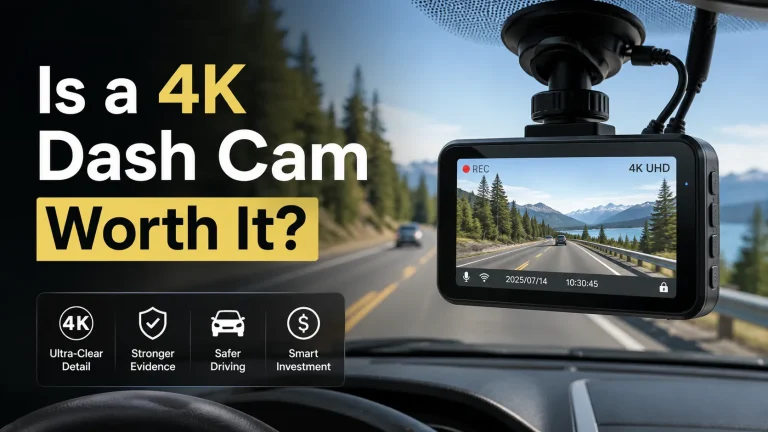
Is It Worth Getting a 4K Dash Cam?

Yes, getting a 4K dash cam is worth it for many drivers. A good 4K camera can capture clearer road signs, vehicle details, and license plates than a basic 1080p camera. However, image quality also depends on the sensor, lens, bitrate, night mode, and installation position.
I’m Ethan Carter, and I have spent years learning how car safety electronics work in real driving conditions. In this guide, I will explain when a 4K dash cam is a smart investment, when it may be unnecessary, and which features matter most.
My goal is not to tell you that every driver needs the most expensive camera. I want to help you choose a dash cam that records useful evidence without creating new safety problems.
As an Amazon Associate, I earn from qualifying purchases.
Install your dash cam where it does not block your view of the road. The best position is usually behind or close to the rearview mirror, outside the main viewing area.
What Is a 4K Dash Cam?
A 4K dash cam records video at a resolution close to 3840 by 2160 pixels. That is about four times the total pixel count of standard 1080p Full HD video.
The extra pixels can make small details easier to see. This may help when you need to identify a plate number, road sign, vehicle color, lane position, or traffic signal.
A high-quality 2K dash cam can sometimes produce better evidence than a cheap 4K model. The camera sensor, image processor, lens quality, exposure control, and recording bitrate all affect the final result.
You can explore more recording devices and vehicle technology in our car electronics guide.
Why Dash Cam Resolution Matters for Safety
A dash cam is mainly an evidence tool. It cannot prevent every crash, but it can record what happened before, during, and after an incident.
Clear footage may help show which vehicle entered a lane, whether a traffic light was red, where the impact happened, or whether another driver left the scene.
The National Highway Traffic Safety Administration’s distracted driving guidance explains how dangerous visual and manual distractions can be. A dash cam should work automatically so you do not need to touch it while driving.
Never adjust the camera, review recordings, or use a dash cam screen while driving. Park in a safe place before changing settings or removing the memory card.
Is It Worth Getting a 4K Dash Cam for Daily Driving?
A 4K dash cam is often worth the extra cost if you drive in busy traffic, park on public streets, travel at night, commute on highways, or want stronger video evidence.
It may also be helpful for rideshare drivers, delivery drivers, business vehicles, road trips, and households with several drivers using the same car.
You may not need 4K if you drive only a few miles each week, park in a secure garage, or mainly want a basic record of road events. A good 2K model can still provide excellent value.
I focus on usable detail rather than the resolution printed on the box. A balanced 4K camera with good exposure control and a high recording bitrate is more useful than a poorly designed camera that creates large but blurry files.
How a 4K Dash Cam Works
A dash cam receives power when your vehicle starts. The image sensor captures light through the lens, and the processor converts that information into video files.
The camera saves short clips to a microSD card. Most models use loop recording. When the card becomes full, the camera deletes the oldest unlocked clip and replaces it with a new one.
Loop Recording
Loop recording allows the camera to keep recording without requiring you to erase the card every day. Common clip lengths are one, three, or five minutes.
Impact Detection
A built-in G-sensor can detect sudden movement or an impact. The camera may lock the current file so normal loop recording does not overwrite it.
Parking Mode
Parking mode can record movement or impacts while your vehicle is parked. This usually requires a compatible hardwire kit, an external battery pack, or another safe power source.
GPS and Speed Data
Some cameras record location and speed through GPS. This information can add useful context, but drivers should consider privacy before sharing a complete video file.
How to Install a 4K Dash Cam Safely
Many drivers can install a basic dash cam with a plug-in power cable. A hardwired installation takes more care because the cable connects to the vehicle’s fuse system.
Moderate InstallationSit in the normal driving position and find a spot near the rearview mirror that does not block your view.
Clean and dry the mounting area. Dust, oil, or moisture can cause the adhesive mount to fall.
Mount the camera level. Aim it so the road fills most of the frame while a small part of the hood remains visible.
Keep the cable away from pedals, steering parts, moving trim, and airbag deployment paths.
Use a high-endurance microSD card that meets the camera maker’s capacity and speed requirements.
Record a short drive. Check the camera angle, reflections, date, time, GPS data, and plate detail before relying on it.
Cable clips, trim tools, and safe power accessories can make the job easier. You can find related equipment in our tools and garage gear section.
Most 4K dash cams can work in vehicles with a standard 12-volt accessory outlet. Hardwire kits, rear cameras, and parking mode systems require additional compatibility checks.
- Most gasoline and diesel passenger cars with 12-volt electrical systems
- Hybrid and electric vehicles with compatible accessory power connections
- SUVs and pickup trucks with enough cable length for rear camera installation
- Commercial vehicles when the camera and power adapter support the vehicle voltage
- Vehicles with rain sensors or driver-assistance cameras when the dash cam does not block their view
4K vs 2K vs 1080p Dash Cams
The best resolution depends on your budget, driving conditions, storage needs, and the number of camera channels you want.
| Feature | 4K | 2K | 1080p |
|---|---|---|---|
| Daytime detail | ✓ Excellent | ✓ Very good | ✓ Basic to good |
| License plate capture potential | ✓ Highest | ✓ Strong | ✗ More limited |
| Storage use | ✗ High | ✓ Medium | ✓ Lower |
| File transfer speed | ✗ Slower | ✓ Moderate | ✓ Faster |
| Best use | Evidence-focused driving | Balanced daily use | Basic road recording |
Resolution becomes more complicated with multi-camera systems. Some products advertise 4K recording, but they may lower the front camera resolution when the rear or cabin camera is active.
Check whether the dash cam records true 4K while every camera channel is active. Also check the frame rate. Some cameras record 4K at 30 frames per second but offer a smoother frame rate only at a lower resolution.
Important Features to Check Before Buying
A 4K sensor is only one part of a dependable system. The following features can have a greater effect on safety, reliability, and evidence quality.
Image Sensor and Night Performance
Night performance depends heavily on the sensor and exposure settings. A camera can record 4K video and still produce unreadable plates if headlights cause glare or the image becomes too dark.
Recording Bitrate
Bitrate controls how much video data is saved. A low bitrate may remove small details through heavy compression, even when the file has a 4K resolution.
Capacitor or Battery Design
Many safety-focused dash cams use a capacitor instead of a small lithium battery. Capacitors are often preferred for vehicles exposed to high interior temperatures.
Memory Card Support
Continuous video recording places heavy stress on a memory card. Use a high-endurance card and follow the camera manufacturer’s format schedule.
Estimated Storage Needs for 4K Recording
Storage use changes with bitrate, frame rate, compression, audio, and the number of cameras. The estimates below are general planning ranges rather than guaranteed recording times.
| Memory Card Size | Estimated Single 4K Recording | Estimated Front and Rear Recording | Best For |
|---|---|---|---|
| 64 GB | About 3 to 5 hours | About 2 to 3 hours | Short local trips |
| 128 GB | About 6 to 10 hours | About 3 to 6 hours | Daily commuting |
| 256 GB | About 12 to 20 hours | About 6 to 12 hours | Long drives and regular parking use |
| 512 GB | About 24 to 40 hours | About 12 to 24 hours | Heavy driving or commercial use |
A dash cam may overwrite an important clip if you do not save or lock it. After an incident, stop recording safely and copy the needed file as soon as possible.
How Much Should You Spend on a 4K Dash Cam?
Dash cam prices vary based on camera count, storage support, GPS, Wi-Fi, parking mode, sensor quality, and included accessories.
| Budget Level | Common Features | Main Limitations | Best Match |
|---|---|---|---|
| Entry Level | Basic 4K claim, loop recording, small display | Weaker night video, lower bitrate, limited support | Drivers who need simple daytime recording |
| Mid-Range | Better sensor, GPS, Wi-Fi, parking mode support | Hardwire kit or memory card may cost extra | Most daily drivers |
| Premium | Strong night recording, multiple channels, advanced parking protection | Higher purchase and installation cost | Heavy drivers and evidence-focused users |
I normally recommend buying a reliable mid-range camera instead of choosing the cheapest product with the largest resolution number.
Common 4K Dash Cam Problems
| Problem | Likely Cause | Practical Solution |
|---|---|---|
| Blurry license plates | Motion, glare, low bitrate, dirty windshield, or poor exposure | Clean the glass, adjust exposure, improve the angle, and test the highest quality mode |
| Camera keeps restarting | Loose power cable, weak adapter, or damaged card | Check the power connection and test an approved memory card |
| Missing recordings | Card error, failed loop recording, or locked files filling storage | Format the card and review storage settings regularly |
| Battery drains while parked | Incorrect hardwire setup or missing low-voltage protection | Use a compatible hardwire kit or dash cam battery pack |
| Heavy windshield glare | Dashboard reflections or camera angle | Change the angle or use a compatible polarizing filter |
| Camera falls from glass | Dirty surface, heat, or weak adhesive | Clean the glass and replace the mount with an approved adhesive pad |
4K Dash Cam Do’s and Don’ts
- Test the camera angle before depending on it.
- Use a high-endurance microSD card.
- Set the correct date, time, and time zone.
- Save important clips soon after an incident.
- Check local rules about windshield-mounted equipment and audio recording.
- Inspect the power cable and mount regularly.
- Do not place the camera in your main field of view.
- Do not route cables across an airbag cover.
- Do not use your phone or dash cam screen while driving.
- Do not depend on an unknown memory card brand.
- Do not share footage that exposes private information without checking it.
- Do not assume a 4K label guarantees clear night footage.
Legal and Privacy Considerations
Dash cam mounting and audio recording rules can vary by state. Some states limit where objects may be placed on the windshield. Audio consent laws also differ.
Check the rules that apply where you drive. Keep the camera as small and unobtrusive as possible, and disable audio recording when it is not needed.
You can also use the NHTSA vehicle safety and recall search to check important safety information for your car.
For other roadside protection items, visit our safety gear guide.
Is a Front and Rear 4K Dash Cam Better?
A front and rear system can provide broader evidence than a front-only camera. It can record rear impacts, following vehicles, parking contact, and events behind your car.
However, many dual-camera systems do not record 4K on both cameras. A common setup uses 4K in front and 1080p or 2K in the rear.
A front and rear system records more of the road, provides better crash context, and may capture a vehicle that leaves after a rear impact.
Dual cameras create larger files, need more installation work, and may reduce the front camera’s resolution or frame rate.
When a 4K Dash Cam Is Most Worth It
- You drive in crowded city traffic.
- You regularly travel on highways.
- You park on public streets or shared parking lots.
- You drive for rideshare, delivery, or business use.
- You want a better chance of capturing license plates.
- You often drive at dawn, dusk, or night.
- You need front and rear video coverage.
- You plan to keep the camera for several years.
When a 2K Dash Cam May Be Enough
- You have a limited budget.
- You mainly drive during the day.
- You want smaller video files.
- You do not need parking mode.
- You only need a general record of traffic events.
- You prefer fast file transfers and simple settings.
A good 2K camera is not a poor choice. It may offer the best balance between detail, storage use, and price for many drivers.
A 4K Dash Cam Is Worth It When Evidence Quality Matters
I recommend a 4K dash cam for drivers who spend a lot of time on busy roads, park in public areas, or want the clearest practical video evidence. Choose the camera based on sensor quality, night performance, bitrate, heat resistance, storage support, and safe installation—not resolution alone.
Recommended 4K Dash Cam Option
A front and rear 4K dash cam is a practical starting point for drivers who want wider road coverage. Before ordering, confirm the current package contents, memory card limit, parking mode requirements, warranty terms, and vehicle power compatibility.
Frequently Asked Questions
Is a 4K dash cam really better than 1080p?
A good 4K dash cam can capture more detail than a 1080p camera. However, sensor quality, lighting, bitrate, and lens design still affect plate and road detail.
Can a 4K dash cam read license plates at night?
It may capture plates at night, but 4K does not guarantee success. Vehicle speed, glare, distance, exposure, weather, and headlight brightness can make plates unreadable.
Author
-
Author
Similar Posts
Is It Worth Getting a 4K Dash Cam? A Simple Effective Practical Guide
By Ethan Carter Quick Verdict Yes, a 4K dash cam is worth getting when you want clearer license plates, better…