What Is the Downside of a Dashcam? 9 Real Drawbacks

What is the downside of a dashcam? The main drawbacks are privacy concerns, possible driver distraction, battery drain, memory-card wear, heat, theft risk, installation problems, changing state rules, and incomplete footage. Most problems can be reduced with careful placement, the correct power setup, a suitable memory card, and regular checks.
A dashcam can provide useful evidence, but it is not a maintenance-free safety device. Owners must manage storage, power, privacy, heat, and installation. Drivers must keep the camera outside their road view and avoid changing settings while driving. The benefits often outweigh the drawbacks when the camera is installed and maintained correctly.
Dashcams are popular because they can record crashes, road disputes, and unexpected events. However, installing a camera also creates new responsibilities.
In my view, the biggest mistake is expecting a dashcam to work perfectly after one quick installation. You need to check the mount, cable, memory card, settings, and saved video from time to time.
Are Dashcam Downsides Serious?
Most dashcam drawbacks are manageable. They become serious when the camera blocks your view, drains the battery, records private conversations, loses important files, or interferes with an airbag or vehicle sensor.
The risk also depends on how you use the camera. A simple front camera powered only while driving has fewer concerns than a multi-camera system with GPS, audio, cloud access, and 24-hour parking mode.
Our car electronics guide covers other features and setup points to compare before adding electronics to your vehicle.
1. Dashcams Create Privacy Concerns
A dashcam may record people, conversations, addresses, license plates, GPS locations, and daily travel habits. Cabin cameras can capture passengers, family members, customers, or coworkers.
Cloud-connected cameras may also upload clips or location data to an online account. Anyone with account access may be able to view that information.
Do not share clips without checking what they reveal. A short road video may also show a home address, workplace, child, customer, or private conversation.
2. Recording Laws Can Vary
Dashcam rules are not identical across the United States. States may have different rules for windshield placement, driver visibility, audio recording, and how recorded material may be used.
Do not assume that a legal mounting position in one state is legal everywhere. Check current state sources before installation or travel.
Review the current California Vehicle Code Section 26708 as one example. Check your own state legislature or motor vehicle agency for local requirements.
3. The Camera Can Distract the Driver
A bright screen, warning sound, loose cable, or moving mount can pull your attention away from the road. Reviewing video or changing settings while driving creates an even greater distraction.
NHTSA defines distracted driving as any activity that takes attention away from safe driving. This includes adjusting in-vehicle electronics. Read the official NHTSA distracted-driving guidance.
4. Parking Mode Can Drain the Battery
Parking mode needs power while the engine is off. If the dashcam draws power for too long, the vehicle battery may become too weak to start the engine.
The risk depends on battery condition, parking time, temperature, camera power use, and the protection built into the power system.
BlackVue explains that extended parking-mode operation may lead to battery drain. Some hardwired systems use a low-voltage cutoff or timer to shut down the camera before the battery drops too far. Review the BlackVue parking-mode power guidance.
5. Memory Cards Wear Out
Dashcams write and overwrite video continuously. This can wear out a memory card over time.
A failing card may cause missing clips, freezing, recording errors, corrupted files, or repeated restarts. The camera may appear to work even though important footage is not being saved correctly.
Garmin recommends memory cards designed for continuous dashcam recording. High-endurance cards are built to handle repeated overwriting, vehicle temperatures, and vibration. Check the Garmin memory-card compatibility guidance.
6. Heat Can Affect Reliability
A dashcam sits close to the windshield, where temperatures can become high. Heat may affect the camera, adhesive mount, battery, screen, memory card, or cable.
Some cameras may shut down, restart, lose settings, or loosen from the glass. A built-in battery may also age faster when exposed to high temperatures for long periods.
Garmin notes that dashcams may become warm or hot during use. Owners should keep vents clear and follow the operating and storage limits in the product manual. Review the Garmin dashcam temperature guidance.
Do not cover ventilation openings. Stop using a camera that swells, leaks, smells unusual, repeatedly overheats, or has a damaged power cable.
7. A Visible Dashcam May Attract Theft
A camera, screen, cable, or suction mount can show that electronics may be inside the vehicle. This may attract unwanted attention.
A thief may target the camera itself or assume that other valuables are stored nearby. Removing the camera can reduce visibility, but repeated removal may wear the mount or connector.
Park in a well-lit area when possible. Hide loose accessories, memory-card cases, packaging, and spare cables. Do not leave other valuables in view.
8. Installation Can Create Safety Problems
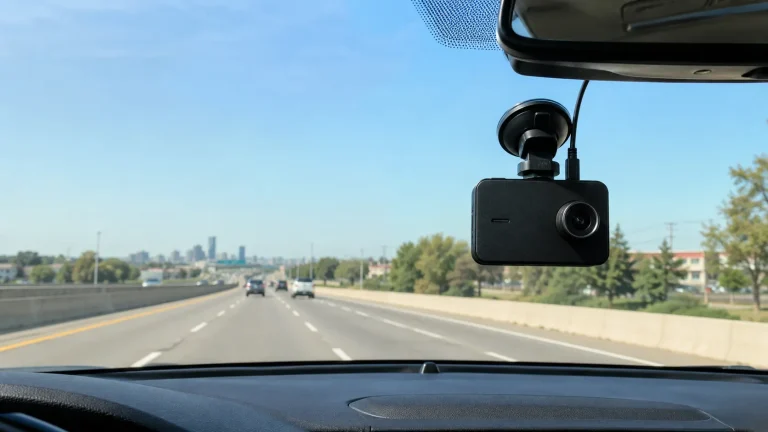
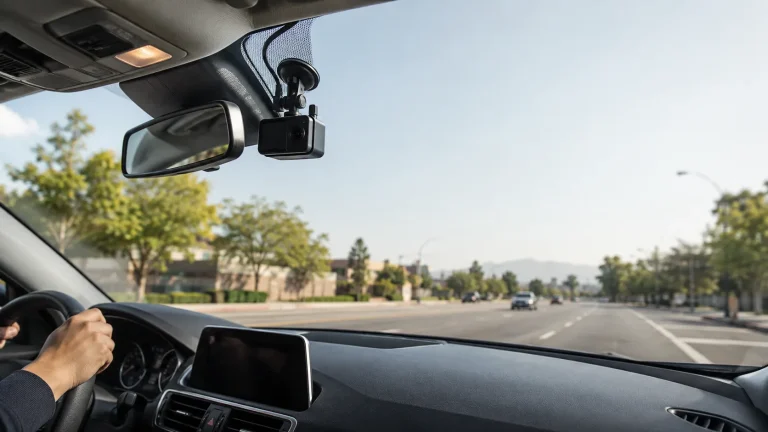
A poorly mounted dashcam may block the road view, cover a factory camera, strike the mirror, or interfere with a sun visor.
Cables placed behind A-pillar trim may cross a side-curtain airbag. Wires near the pedals, steering column, shifter, or moving seat can also create a hazard.
The camera should not cover advanced driver-assistance systems, rain sensors, or other windshield equipment. Check the owner’s manual before placing adhesive near a factory camera housing.
For more help with vehicle safety equipment and cable placement, see our safety gear guide.
9. Footage May Not Show Everything
A dashcam records only what falls inside its field of view. A front camera may miss a rear impact, side contact, cabin event, or object hidden by another vehicle.
Video may also be unclear because of darkness, glare, rain, snow, dirty glass, motion blur, distance, or a sharp camera angle.
A timestamp, GPS reading, or impact marker may also be wrong when the camera settings are incorrect. Do not treat dashcam footage as a complete record of every event.
Main Downsides and Practical Fixes
Most problems can be reduced through better setup and regular checks.
| Downside | Possible Effect | Practical Fix |
|---|---|---|
| Privacy | Personal data exposure | Limit recording features |
| Distraction | Eyes leave the road | Use screen timeout |
| Battery drain | Vehicle may not start | Use voltage cutoff |
| Card wear | Missing video files | Use endurance storage |
| Heat | Shutdown or damage | Follow temperature limits |
| Unsafe installation | Blocked view or airbag risk | Follow the vehicle manual |
Hidden Ownership Work
A dashcam may need more attention than the product listing suggests.
| Ownership Need | Why It Matters | How Often |
|---|---|---|
| Review footage | Confirms recording works | Regularly |
| Check the mount | Prevents movement | After temperature changes |
| Clean windshield | Improves video clarity | As needed |
| Check memory card | Finds storage errors | Regularly |
| Update firmware | May fix known issues | When available |
| Review privacy settings | Limits unwanted data | After app updates |
Possible extra purchases include a high-endurance card, rear camera, hardwire kit, replacement mount, longer cable, external battery, professional installation, or cloud plan.
Check whether these items are included before comparing prices. The lowest camera price may not represent the full ownership cost.
How to Reduce Dashcam Problems
- Read the vehicle and camera manuals.
- Use a supported high-endurance card.
- Test footage during day and night.
- Secure the mount and full cable.
- Protect app and cloud accounts.
- Save important clips quickly.
- Block the normal road view.
- Adjust the camera while driving.
- Cross an airbag deployment path.
- Trust parking mode without battery protection.
- Assume every clip is being saved.
- Share private footage carelessly.
Should These Downsides Stop You?
For most drivers, no. A properly chosen and installed dashcam can still provide useful footage after a crash, road dispute, or parking incident.
The camera is more suitable for owners who are willing to test it, maintain the memory card, protect recorded data, and install it safely.
A dashcam may be less suitable when you do not want any recording inside the vehicle, cannot find a legal mounting position, or do not want to manage storage and power.
- Decide whether you need audio, GPS, or cabin recording.
- Check current mounting and recording rules.
- Confirm memory-card type and maximum capacity.
- Review parking-mode battery protection.
- Check the operating-temperature range.
- Plan a safe cable route.
- Review app and cloud privacy settings.
- Check warranty and firmware support.
- Watch real daytime and nighttime footage.
For basic cleaning and camera-lens care, visit our car care guide.
- Best for: Drivers who want a visual road record and will maintain the camera correctly.
- Think twice if: Privacy, battery use, legal placement, theft, or ongoing maintenance is a major concern.
- Next step: Choose the features you truly need, plan the installation, and test saved footage before relying on the camera.
Frequently Asked Questions
Yes, especially when parking mode continues recording after the engine is off. A proper hardwire system may use a low-voltage cutoff or timer. Battery condition, temperature, parking time, and camera power use also affect the risk.
It can be. A dashcam may record passengers, conversations, addresses, GPS locations, and daily travel patterns. Limit unnecessary audio or location recording, protect the app account, and explain cabin recording to passengers.
Yes. A bright screen, repeated alert, loose cable, or moving mount can pull attention away from driving. Position the camera outside the main road view, use a screen timeout, and change settings only while parked.
Yes. Continuous loop recording writes and overwrites data repeatedly. This can wear out a memory card. Use a supported high-endurance card, check footage regularly, and replace the card when errors, corruption, or warning messages appear.
It can become very hot near the windshield. Some cameras may shut down or restart when temperatures exceed their limits. Follow the manufacturer’s temperature guidance, keep vents clear, and stop using a damaged or swollen device.
Yes. A clip may be missing, corrupted, blurry, overexposed, or outside the camera’s field of view. Check the memory card, date, time, mount, lens, and sample recordings regularly instead of assuming every trip was captured correctly.
For many drivers, yes. A reliable dashcam can provide useful context after a road or parking incident. It is most worthwhile when you manage privacy, install it safely, protect the battery, and confirm that footage is being saved.
Conclusion
The main downside of a dashcam is the extra responsibility it creates. You must manage privacy, placement, power, storage, heat, maintenance, and changing legal rules.
For owners, the hidden burden includes memory-card replacement, installation parts, data protection, and regular testing. For drivers, the main concerns are visibility and distraction.
These drawbacks do not make dashcams a bad choice. Select only the features you need, install the camera safely, and review saved footage before depending on it.