Wired vs Wireless Dual Camera System for Car: Key Differences Explained

A dual camera system gives you front and rear coverage, but the connection type affects installation, reliability, and video quality. I compare wired and wireless setups so you can choose a system that fits your car, driving habits, and budget.
Choose a wired system for the most stable video and dependable recording; choose wireless when easier installation matters more than maximum signal reliability. Both options still need power, and wireless signals can weaken around metal parts or long cable runs.
I’ll explain how each system works, compare image quality, power use, storage, and installation, and show which setup suits different vehicles.
Key Takeaways
- Wired systems provide a stable connection but require more installation work.
- Wireless systems install more easily but may face signal interference.
- Your vehicle, recording needs, and budget should guide your choice.
How Dual-Camera Setups Work
I use two cameras to record different areas around the vehicle. The front camera usually records the road ahead, while the rear camera covers traffic behind the car and events during parking.
Front And Rear Coverage
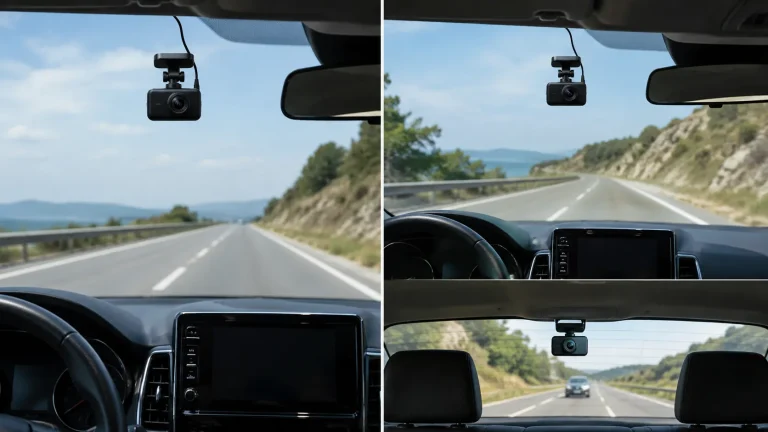
The front camera mounts near the windshield and records the road ahead. It typically captures traffic lights, lane markings, nearby vehicles, and incidents in front of the car. Many models use a wide-angle lens, so I check the viewing angle to balance road coverage with image detail.
The rear camera mounts on the back window, license-plate area, or another protected location. It sends video to the main camera through a cable or wireless connection, depending on the system. A wired link usually provides a more stable signal, while a wireless link can simplify installation but may face interference or connection limits.
I also check whether the rear camera records through tinted glass. Heavy tint can reduce image brightness, especially at night. Some systems support infrared lighting or a dedicated parking mode for better coverage when the vehicle is stationary.
Recording And Display Options
Most dual-camera systems save front and rear footage to the same microSD card. The cameras record in separate files, and loop recording removes the oldest unlocked clips when storage fills. I look for a system that supports enough storage for several hours of footage and uses impact detection to protect important files.
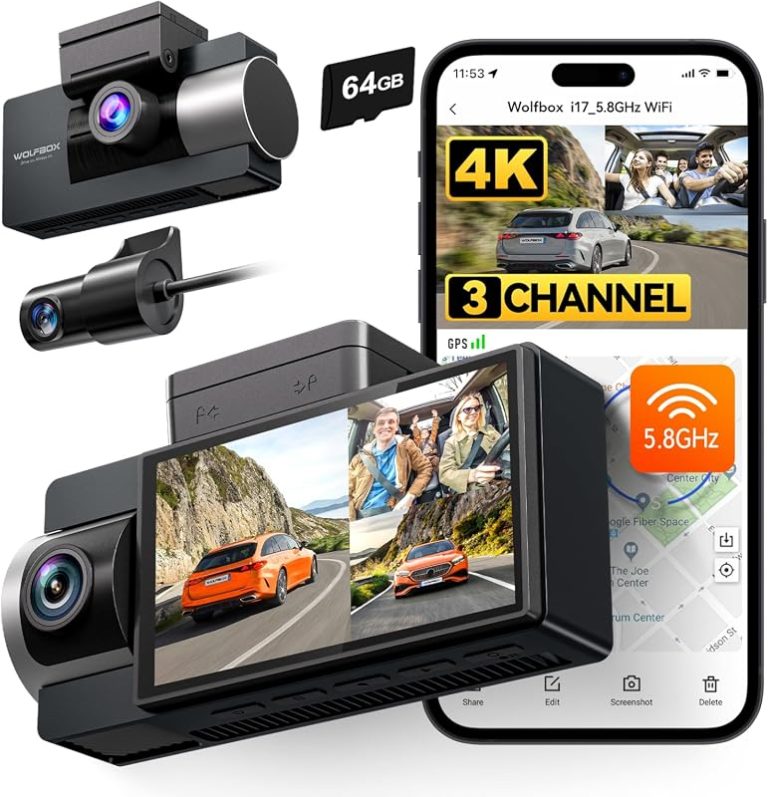
The display may sit on the front camera, connect to a separate monitor, or use a phone application. A built-in screen lets me check both views without another device, while a phone app may offer easier setup and file transfer. Some systems show both feeds at once; others switch between them.
Power also affects operation. A basic power cable supports driving-time recording, while a hardwire kit can enable parking surveillance. I confirm that the kit includes low-voltage protection to reduce the risk of draining the car battery.
Wired System Advantages And Limitations
A wired dual-camera system sends video through physical cables, which gives me a steady connection but makes installation more involved. Cable routing, power access, and vehicle size affect the result.
Signal Reliability
I get a more stable video connection because the front and rear cameras connect directly to the monitor or control unit. Wired systems avoid many wireless problems, including signal interference, dropped video, and delays caused by metal panels or other devices.
This benefit matters most in large vehicles, trucks, SUVs, and vehicles that tow trailers. Long distances can weaken wireless signals, while a properly installed cable maintains a consistent connection. A wired system also suits drivers who need both camera views available without interruption.
The main limitation involves the cables themselves. A damaged, loose, or poorly connected cable can cause a blank screen or an intermittent image. I should check the cable length, connector type, and weather protection before buying, especially for a rear-mounted camera exposed to rain and road spray.
Installation Complexity
I usually need more time and tools to install a wired dual-camera system. The cables may run through the headliner, door trim, dashboard, or frame before reaching the display. I must secure each cable away from airbags, pedals, sharp edges, and moving parts.
A clean installation often requires removing interior panels and connecting the system to a suitable power source. The rear camera may also need a connection to the reverse-light circuit if I want it to activate automatically when I shift into reverse.
Wired installation offers fewer placement limits after the cables reach both cameras. However, mistakes during routing can create rattles, pinch points, or exposed wiring. I may need professional installation for a complex vehicle, especially when adding front and rear views to an RV or towing setup.
Wireless System Advantages And Limitations
I can install a wireless dual camera system with less cable routing than a wired model, which can reduce installation time and interior trim removal. I must still account for power needs, signal range, and possible delays between the camera and display.
Setup Convenience
A wireless system sends video to the monitor through a radio connection instead of a dedicated video cable. I usually connect the front camera to a power source near the windshield and the rear camera to power near the trunk, tailgate, or license plate. The monitor also needs power, often through a vehicle outlet or a hardwired connection.
This layout can suit cars where running a cable from the rear camera to the dashboard would be difficult. It also helps when I move the system between vehicles. However, “wireless” does not mean cable-free. Each camera still needs power, and I may need to hide or secure those power wires.
For a clean installation, I should check the camera’s transmission range and the vehicle’s body design. Large metal panels, tinted glass, and long cable paths can affect performance. A wireless system may also need a separate trigger wire or connection to the reverse-light circuit to switch the rear view on automatically.
Interference And Latency Risks
Wireless video can experience interference from nearby devices, electrical components, or physical obstructions. Metal sections in the vehicle can weaken the signal, while a long distance between the rear camera and dashboard display can reduce stability. Trailer connections create an even greater challenge because they add distance and moving connection points.
I should also consider latency, which means a delay between the camera view and the image on the screen. Even a short delay can matter while reversing near a wall, person, or other vehicle. Some systems may briefly freeze, lose the image, or show a lower-quality picture when the signal weakens.
I can reduce these risks by choosing a system with a strong range rating, a clear installation path, and interference protection. I should test the system in the actual vehicle before securing all wiring and trim.
Video Quality, Power, And Storage
I compare both cameras by checking detail, low-light performance, power needs, and recording space. A reliable system should capture clear plates, remain powered during trips, and protect important clips from being overwritten.
Resolution And Night Vision
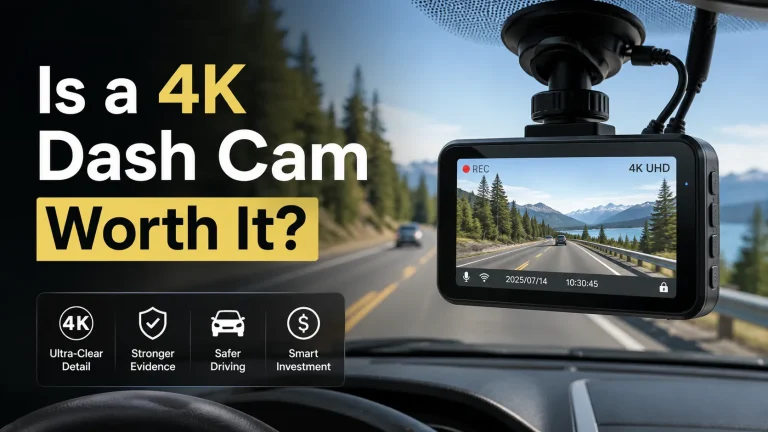
I prefer a dual camera system with at least 1440p for the front camera and 1080p for the rear camera. Higher resolution can show more detail, but lens quality, image processing, and a wide dynamic range also affect results. A 4K front camera may provide sharper images, but it usually creates larger files and costs more.
Night vision should use a quality sensor and infrared support for the cabin camera when needed. Front and rear cameras must handle headlights, dark roads, and sudden changes in light without excessive glare. I also check whether the rear camera keeps a clear image through tinted glass, rain, or dirt.
I use a high-endurance microSD card that matches the camera maker’s required capacity and speed. Loop recording replaces older clips, while impact detection moves protected files into a separate folder. Cloud storage may provide remote access, but it often requires a subscription and a phone connection.
Battery, Hardwiring, And Parking Mode
I do not treat a built-in battery as the main power source. Most dash cams use a small battery or capacitor that saves files and shuts down safely; it cannot run the system for long periods. A standard cable powers the cameras through the vehicle’s 12-volt outlet.
For parking mode, I choose a hardwire kit with low-voltage protection. It connects the camera to a fuse circuit and cuts power before the car battery drains too far. Installation requires routing cables and selecting constant-power and ignition-controlled fuse slots. I recommend professional installation if I cannot safely access the fuse box.
Parking modes differ. Some record continuously, while others use motion or impact detection to reduce storage and power use. I confirm that the rear camera remains active and that the system can protect clips after a collision. A larger memory card helps, but I follow the manufacturer’s limits to avoid recording errors.
Choosing The Right Configuration
I match the camera setup to the vehicle’s size, wiring access, and daily use. I also weigh the cost of installation against the need for stable video, reliable recording, and practical rear coverage.
Vehicle Type And Use Case
For a small car, I usually choose a dual system with front and rear cameras connected by a cable. The cable provides a stable video signal and avoids wireless interference from other devices. It also works well when the rear camera sits close to the front display or recorder.
For an SUV, van, truck, or trailer, cable length becomes more important. A wired system may require more trim removal and careful routing through the cabin or frame. I consider a wireless rear camera when installation access is limited, but I check its signal range and power needs first.
I also match the camera to the task:
- Daily driving: Front and rear recording with parking mode
- Towing: A rear camera designed for longer cable runs
- Commercial use: A durable wired system with steady recording
- Simple reversing: A wireless camera with a dedicated monitor
Budget And Installation Preferences
I compare the full cost, not only the camera price. A wired dual camera may cost less than a wireless model, but professional installation can raise the total. Wireless systems can reduce cable routing, though the rear camera still needs power and may need a connection to the vehicle’s reverse-light circuit.
I choose wired equipment when I want a dependable signal and do not mind spending time on installation. I choose wireless equipment when I need a faster setup or want to avoid removing interior panels. I also check whether the system includes a monitor, memory card, power adapters, and mounting hardware.
Before buying, I confirm the camera’s voltage range, cable length, recording format, and warranty. These details often affect the final cost more than the advertised price.
Frequently asked questions
Is a wired dual-camera system better than a wireless one?
I choose a wired system when I want a stable connection and consistent power. A wireless system offers easier installation, but its cameras depend on batteries, Wi-Fi, or both.
Does a wireless camera need Wi-Fi?
Most wireless cameras need a wireless connection to send video to the main unit or a mobile app. Some use a direct radio link instead of home Wi-Fi, so I check the product specifications before buying.
Can I install a wired system myself?
I can install some systems with basic tools, but routing cables through the car may take time. Professional installation can create a cleaner finish and reduce the risk of pinching or damaging wires.
How does a dual-camera system record?
A dual-camera system records views from two lenses, such as the road ahead and the cabin or rear area. Some models combine both views in one camera body, while others use separate cameras.
What happens if the wireless signal drops?
The camera may stop sending live video or lose access to some features. I prefer systems that store footage on a memory card or local recorder, because local storage can continue working during connection problems.
Which system suits a parked car?
I look for parking-mode support, low-power operation, and reliable event recording. A wired system often supports these features more consistently, but I confirm that it includes suitable voltage protection for the vehicle battery.
Conclusion
I would choose a wired dual camera system when stable video, consistent power, and long-term reliability matter most. The cables take more time to install, but they reduce signal problems and usually work well in cars with complex layouts.
I would choose a wireless dual camera system when I want a simpler installation or plan to move the system between vehicles. Wireless models still need power, and metal panels, interference, or a long connection to a trailer can affect the video signal.
| Priority | Better fit |
|---|---|
| Stable video and fewer connection issues | Wired |
| Easier installation | Wireless |
| Permanent vehicle setup | Wired |
| Flexible or temporary use | Wireless |
I would also check how each camera receives power, how the system handles front and rear video, and whether the monitor supports the needed viewing modes. For a daily driver, I would favor a wired setup. For a quick installation, I would consider wireless, provided the signal remains reliable in my vehicle.