Dual Dash Cam vs Single Dash Cam: Which Is Right for You?

A single dash cam records the road ahead, while a dual dash cam records both the front and rear of your vehicle. Choose a dual dash cam if you want broader coverage and stronger evidence for crashes, parking damage, or rear-end collisions.
A single camera costs less and offers simpler installation, but it cannot record events behind you. I’ll compare coverage, video quality, storage, installation, and daily use so you can choose the setup that fits your vehicle and budget.
Key Takeaways
- Single cameras record the road ahead.
- Dual cameras capture front and rear events.
- Your driving habits and budget should guide your choice.
How Front And Rear Recording Works
A single camera records the road ahead, while a dual system records the front and rear views at the same time. I compare the cameras’ coverage, storage needs, and blind spots before choosing a setup.
Single-Camera Coverage
A single dash cam usually mounts behind the rearview mirror and points through the windshield. It records traffic lights, lane markings, nearby vehicles, and events that happen in front of my vehicle.
This setup uses less wiring and usually costs less. Installation also takes less time because I only need to position one camera and connect one power cable.
However, a front-only camera cannot show what happens behind my vehicle. It may not capture a rear-end impact, a driver following too closely, or damage caused while my car sits unattended. The camera might record the sound or movement of an impact, but it will not provide a clear rear view.
Two-Camera Coverage
A dual dash cam uses one front camera and one rear camera. Both cameras record while I drive, usually saving video in short clips to the same memory card.
The front camera covers the road ahead, while the rear camera records vehicles, cyclists, and incidents behind me. This extra view can help show the position and movement of another vehicle during a collision or sudden braking event.
A dual system needs more setup. I must route a cable from the front camera to the rear of the vehicle and mount the second camera securely. Some systems also need more storage because they record two video streams at once.
Field Of View And Blind Spots
A camera’s field of view determines how much of the road it captures. A wide lens records more area, but extreme wide-angle lenses can make nearby objects look smaller and may distort the image at the edges.
A front camera can leave blind spots beside the vehicle and behind it. A rear camera fills much of that missing coverage, but it cannot see through solid objects or cover every area beside the car.
I should check the camera’s viewing angle, mounting position, and image quality before buying. Tint, dirt, glare, and an obstructed rear window can reduce the rear camera’s useful coverage.
Evidence Quality After a Collision
I get stronger evidence when a camera records the road, traffic signals, vehicle positions, and the moments before and after impact. A dual dash cam adds rear coverage, while a single dash cam usually provides clearer evidence only from the front.
Capturing Rear-End Impacts
I can use a front camera to show that I stopped, slowed, or followed traffic correctly. It may capture the other vehicle approaching, but the impact itself can occur outside the lens.
A rear camera can record the following driver, distance between vehicles, brake lights, and the point of impact. This footage may help confirm whether the other vehicle struck my car from behind or whether another event caused the crash. It can also show lane changes and traffic conditions that a front camera cannot see.
I should check that both cameras record with matching timestamps. The system should save footage from before and after the collision, not only the moment when its impact sensor activates. I should keep the original files and avoid editing them, since insurers or investigators may need the untouched video and its metadata.
Documenting Hit-And-Runs
A dual system gives me two chances to capture a fleeing vehicle. The front camera may record the vehicle as it approaches or passes, while the rear camera may capture its license plate, color, body damage, and direction of travel afterward.
Video quality matters more than camera count when I need to read a plate. I should choose cameras with good performance in low light and position them so windshield glare does not block the view. A rear camera should not sit behind heavy tint, obstructions, or a dirty window.
After a hit-and-run, I should save the complete recording immediately. I should also write down the time, location, lane, weather, and vehicle details while I remember them. I must provide the original file to police or my insurer and follow local recording and privacy laws.
Supporting Insurance Claims
I can use footage to show traffic signals, right-of-way, speed changes, lane positions, and driver actions. A front camera often provides the clearest view of my path, while a rear camera can show a following vehicle, a rear impact, or a driver leaving the scene.
I should submit the full, unedited clip when possible, including several minutes before and after the collision. I should preserve the memory card or original file and keep a backup. I should not rely on a screen recording, since it may remove useful metadata or reduce image quality.
Dash cam footage supports other evidence rather than replacing it. I should also provide photographs, witness details, the police report, and repair records. Recording laws differ by location, especially when a camera captures sound or views inside another vehicle.
Installation And Everyday Use
I find single dash cams easier to install because they need one camera, one mount, and one power cable. Dual systems require a second camera, extra cable routing, and more planning, but they record both the road ahead and traffic behind you.
Mounting And Cable Routing
I mount the front camera behind the rear-view mirror without blocking my view. I keep it clear of windshield sensors, tint bands, and airbag areas. A suction cup allows quick removal, while an adhesive mount usually looks neater and stays in place better.
For a dual dash cam, I route the rear-camera cable along the headliner and down the door seal or trim. I avoid placing the cable across an airbag cover or where it could interfere with pedals. I leave enough slack at the hatch or trunk hinge so repeated movement does not strain the connection.
A single-camera setup usually takes less time and leaves fewer visible wires. A dual setup takes longer, especially in vehicles with complex trim or a separate liftgate.
Power Requirements
Most dash cams use a 12-volt vehicle socket and include a USB-style power adapter. A single camera normally places less demand on the electrical system, while a dual camera sends power to both the front unit and rear lens through one system.
I check the camera’s required voltage and connector before buying an adapter. Some models use USB-C, Mini-USB, or a special plug, so replacement cables may not work with every device. I also confirm that the cable reaches the mounting point without stretching.
For a cleaner installation, I can use a hardwire kit connected to a fuse. This removes the occupied socket and can support parking mode. I use a kit with low-voltage protection so it cuts power before the vehicle battery becomes too weak to start the engine.
Parking Surveillance
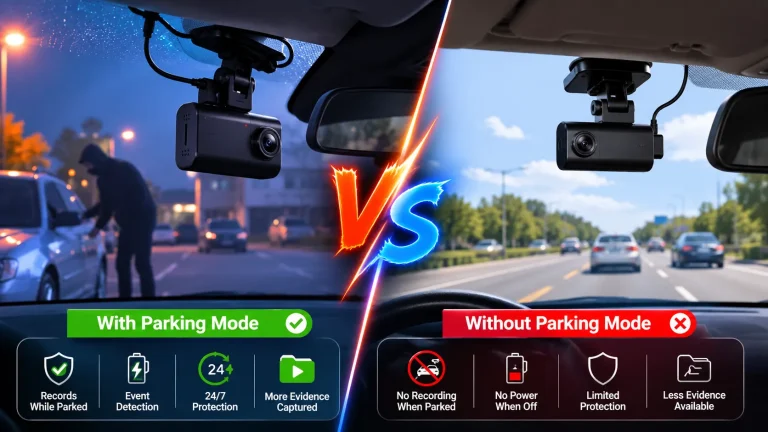
Parking mode can monitor impacts or motion while the vehicle is turned off, but the camera needs a continuous power source. A basic socket may stop supplying power when the ignition turns off, so I may need a hardwire kit or an external battery pack.
A dual dash cam can watch both the front and rear areas, which helps when damage occurs outside the front camera’s view. A single camera records only the direction it faces. Neither setup covers every angle, and motion detection may miss events outside the camera’s field of view.
I check whether parking mode records continuously, after detecting movement, or only after an impact. I also use a high-endurance memory card and confirm that the camera limits recording when the vehicle battery reaches its safety threshold.
Cost, Storage, And Maintenance
I compare more than the purchase price when choosing a dash cam. A dual system costs more, uses more storage, and adds another camera and cable to maintain.
Upfront Equipment Costs
A single dash cam usually costs about $70–$150 for a reliable front-facing model. A dual-channel system commonly costs $120–$300 or more, depending on video quality, night vision, parking mode, GPS, and other features.
I also budget for installation. A rear camera requires a longer cable routed through the vehicle, which may increase labor costs if I pay a professional. Some kits include a power cable for the front camera but require a separate hardwire kit for parking mode.
| Setup | Typical equipment cost | Main added expense |
|---|---|---|
| Single camera | $70–$150 | Optional hardwire kit |
| Front and rear cameras | $120–$300+ | Rear installation and larger memory card |
Memory Card Capacity
A dual dash cam records two video streams at the same time, so it fills a memory card faster than a single camera. I choose a high-endurance microSD card made for continuous recording rather than a standard card designed mainly for phones or cameras.
A 128GB card may provide roughly 8–16 hours of combined recording, depending on resolution, frame rate, compression, and audio settings. A single camera may record for about twice as long at similar settings. I check the camera’s maximum supported capacity before buying a card.
Loop recording automatically deletes the oldest unlocked clips when the card becomes full. I still format the card in the camera regularly and save important accident footage to another device.
Replacing Or Upgrading Components
A single dash cam has fewer parts to replace. If its front camera fails, I replace one unit. A dual system can require a new rear camera, cable, memory card, or main camera if any component develops a fault.
I inspect the rear cable occasionally, especially near the hatch or trunk hinge. Repeated bending can damage it. I also replace the memory card when recording errors, missing clips, or repeated formatting problems appear.
When I upgrade, I confirm compatibility before buying parts. Some brands sell rear cameras and cables only for specific models, while others support interchangeable components. A replacement camera may also require a new mounting bracket or firmware update.
Choosing The Right Setup For Your Vehicle
I choose a dash cam setup based on road conditions, vehicle use, and the value of added coverage. A single camera suits simple driving needs, while a dual system records both traffic ahead and activity behind the vehicle.
Driving Environment
I would choose a dual dash cam if I drive in heavy traffic, crowded city areas, or places with frequent rear-end collisions. The rear camera can record a vehicle following too closely, striking my car, or approaching after a crash.
A single dash cam may work well on quiet roads, short commutes, and vehicles used mainly for forward-facing road coverage. It costs less and usually needs less installation work.
I would also consider parking risks. If I often park on busy streets or in public lots, a dual system can provide more useful evidence. However, parking mode may require a hardwire kit, a suitable memory card, and enough battery protection.
Vehicle Type And Usage
My vehicle’s design and daily use affect the best choice. A sedan, hatchback, or SUV can usually support a front camera with a separate rear unit mounted near the back window. I would check whether the rear window has tint, a wiper, or a shape that could block the view.
For rideshare, delivery, business, or frequent highway driving, I would favor a dual camera. More time on the road creates more situations where rear footage may help document an incident.
A single camera makes sense for a rarely driven vehicle, a second family car, or a vehicle with difficult rear-camera wiring. I would also check whether the system’s cable length fits the vehicle before buying.
Budget Priorities
I would first set aside money for reliable video quality, a stable mount, and a high-endurance microSD card. A cheaper dual camera may provide wider coverage but weaker nighttime footage than a good single camera.
A single setup usually costs less because it has one camera, simpler wiring, and fewer components. That makes it useful when I need basic forward recording without adding installation costs.
If my budget allows, I would compare front and rear video quality, not only the number of cameras. I would also account for a hardwire kit, professional installation, replacement storage cards, and possible GPS or parking-mode features.
Frequently asked questions
Is a dual dash cam better than a single dash cam?
I recommend a dual dash cam if I want coverage of both the road ahead and the area behind my car. A single dash cam costs less and may suit drivers who only need forward-facing video.
Does a dual dash cam record inside the car?
Usually, no. Most dual systems use one front camera and one rear camera. If I need cabin footage, I should choose a three-channel model designed to record the front, rear, and interior.
Is a rear camera necessary?
I find a rear camera useful for documenting rear-end crashes, traffic behind me, and incidents while parked. It adds installation work and may cost more, so I should consider my driving and parking conditions.
Can either type record while parked?
Yes, but I usually need parking mode and a suitable power connection, such as a hardwire kit or an external battery. I should check the camera’s power settings to avoid draining the car battery.
Does dual-camera video reduce image quality?
It can. Some cameras lower the rear camera’s resolution while recording both views. I should check the resolution, frame rate, night performance, and storage needs for each channel.
Which system needs more storage?
A dual dash cam records more video, so it uses more memory than a single model. I should use a compatible, high-endurance memory card and review the manufacturer’s storage limits.
Conclusion
I would choose a dual dash cam if I want protection from incidents ahead of and behind my vehicle. The rear camera can record rear-end collisions, tailgating, parking damage, and other events that a front-only camera cannot capture.
I would choose a single dash cam when I need a simpler and more affordable setup. It records the road ahead, uses less storage, and usually requires less installation work.
| My priority | Better choice |
|---|---|
| Basic front-road recording | Single dash cam |
| Front and rear coverage | Dual dash cam |
| Lower cost and simpler setup | Single dash cam |
| More complete evidence after a collision | Dual dash cam |
I would also check video quality, night performance, parking mode, storage needs, and installation requirements before buying. A reliable single camera can serve many drivers well, but a dual system offers broader coverage for vehicles often parked on streets or exposed to rear impacts.