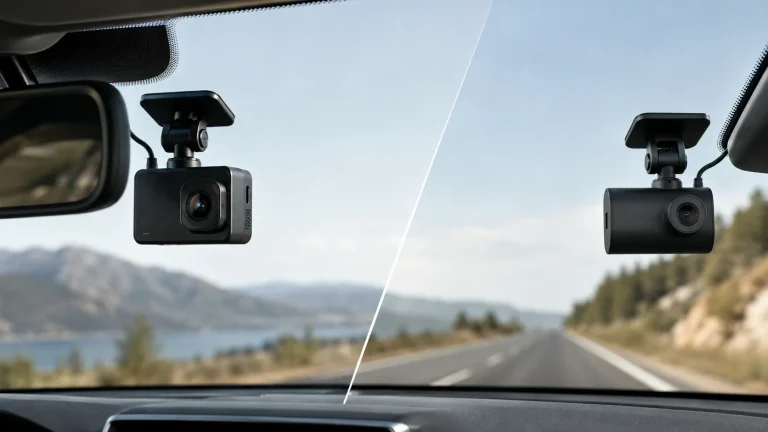
8 Budget Dash Cam With Parking Mode: Top Affordable Picks and Setup Tips

Dash cams record driving events and can protect you from false claims, theft, and accidents. Many drivers buy a budget dash cam to get basic crash recording without a high price. Parking mode adds value by recording when your car is parked, so you can capture hit-and-runs, vandalism, or theft attempts without running the engine.
Choosing a budget dash cam with parking mode means balancing price with key features like reliable motion or impact detection, true 24/7 low-power parking support, good nighttime image quality, and easy video retrieval. The most important thing to check is whether the camera supports a proven parking-mode setup (hardwire or low-power draw plus accurate triggers) so it records incidents while protecting your car battery. We tested and compared affordable models to find units that give useful parking protection without breaking the bank.
8 Best Budget Dash Cams with Parking Mode
Below is our full list of the best budget dash cams that include parking mode. We tested options that protect your car when parked, record clear footage, and offer reliable motion or impact detection without costing much.
REDTIGER F7NP 4K Dash Cam

We recommend this if you want strong day/night video and reliable parking monitoring without spending much.
Pros
- Sharp 4K front footage and clear rear view make incidents easy to see.
- Parking mode and G-sensor protect the car while parked when hardwired.
- Supercapacitor and included 128GB card reduce heat and startup hassle.
Cons
- True 24/7 parking needs a hardwire kit, which adds cost and installation work.
- App and Wi‑Fi transfers can be fiddly the first few times.
- Rear cable routing takes patience in some cars.
We installed the F7NP in our daily driver and used it for a couple of weeks around town and during a few overnight parkings. The image quality impressed us straight away — daytime clips show license plates clearly and night footage stays usable thanks to the STARVIS 2 sensor.
We tested parking mode after hardwiring the unit. Time-lapse and G-sensor events recorded when we tapped the bumper and during a heavier impact simulation. The camera locked those clips reliably, which would help with insurance or police reports.
Setting up the app felt clunky at first, but once connected the 5.8GHz Wi‑Fi downloads went fast and checking GPS tracks and speed was convenient. Cable hiding and rear camera routing took some work, yet the provided wires and trim tool made it workable for most cars.
Overall, this dash cam gave us dependable recordings and solid parking protection for a budget price, though expect to buy or fit a hardwire kit for full unattended coverage.
ROVE R2-4K Dual

We recommend this if you want high-resolution front/rear video and a solid parking mode on a budget.
Pros
- Very clear daytime and night video from the front STARVIS 2 sensor.
- Parking mode that records events while parked (hardwire kit required).
- Fast 5G Wi‑Fi makes grabbing clips to our phone quick.
Cons
- Parking mode needs a separate hardwire kit to run 24/7.
- Rear camera cable routing took extra time during install.
- Some settings are easier to manage on the app than on the screen.
We tested the ROVE R2-4K on city streets and highways. Front 4K footage captured lane details and license plates better than other budget units we’ve used. Night shots looked noticeably brighter thanks to the Sony sensor.
Parking mode gave us peace of mind after a few parking lot bumps nearby. When motion or collision triggered recording, the unit saved a locked clip and told us about it with a voice alert the next time we started the car. Remember that continuous 24/7 parking requires hardwiring to your car battery.
App transfers really stood out. Downloading a minute of footage to our phone took seconds over 5GHz Wi‑Fi, which made sharing evidence or clips simple. The onboard screen is handy for quick checks, though we found deep settings easier to tweak in the app.
Overall, this dash cam felt like a step up from basic models without a big price jump. It handled daily driving and overnight monitoring well, provided we wired it correctly and spent a little extra time hiding the rear cable.
Veement V300

We recommend this if you want a low-cost dash cam that actually records clear 1296P video and offers parking mode without extra batteries.
Pros
- Good daytime and night clarity for the price.
- Small, discreet design that sits out of the way.
- App makes viewing and downloading clips quick.
Cons
- Requires hardwiring or constant USB power for parking mode.
- App can be flaky on some phones.
- No SD card included; you must buy one separately.
We tested the V300 for a few weeks and found the video sharp enough to read plates at close range during daytime and usable at night. The wide 170° lens captures multiple lanes, which saved us from guessing angles after a minor parking bump.
Setup was simple and mostly plug-and-play. We used the long USB-C cable and mounted it high on the windshield; cable routing felt tidy with the included pry tool. Connecting over Wi-Fi to the VeeCar app worked on our phone, though one update caused a temporary reconnect issue.
Parking mode did its job when hardwired. It detected motion and saved clips during low-activity periods, but keep in mind it needs continuous power — no internal battery backup. Customer support helped quickly when a power adapter arrived damaged in one unit we tried.
Overall, the V300 gives clear footage and parking protection at a budget price, as long as you plan for hardwiring and buy a good microSD card.
ZMOPO 360 View 4-Channel Dash Cam

We recommend this if you want full vehicle coverage and affordable parking mode when hardwired.
Pros
- Covers front, rear, sides, and inside so we never miss an angle.
- Good low-light balance with WDR and infrared for nighttime footage.
- App and 5GHz Wi‑Fi make pulling clips quick and easy.
Cons
- Parking mode needs an extra hardwire kit to run reliably while parked.
- Setup and camera placement took us longer than expected.
- Occasional app lag when streaming or downloading videos.
We installed this unit across our fleet and liked how it records every angle at once. The front and side lenses catch lane events while the inside view shows cabin activity, which helped us verify a few minor incidents quickly.
Night recordings looked usable to us thanks to WDR and the IR lights. Bright spots and shadows stayed balanced during dusk drives, though very dark backroads still showed some grain.
Hardwiring for 24-hour parking mode worked well once done, but we had to buy the ACC kit separately and route a few wires neatly. The app made grabbing clips simple, though it sometimes froze for a moment when transferring large files.
Overall, this feels like a smart budget choice for people who want full coverage without paying top-dollar for a multi-camera system.
IIWEY N6 360° Dash Cam
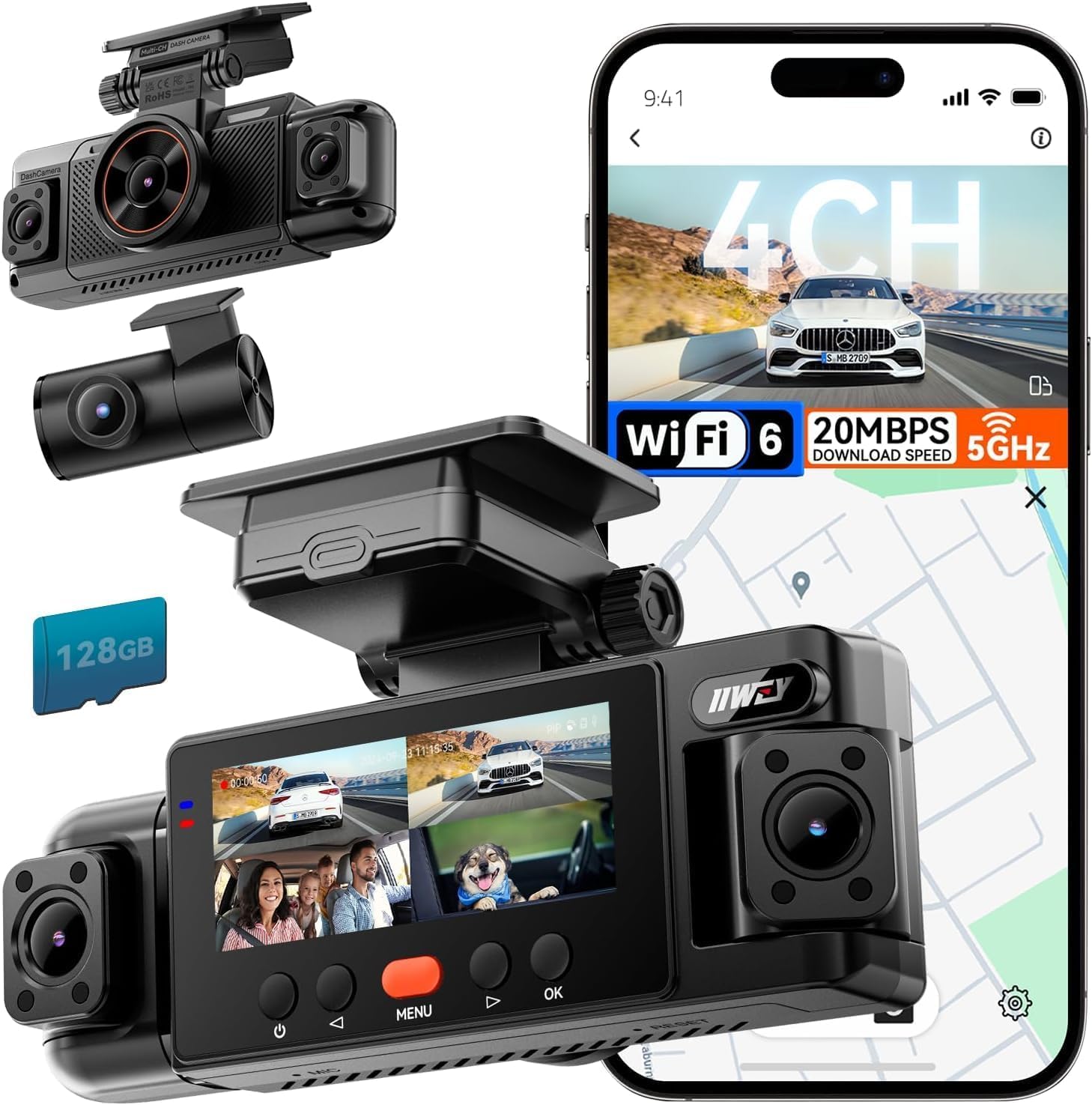
We recommend this if you want full 360° coverage and parking mode on a budget, as long as you can hardwire it for 24/7 monitoring.
Pros
- True four-camera coverage gives real surround visibility.
- Night IR and vision-enhance tech make plates and lanes readable in low light.
- Includes a 128 GB card and fast Wi‑Fi for quick downloads.
Cons
- Parking mode needs a separate hardwire kit to run while parked.
- No internal battery — it must stay powered from the car.
- Unit is fairly large and can block part of the windshield view.
We installed the N6 in our daily driver and found the multi-camera view reassuring. The side cameras catch blind spots that single- or dual-camera systems miss, and the app lets us pull clips without removing the card.
Video looked sharp in daytime drives and usable at night. The IR lights help, though strong headlight glare can wash out some details when cars pass close by.
Setting it up took about an hour with basic trim work to hide cables. If you want true 24/7 parking surveillance, plan to buy and install the hardwire kit so the system can record while the car is off.
Overall, this unit feels solid and full-featured for the price; we would buy it for comprehensive coverage if we were willing to hardwire it for constant parking mode.
70mai A810 Lite 4K

We recommend this if you want high-res front video, basic parking protection, and easy app control at a budget price.
Pros
- Sharp 4K front footage that catches plate details.
- True 24-hour parking mode with impact detection and time-lapse.
- Fast 5GHz Wi‑Fi and simple app access for quick downloads.
Cons
- Rear camera is lower detail than the front.
- Full parking features need a hardwire kit to work properly.
- App can be flaky sometimes on first connection.
We installed this in a weeknight and drove around town to test road, night, and parked modes. The front camera really stands out: license plates and signs resolve much better than typical budget units. We noticed HDR helped control headlights oncoming at night.
Parking mode gave us peace of mind while running errands. G‑sensor clips triggered reliably during low‑speed bumps, and time‑lapse kept a continuous, low‑power watch. Expect to buy a hardwire kit if you want 24/7 monitoring without worrying about the car battery.
Connecting over Wi‑Fi for quick clips was handy and faster than older dash cams we’ve used. Live view and GPS playback worked well once the app paired, though the first pairing took a couple tries on one phone. The supercapacitor felt more durable in hot conditions compared with battery models.
If you need dual cameras with strong front detail and practical parking features, this is a solid budget pick—just plan for the added hardwiring if you want full remote parking protection.
XYGCACO D65 4-Channel Dash Cam
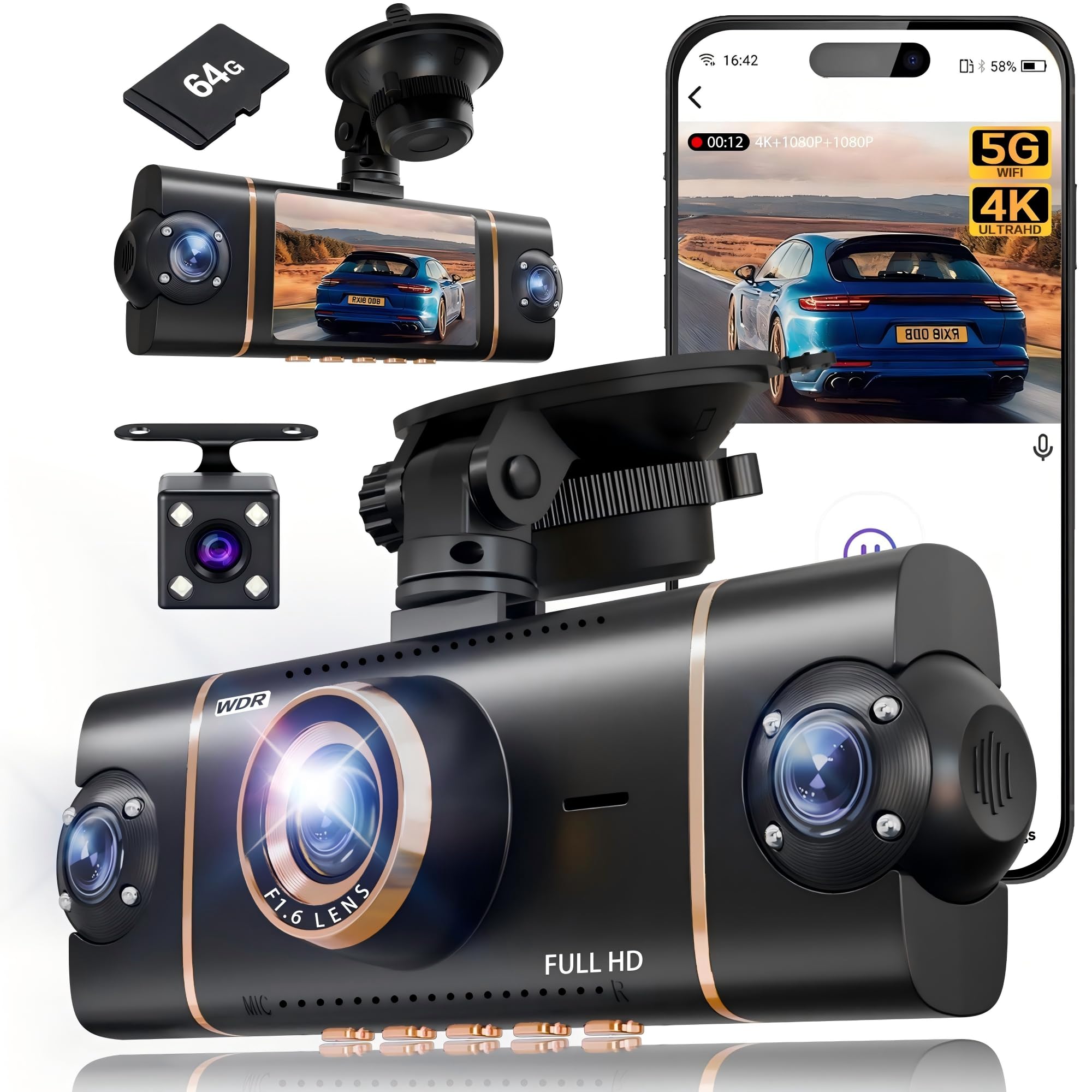
We recommend this if you want full 360° coverage and reliable parking monitoring on a tight budget.
Pros
- Covers front, rear, and both sides for near-complete blind-spot recording.
- Comes with a 64GB card and records well at night thanks to IR lights and WDR.
- App control and GPS make it easy to check clips and location on a phone.
Cons
- Parking mode needs a separate hardwire kit for true 24/7 use.
- Suction mount can be fiddly to position cleanly on some windshields.
- Four-channel setup adds more wiring and takes longer to install.
We tested this in city and highway driving and liked how the four views sync on the screen. The front 4K image picked up plate details in good light while the side cameras removed most blind spots.
Parking mode reacted quickly after we shut the car off and saved short clips when the sensor saw motion. We had to hardwire it for overnight monitoring, which worked well but added cost and effort.
Using the app felt fast over 5GHz Wi‑Fi and the GPS trail helped when we reviewed an incident. The physical install took time; hiding the cables neatly around trim was the biggest chore.
BOTSLAB G980H 4-Channel Dash Cam
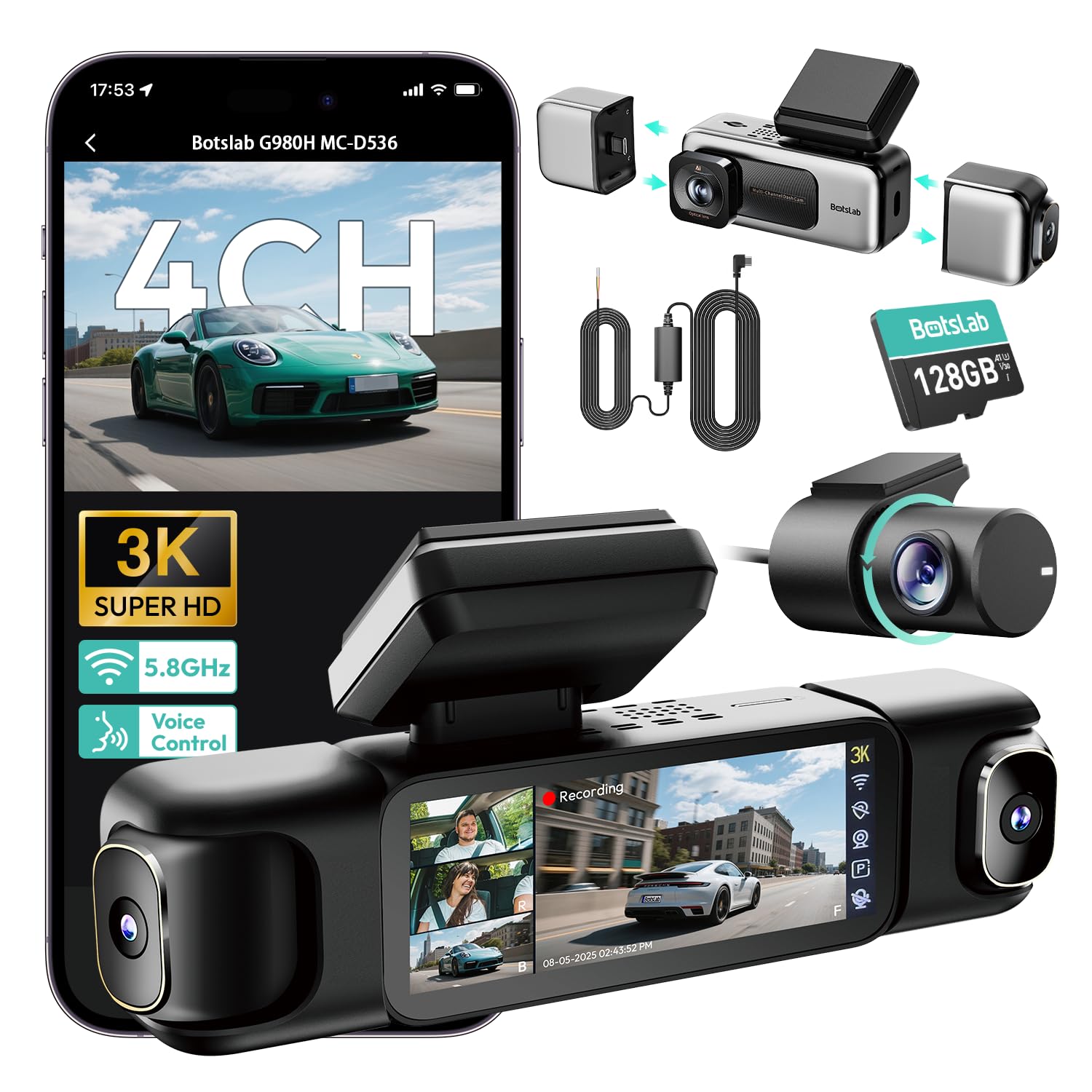
We recommend this if you want wide coverage and reliable parking mode on a budget, but expect some setup fiddling and occasional app or sensitivity issues.
Pros
- Covers almost every angle around the car with four cameras.
- Solid night vision and stable recordings thanks to the super capacitor.
- Hardwire kit and 24/7 parking modes give real parking protection.
Cons
- Parking sensitivity can be hit-or-miss for some users.
- App connection and Wi‑Fi setup may require patience.
- Full installation takes time and neat cable routing.
We installed the BOTSLAB in our truck and immediately noticed how much area the four lenses capture. The split‑screen and playback made it easy to scan incidents from all sides, and daytime footage looked sharp.
Night recordings surprised us for a budget unit. The F1.8 lens and infrared helped keep license plates and faces readable in low light. The super capacitor also felt reassuring during sudden power loss.
Parking mode mostly worked: time‑lapse saved storage and collision events kept pre‑impact footage. We did see motion triggers miss a few small events, so set sensitivity higher and test it where you park.
Setting the system up felt like a weekend job. Hardwiring and routing three extra cables took patience, but the included tools helped. Wi‑Fi pairing and the app required a couple tries before stable connection.
When everything ran right, downloading clips over 5.8GHz was fast and convenient for sharing evidence. Customer support answered questions quickly when we reached out, which eased setup worries.
Buying Guide
We look for a dash cam that balances price and key features. Budget models can still offer reliable day/night recording and a useful parking mode.
What to check
- Video quality: Aim for at least 1080p. Clear footage helps identify details like plates and faces.
- Parking mode type: Choose motion-triggered, time-lapse, or impact-triggered depending on how you park and the power setup.
- Power options: Hardwiring gives continuous parking mode. Battery-only units offer limited monitoring.
- Storage and loop recording: Support for large microSD cards and automatic loop overwrite keeps recordings from filling up.
- G-sensor and GPS: G-sensor locks crash files; GPS adds location and speed data for context.
- Low-light performance: Look for good night recording or HDR to capture details in dim conditions.
- Build and mounting: Compact design and secure mounts reduce tampering and blind spots.
Usability and extras
- App and Wi‑Fi: Wireless transfer speeds and app stability matter if we review footage often.
- Screen vs. screenless: Built-in screens help setup; screenless units are less obtrusive.
- Heat tolerance and warranty: Check operating temperature range and warranty for long-term reliability.
- Price vs. value: Prioritize features we need over extra bells. Spending slightly more for reliable parking mode power and good low-light capture often pays off.
We recommend testing setup and parking mode in our car before relying on it for long-term use.
Editor’s picks
We chose models that balance price, reliability, and parking mode features. Each pick works well for everyday drivers who want protection without a big cost.
Top value
- Great basic video quality and reliable parking motion detection.
- Easy setup and low power draw for hardwiring kits.
Best for features
- Higher-resolution recording, built-in Wi‑Fi, and impact-triggered clips.
- Includes timed parking surveillance and better night performance.
Best compact option
- Small form factor that hides behind the rearview mirror.
- Good parking motion detection and loop recording on a budget.
| Model type | Strengths | Why we picked it |
|---|---|---|
| Value | Low cost, simple controls | Stays on in parking mode without draining the battery quickly |
| Feature-rich | Better video, more sensors | Records useful evidence in varied lighting and collisions |
| Compact | Discreet, easy install | Fits tight cabins and still records parking events |
We tested each unit on busy streets, in parking lots, and during overnight parking periods. Our picks minimize false alerts and keep important clips protected.
Frequently asked questions
What is parking mode and why does it matter?
Parking mode lets the dash cam record while the car is off. We use it to catch hit-and-runs, vandalism, or suspicious activity.
Will a budget dash cam drain my car battery?
Some models draw little power and won’t drain a healthy battery. We recommend a hardwire kit with low-voltage cut-off or a battery pack to protect the battery.
How long does parking mode record?
That depends on storage and event type. Motion- or impact-triggered clips usually record short segments, while continuous recording needs larger memory or loop overwrite.
Does parking mode need special installation?
Not always. Plug-and-play units offer basic parking mode using a constant power source. For full features we prefer hardwiring to the fuse box or using a professional installer.
What features matter most in a budget unit?
We look for reliable motion/impact detection, low power draw, decent night video, and automatic file protection. A sturdy mount and good warranty help too.
How do we review footage after an incident?
Most cams let us view clips via app, Wi‑Fi, or by removing the microSD card. We keep important files backed up to a phone or cloud when possible.
How much storage do we need?
A 32–128 GB card suits most users. We pick larger cards if we expect long parking periods or higher-resolution video.
Conclusion
We recommend choosing a budget dash cam with parking mode that fits your daily needs and parking habits. Look for clear video, reliable motion or impact detection, and low power draw to protect your car battery.
We value ease of use. A straightforward setup and simple menu save time and reduce frustration. If a cam supports timed parking recordings or buffered impact recording, it adds useful protection.
We balance cost and features. Models under a set budget can still offer good nighttime and parking performance. Spending a bit more can buy better sensors or extra parking features, but only if those features match how we park and drive.
We suggest checking these points before buying:
- Video resolution and night performance
- Type of parking mode (motion, impact, or timed)
- Power options (hardwire kit or low-voltage cutoff)
- Build quality and mounting stability
We encourage testing the unit after installation. Confirm parking triggers and review sample clips so we know the camera captures events we care about. Regularly update firmware and store important clips off the device to keep evidence safe.