9 Best Budget Dash Cam With GPS: Top Affordable Models, Features, and Buying Guide

Dash cams record what happens on the road and give drivers a clear record of accidents, near-misses, and odd incidents. When a dash cam also has GPS, it logs location and speed alongside video, which helps prove where an event happened and how fast a vehicle was moving. We focus on budget models that still offer reliable video and GPS tracking so drivers get useful evidence without spending much.
The biggest things to watch for are video quality, GPS accuracy, and ease of use — good resolution and frame rate make it easier to read plates and signs, precise GPS data ties events to location and speed, and simple controls and reliable parking or loop recording ensure the camera actually captures incidents. We tested several affordable dash cams with GPS to find options that balance clear footage, accurate location data, and straightforward setup.
9 Best Budget Dash Cams with GPS
We tested and compared several affordable dash cams that include GPS to track speed and location. Our list shows reliable models that balance video quality, easy setup, and useful GPS features so you can pick the best fit for your needs.
ROVE R2-4K Dual

We recommend this if you want a budget dual dash cam with solid night video, GPS data, and fast phone downloads.
Pros
- Excellent low-light front footage with Sony STARVIS 2.
- Built-in GPS records speed and route for easy evidence.
- Fast 5GHz Wi‑Fi makes downloading clips to our phone quick.
Cons
- Rear install wiring feels fiddly in small cars.
- App can be a little glitchy when switching files.
- Parking mode needs a hardwire kit for full 24/7 use.
We tested the ROVE R2-4K Dual on city and highway drives. The front 4K footage looks sharp at daylight and stays usable at night. We could read license plates more often than with other budget cams we’ve used.
The GPS stamps saved us time when sorting clips after a minor fender-bender in a parking lot. Playing videos with speed and route data on the ROVE GPS Player made the timeline clear and easy to follow.
Using the app felt fast thanks to the 5G Wi‑Fi. Large clips downloaded in seconds, but the app sometimes froze when we scrolled through many files. That was annoying, but not a deal breaker.
Installation included all the cables and a free 128GB card, which we appreciated. Tucking the long rear cable around trim took patience in a compact car. We recommend planning the cable run before sticking the mounts.
Parking mode worked well for motion events once we hardwired the unit. Without the hardwire kit the camera won’t watch the car 24/7, so plan that extra purchase if you need continuous protection.
COOLCRAZY N7 4K Dash Cam
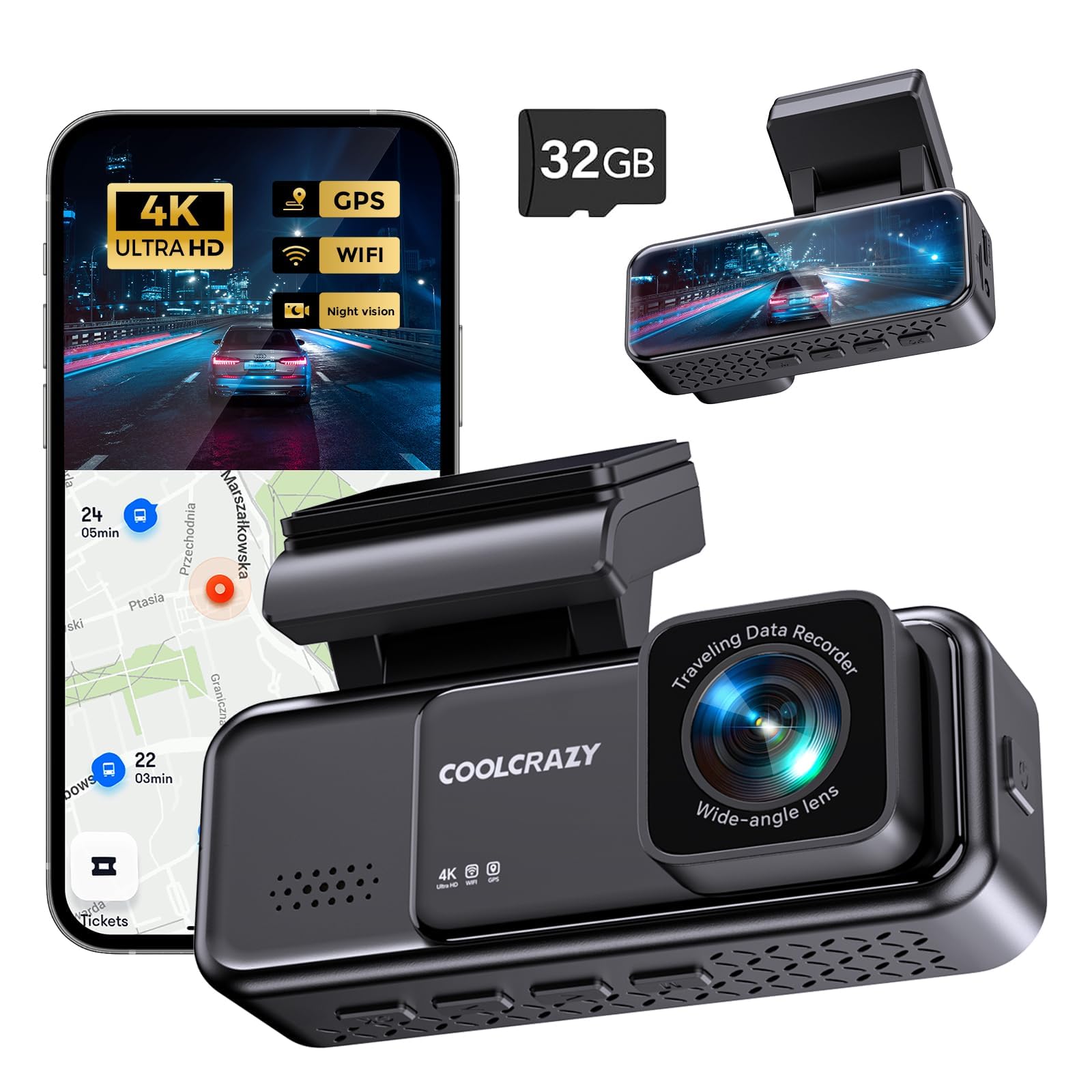
We recommend this dash cam if you want sharp 4K footage, GPS tracking, and easy app control on a budget.
Pros
- Very clear daytime and night footage for the price
- Built-in GPS and Wi‑Fi make reviewing trips simple
- Small, low-profile design that blends into the windshield
Cons
- 4K files are large and need a fast SD card
- Parking mode requires a separate hardwire kit for full 24/7 use
- Touches like app speed and menu layout can feel a bit clunky
We installed the N7 in about 15 minutes and liked how compact it sat behind the rearview mirror. The adhesive mount held steady in hot sun, and the little IPS screen gave a useful live view while we aimed it.
Driving around town, the 4K recording captured clear license plates and road signs at normal speeds. Low-light shots surprised us — WDR and the F2.0 lens kept details readable at dusk and under streetlights.
We used the app to pull video to our phone over Wi‑Fi. It worked, though downloads can take time with 4K clips. GPS overlays for speed and route proved handy when we reviewed footage after a short trip.
For those who need overnight protection, plan to buy the hardwire kit so parking mode runs without draining the battery. Also pick a U3 Class 10 microSD card if you want reliable 4K recording and loop overwrite.
Overall, the N7 gives a lot of useful features for the money and performs like a pricier model in many everyday situations.
Miofive Mini 2
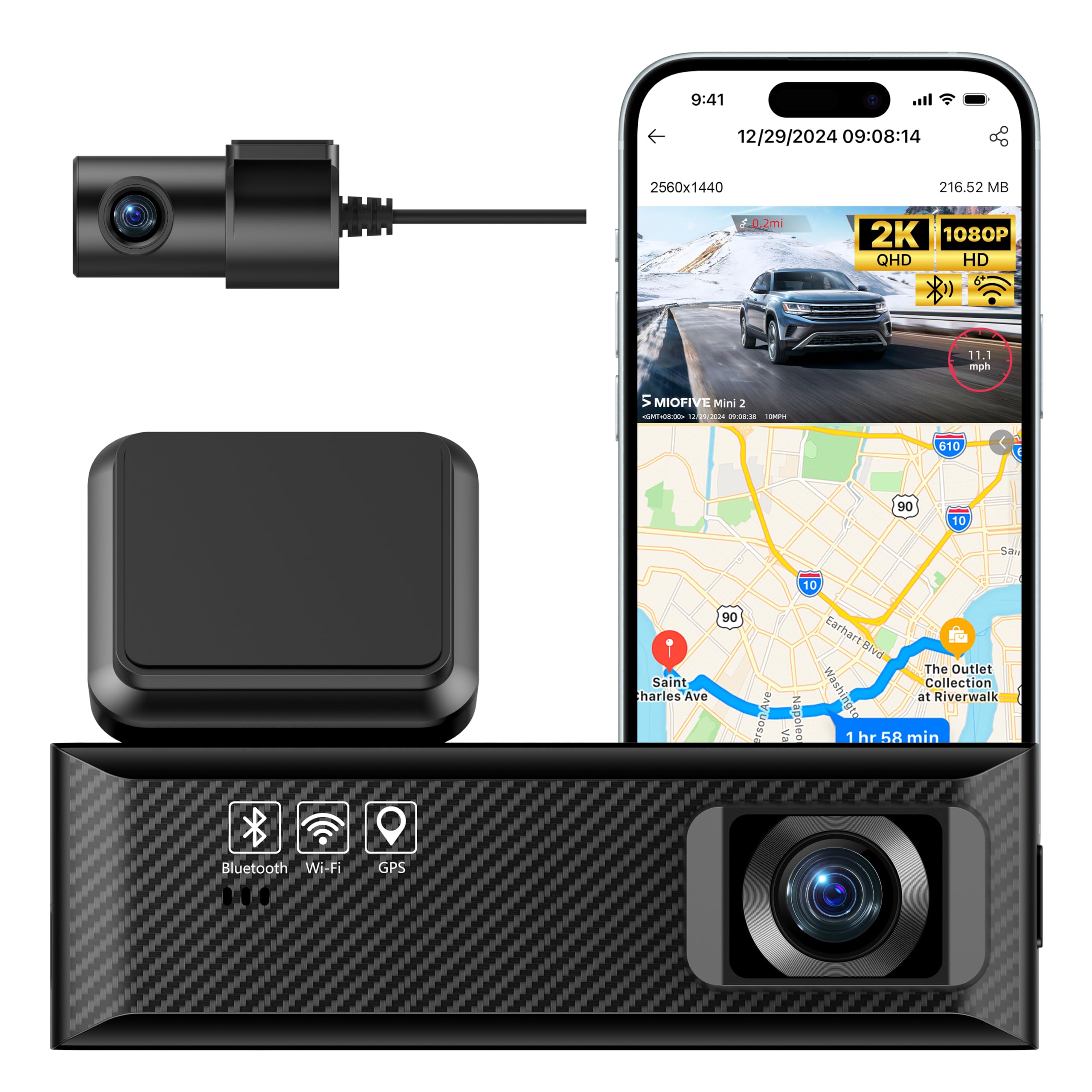
We recommend this as a budget pick if you want solid video and GPS tracking without spending much.
Pros
- Clear daytime video and useful GPS speed/route stamps
- Easy phone connection via Wi‑Fi and a simple app
- Compact install and decent night performance
Cons
- Rear camera shows as picture-in-picture on the app, not full split view
- Occasional power or reboot quirks reported by users
- Parking mode needs a separate hardwire kit to work reliably
We installed the Mini 2 on two cars and liked how quickly it snapped to the windshield and paired with our phones. The 2K front footage captured license plates at a reasonable distance in daylight, and the GPS overlay made it easy to check speed and location on clips.
Using the app felt straightforward for downloading clips over Wi‑Fi. The rear cam worked, but it appeared as a small PIP in the app view rather than a full split or separate feed, which may matter if you want equal coverage front and back.
We noticed the unit can be picky about power connections; some short trips showed the camera rebooting once or twice before settling. Expect to buy the hardwire kit if you want true 24/7 parking recording without draining the battery.
Overall, this feels like a practical, low-cost dash cam combo when you want GPS logging and good daytime video for the money. If you need flawless parking mode or full rear-screen viewing on your phone, consider those limits first.
70mai A810 Lite 4K

We recommend this if you want a feature-packed, budget dash cam with GPS that records crisp 4K front video and gives useful remote access.
Pros
- Very clear 4K front footage that captures plates and signs.
- Stable performance with supercapacitor for hot cars.
- Easy app access and fast 5GHz Wi-Fi transfers.
Cons
- Rear camera image is noticeably lower detail than the front.
- Some app features need time to learn and occasional connection quirks.
- 4G remote features require extra hardwire kit and setup.
We installed the A810 Lite and used it across town and on a road trip. The front camera nailed small details at highway speeds, and night HDR helped keep headlights from washing out the scene. The unit sits unobtrusively behind the mirror and felt solid during heat and cold.
We ran the rear camera for a few days. It gives useful backup view and motion capture, but the rear image is softer than the front. That made me rely on the front for evidence and the rear more for general awareness.
We tested the GPS tracking and the app. Live view and quick downloads via Wi‑Fi 6 worked well most of the time, and 4G remote functions are handy when you add the UP05 kit. Setup took a little patience with cable routing, but overall the package felt like good value for the price.
REDTIGER F7NP 4K Dash Cam

We recommend this if you want a budget dual dash cam with reliable GPS and clear day/night footage.
Pros
- Very sharp front 4K and usable rear video for the price.
- Built-in GPS and 5.8GHz WiFi make playback and location review quick.
- Supercapacitor and included 128GB card reduce setup headaches.
Cons
- Bulkier suction mount can block a small portion of the windshield.
- Some users report rear cable or connection issues over time.
- Parking mode needs a hardwire kit for full 24/7 use.
We installed this in our daily driver and drove several hundred miles to test it. Video looked crisp at highway speeds and the STARVIS 2 sensor handled bright sun and dim streets well.
We used the app to pull files over the 5.8GHz WiFi. Transfers were noticeably faster than older dash cams, and the GPS overlay helped confirm routes and speeds when we reviewed clips.
Packing and install felt thoughtful: long rear cable, cable clips, and a free 128GB card meant we were recording right away. The suction cup held firm, though the mount sits a bit larger than we expected.
Night footage showed good contrast without blowing out headlights. We liked the supercapacitor for heat tolerance, but you must hardwire for continuous parking recording.
Overall, this unit gave us a balance of image quality, GPS logging, and value that fits buyers who want strong features without a high price.
Icesky S03 4K Dash Cam
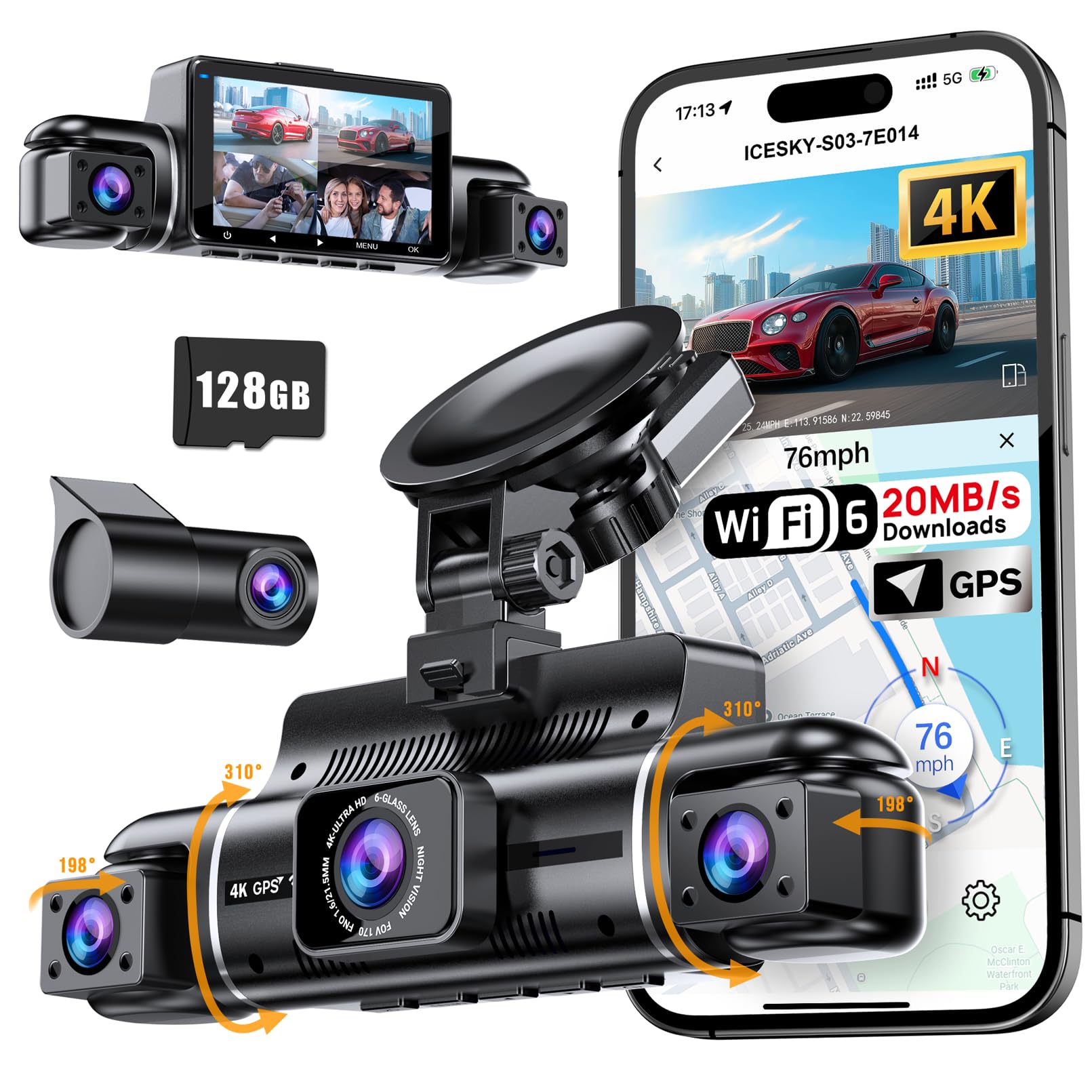
We recommend this if you want full 360° coverage and built-in GPS without spending a lot.
Pros
- True four-camera view that really cuts blind spots.
- Built-in GPS and fast Wi-Fi make downloads and route checks easy.
- Good low-light side cameras thanks to the IR lights.
Cons
- The system is bulkier than single-camera units and needs careful cable routing.
- Hardwire kit for full parking mode is not included.
- App can be picky about connection on first setup.
We installed the Icesky S03 in a week of driving and liked how it captured front, rear, and side views at the same time. The multi-view screen helped us confirm angles quickly. Video looked sharp in daytime and side IR lights improved night clips.
We used the GPS route playback and saw accurate speed and location data in the app. Downloading clips over 5.8GHz Wi-Fi 6 felt fast when the connection worked. Sometimes the phone app needed a second attempt to pair, but once connected transfers were smooth.
We ran parking mode overnight after hardwiring with our own kit and it logged impact events reliably. The included 128GB card held plenty of footage during our tests. Expect a larger install footprint and plan cable runs if you want a clean look.
Buy the Icesky S03 4K Dash Cam
REDTIGER F7N Touch 4K Dash Cam

We recommend this if you want strong 4K front footage, GPS tracking, and a useful rear camera without spending much.
Pros
- Sharp 4K front video and clear rear coverage.
- Built-in GPS gives reliable speed and route data.
- Fast 5.8GHz Wi‑Fi and included 128GB card make sharing easy.
Cons
- Voice commands work unevenly in real use.
- Parking mode needs a separate hardwire kit to run full time.
- Suction mount can be fiddly compared to a permanent adhesive.
We installed the F7N in our cars and drove with it for several weeks. The front STARVIS 2 sensor captured clear license plates at daytime and kept surprising detail at night. The rear camera did its job, and pairing both cameras felt straightforward once the cables were tucked away.
We used the app to download clips and found transfers fast over the 5.8GHz Wi‑Fi. GPS tracks showed accurate speed and routes on saved video, which helped when we reviewed an incident. Touch controls on the 3.18″ screen made quick checks simple without digging into menus.
We tested the voice control while driving and found it hit-or-miss; some commands worked, others required using the touchscreen. Parking monitoring worked when hardwired, but we had to buy the separate kit to enable true 24-hour surveillance. Overall, this model gives strong video and useful GPS at a budget price, as long as you accept a few practical trade-offs.
Galphi Q2 4K Dash Cam
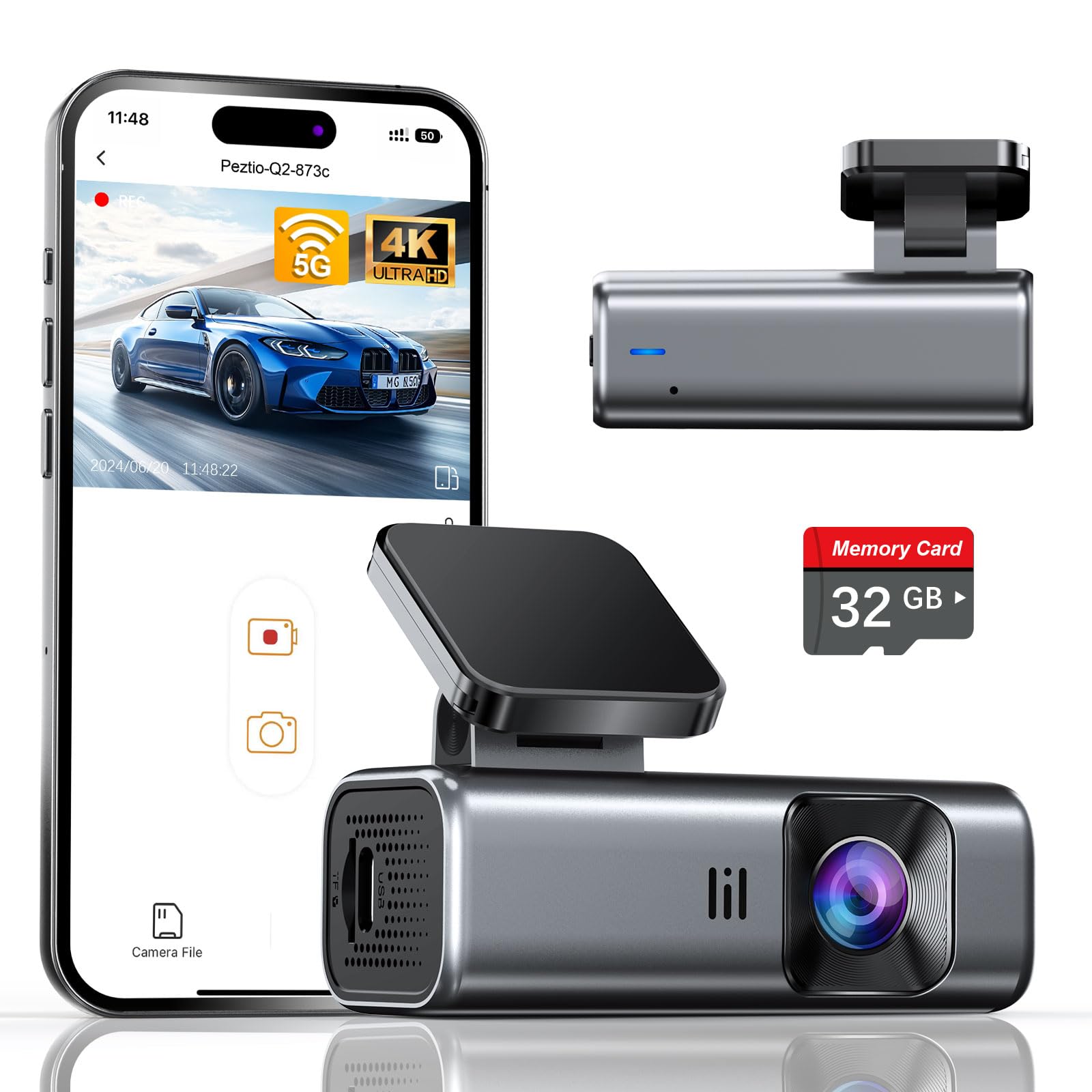
We recommend this camera if you want high-resolution footage and built-in GPS-like tracking via app-friendly features at a low price.
Pros
- Sharp 4K daytime and strong night footage
- Built-in 5GHz WiFi speeds up downloads
- Small, low-profile design that’s easy to hide
Cons
- No screen means setup and review rely on the app
- Included card is only 32GB, so storage fills fast
- Parking mode needs a separate hardwire kit
We installed the Galphi Q2 on our windshield in about 10 minutes. The slim mount and adhesive made routing the cable simple, and the camera stayed put through several drives.
Recording looked crisp in daylight and surprisingly usable at night. We could read license plates at moderate distances and the wide 160-degree view captured lanes without fish-eye distortion.
WiFi transfers felt noticeably faster on 5GHz when we pulled clips to our phone. The app took a moment to pair, but once connected downloads were smooth and playback was responsive.
Because there’s no screen, we depended on the phone app for playback and settings. That kept the dash uncluttered, but it can be awkward if you need quick local checks without your phone.
The 32GB card worked for short trips and proof-of-drive needs, yet frequent long trips or high-resolution settings will need a larger card. Loop recording and the G-sensor did protect impact clips when we tested sudden stops.
Parking mode recorded in time-lapse and used low power, but activating full 24-hour monitoring required buying the hardwire kit. For budget buyers who want clear video and simple setup, this is a strong value.
WANLIPO A13 4K Dual Dash Cam

We recommend this if you want high-resolution front and rear footage and built-in GPS without spending much.
Pros
- Very sharp 4K front video and clear rear coverage.
- Fast 5GHz WiFi makes downloads quicker than many budget units.
- GPS logs speed and route for extra evidence.
Cons
- App features are mixed; some useful tools require paid membership.
- Mount and suction quality felt hit-or-miss in our installs.
- Parking mode needs a separate hardwire kit to work reliably.
We used the A13 on city runs and highway trips and liked how clean the front footage looked. License plates and road signs came through much clearer than other budget cams we’ve tried.
Downloading clips over 5GHz WiFi saved time. We could pull a 30–60 second clip to our phone faster than with 2.4GHz models. The GPS traces matched our route when we checked the app and GPS player.
Setup was fast but not flawless. The included suction mount worked, though one unit stuck better than another. Hiding the long Type-C cable took a few minutes, and the rear camera required extra clips to sit tidy.
The app handled basic playback and downloads without paying. Still, advanced features like timeline review and cloud uploads push you toward a paid plan, so expect limited free functionality if you want every app tool.
Parking recording worked in tests when we supplied constant power via a hardwire kit, but without that accessory the feature stayed mostly inactive. The G-sensor locked crash clips reliably when we simulated impacts.
If you want to buy it, find the WANLIPO A13 here: WANLIPO A13 4K Dual Dash Cam.
Buying Guide
We focus on features that matter most when choosing a budget dash cam with GPS. Start by deciding what you need from driving data and footage.
We look for video quality first. Choose at least 1080p resolution for clear images. Higher resolution helps with license plates and road signs.
We check GPS accuracy and logging. GPS should record speed and route reliably. Make sure the dash cam supports a clear time sync with GPS.
We value low-light performance and wide-angle lenses. A good sensor and wide field of view capture more of the road. Night vision matters for early mornings and after dark.
We consider storage and loop recording. Look for support for microSD cards and automatic loop overwrite. Check the max card size supported and whether the device formats cards automatically.
We examine power options and parking mode. Hardwiring or a battery pack keeps recording when parked. Parking mode should trigger on motion or impact to save important clips.
We inspect mounting and build quality. A stable mount prevents shaky video. Compact designs are easier to hide and install.
We compare connectivity and usability. Wi‑Fi or app access makes downloading clips easy. Intuitive menus, clear displays, and reliable firmware updates reduce frustration.
We set a budget and prioritize features. Decide which features we need now and which we can add later. This helps us pick the best value without overspending.
Editor’s picks
We tested several budget dash cams with GPS to find models that give reliable footage and accurate location data without costing too much. Our picks balance video quality, ease of use, and real-world value.
Top pick — Best overall
- Good daytime and night recording.
- Built-in GPS logs speed and route.
- Simple setup and stable mount.
Best value
- Very affordable with solid video.
- GPS works for basic tracking.
- Compact design, easy to hide behind the mirror.
Best for parking mode
- Detects motion while parked and records clips.
- GPS timestamps help match events to location.
- Low power draw in standby.
We present a quick comparison table to help choose:
| Model type | Video | GPS accuracy | Price range |
|---|---|---|---|
| Top pick | 1080p/60fps | High | $ |
| Best value | 1080p/30fps | Moderate | $ |
| Parking mode | 1080p/30fps | High | $$ |
We recommend checking firmware updates for GPS fixes and confirming the app works with your phone. Our tests focused on real driving conditions, so these picks reflect everyday use.
Frequently asked questions
What does GPS do on a dash cam?
We use GPS to record location and speed with video. This helps prove where and when events happened.
Do budget dash cams with GPS record as well as expensive ones?
Many budget models record clear video for daily use. They may lack advanced features like high-end night vision or driver alerts.
How do we power and install a dash cam with GPS?
Most plug into the car’s 12V socket or hardwire to the fuse box. We recommend professional hardwiring for parking mode and cleaner installation.
Will GPS drain my car battery?
GPS itself uses little power. Parking mode and continuous recording can drain a battery if not properly installed or if you drive infrequently.
How do we access GPS data and video?
Dash cams usually save files to an SD card. We can view video and GPS logs on a computer or via a phone app if the model supports Wi‑Fi.
What size SD card do we need?
We suggest 32–128 GB for regular use. Larger cards store more footage but can be slower or less reliable on some units.
Are dash cam GPS logs admissible in court?
GPS logs can support a claim, but rules vary by place. We advise keeping original files and timestamps intact.
How do we choose the best budget model with GPS?
Look at video quality, GPS accuracy, parking features, and build quality. Read user reviews and check warranty and support.
Conclusion
We chose models that balance video quality, GPS accuracy, and ease of use without raising the price too high. Our picks give reliable location tracking and clear footage for common driving situations.
We prefer dash cams with built-in GPS because they add useful data for incidents and trip logs. GPS helps verify speed and route, which can matter for insurance or disputes.
We also weigh warranty, app support, and mounting options. Small differences in features can matter more than small price gaps when it comes to daily use.
Use a reliable microSD card and format it in the camera before use. That simple step reduces file errors and ensures loop recording works as intended.
If you want our top quick pick:
- Best balance: Good video, solid GPS, easy app.
- Best budget: Lowest price with dependable GPS and clear daytime video.
We stand by choices that deliver needed features without extras that raise cost. Pick the model that matches how you drive and what matters to you most.