Heat triggers a protective shutdown in most dash cams, and the most common cause is a lithium-ion battery or direct sun exposure. A capacitor-based camera, better placement, and regular maintenance usually solve the problem.
If your dash cam gets hot and shuts off during summer commutes or long road trips, you are dealing with one of the most common reliability problems in vehicle electronics. The good news is that most thermal shutdowns have a clear cause, and many can be fixed without replacing the camera.
Key Takeaways
Thermal protection: Shutdowns are a safety feature; capacitor models handle cabin heat far better than lithium-ion.
Parking mode: A low-voltage cutoff protects your car battery, but an aging battery can still cause.
Storage health: A corrupted or low-quality memory card can freeze or stop recording in a way.
Placement: Mounting behind the mirror and away from direct sun reduces heat load and keeps.
Maintenance: Firmware updates, card formatting, and vent cleaning prevent most heat-related shutdowns.
Quick Answer: Why Dash Cams Heat Up and Shut Off
A dash cam shuts off when its internal temperature sensor detects heat that could damage the processor, battery, or memory card. That shutdown is a protective feature, not a random failure. The usual culprits are direct sun exposure, a lithium-ion battery that degrades in heat, a memory card that errors out, or a power supply that drops below the camera’s minimum voltage.
In most cases, the fix comes down to choosing a capacitor-based camera, mounting it out of direct sun, using a high-endurance memory card, and keeping the firmware current.
Capacitor vs. Lithium-Ion Battery: The Core Heat-Resistance Difference
Capacitors handle higher temperatures than lithium-ion batteries without shutting down.
Dash cams use one of two ways to keep recording for a few seconds after power is cut: a lithium-ion battery or a supercapacitor. This single design choice drives most heat-related shutdowns.
Lithium-ion batteries store more energy, which lets a camera finish saving the current file and shut down cleanly. But lithium-ion cells are sensitive to heat. Inside a parked car in summer sun, cabin temperatures can climb far above the camera’s rated operating range. The battery can swell, lose capacity, or trigger the camera’s thermal protection. Over time, the battery degrades and the camera starts shutting down at lower and lower temperatures.
Supercapacitors, on the other hand, store a small charge in a capacitor bank rather than a chemical battery. They do not hold as much energy, so the shutdown process is shorter, but they tolerate extreme heat far better. Most capacitor-based cameras are rated for higher operating temperatures and do not suffer the same gradual heat damage.
Why Capacitor Models Fare Better in Hot Cars
Because supercapacitors are not chemical cells, they do not swell, leak, or lose capacity the way lithium-ion batteries do. That makes them the safer choice for vehicles parked in the sun, especially in southern states with long hot summers. Capacitor models also tend to last longer overall because the battery is usually the first component to fail in a dash cam.
The trade-off is that a capacitor camera needs external power to finish saving its final file. If someone yanks the power cord while the camera is recording, the capacitor provides just enough juice to close the file safely — but only for a second or two.
Which Design Fits Your Driving Habits
If you drive frequently, park in shaded spots, or live in a cooler climate, a lithium-ion battery model can work fine. If you park in the sun, do rideshare work, or leave your car sitting in summer heat, a capacitor-based model is the more reliable choice. For drivers who rely on budget dash cam parking mode features, capacitor models also pair more safely with hardwired power because they do not depend on an internal battery that degrades in heat.
Parking Mode Power Draw and Vehicle Battery Protection
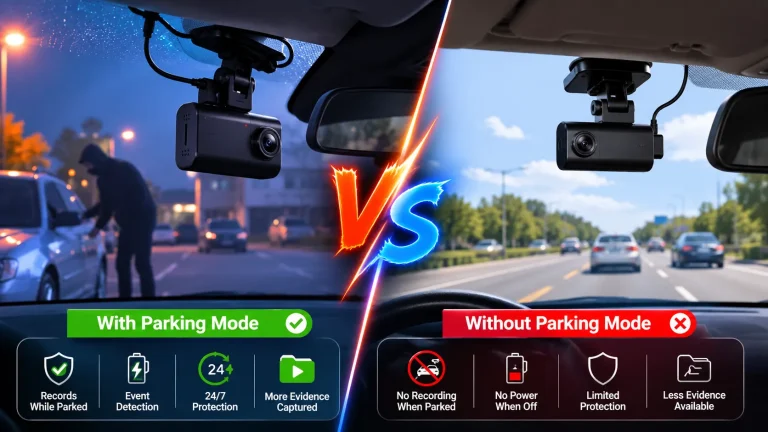
Parking mode keeps the camera recording or monitoring while the engine is off, but that power has to come from somewhere. If the camera is hardwired to the fuse box, it draws from your vehicle’s battery. A camera that gets hot and shuts off while parked may actually be responding to low voltage, not high temperature.
Most hardwire kits include a low-voltage cutoff that stops power to the camera when the battery drops below a set level — usually somewhere in the low-to-mid 12-volt range. If the cutoff is set too high, the camera shuts off early. If the vehicle battery is old or weak, the camera may shut off even when the cutoff is set correctly.
Voltage Cutoff Settings, Safe Hardwiring, and Battery Condition
Before blaming heat, check three things: the voltage cutoff setting on your hardwire kit, the condition of your vehicle battery, and the wiring itself. A loose ground or undersized fuse tap can cause intermittent power loss that looks exactly like a thermal shutdown.
Hardwiring involves the fuse box, which sits near critical vehicle systems. Improper installation can damage electronics or interfere with airbag circuits. If you are not comfortable working around the fuse box, have a professional installer do it. Our guide to dash cam hardwire kits explains what to check before connecting anything.
Memory Card Errors That Mimic Overheating Shutdowns<
A memory card error on a dash cam can cause shutdowns that mimic overheating.
/h2>
A failing memory card can freeze the camera, stop recording, or trigger a reboot loop that looks like overheating. Cheap cards and standard consumer cards are not built for the constant write cycles of dash cam recording, especially in hot cabins.
Heat accelerates wear on flash memory. A card that works fine in winter may start erroring in July. The camera may display a card error message, beep, and shut down — and many owners assume the camera is overheating when the real problem is storage.
Corrupted Footage and Storage Health
Use a high-endurance card rated for continuous recording, and format it inside the camera every few weeks. If footage is corrupted or files disappear, test the camera with a different card before spending money on a replacement unit. A card that fails in one camera may work in another, but that does not make it reliable for dash cam use.
Placement, Sun Exposure, and Legal Mounting Limits
Where you mount the camera matters more than most owners realize. A camera sitting directly on the dashboard in the sun absorbs radiant heat all day. The same camera mounted behind the rearview mirror sits in the shade of the mirror housing and the windshield tint strip, which keeps the housing noticeably cooler.
Direct Sunlight vs. Behind-the-Mirror Mounting
Behind-the-mirror mounting is the standard recommendation for good reason: it keeps the camera out of direct sun, reduces glare and distraction, and gives the widest unobstructed view of the road. It also keeps the lens close to the windshield, which improves night vision and reduces reflections.
If your camera still overheats behind the mirror, check that the mount allows airflow around the housing. Some cameras have cooling vents that need clearance. A camera pressed flat against the glass can trap heat even in a shaded position.
Windshield Tint and State-Specific Placement Rules
Windshield tint can reduce heat load, but it can also interfere with GPS reception and light sensors on some cameras. More importantly, mounting rules vary by state. Most states restrict how far down the windshield a device can hang, and some prohibit mounting anything in the driver’s primary viewing area.
Firmware, App Access, and Privacy Considerations
Firmware updates often include thermal management improvements. A camera that runs hot on older firmware may run cooler or shut down less frequently after an update. Check the manufacturer’s support page for your exact model and firmware version before assuming the hardware is faulty.
Firmware Updates, App Permissions, and Cloud Retention
Update the firmware using the manufacturer’s official instructions, usually by downloading a file to the memory card. Avoid beta firmware on a camera you rely on daily. If the camera connects to a phone app, review the app permissions and account security settings. A camera that uploads footage to the cloud may retain data on servers you do not control.
Audio Recording and State Privacy Laws
Many dash cams record audio by default. In two-party consent states, recording a passenger’s conversation without permission can create legal exposure. If you do not need audio, turn it off in the settings. If you do need it, tell passengers the camera is recording.
Maintenance Habits to Prevent Thermal Shutdowns
Most thermal shutdowns are preventable with a few habits. Clean the camera vents and lens with a soft, dry cloth. Remove the memory card and reformat it regularly. Check the mount for looseness, because a camera that shifts can block its own vents or fall into direct sun. Inspect the power cable for kinks or damage, and confirm the connector is seated firmly.
During the hottest months, remove the camera when parking for long periods, or use a sunshade to reduce cabin temperature. A capacitor-based camera handles heat better, but no camera is immune to a closed car parked in July sun.
Choosing a Heat-Tolerant Dash Cam: Key Specs to Compare
If you are shopping for a replacement, compare operating temperature ratings and the power storage design before looking at resolution or field of view. A 4K camera that shuts off in heat is less useful than a 1080p camera that records reliably all summer.
Operating Temperature Ratings and Capacitor vs. Battery
Look for a stated operating temperature range in the manual or product page. Capacitor-based models typically have higher maximum operating temperatures than lithium-ion models. Also check whether the camera uses a supercapacitor or a battery — this is usually listed in the specifications, and it is the single most important heat-resistance factor.
Option
Best for
Owner consideration
Driver consideration
Capacitor dash cam
Hot climates, sun parking, long-term reliability
No battery to replace; shorter shutdown delay
Needs steady external power to save files
Lithium-ion dash cam
Cooler climates, short parking periods
Battery degrades in heat; replacement may be needed
Longer shutdown delay after power loss
Before buying, review our pre-purchase dash cam checklist to confirm mounting space, power requirements, and state-specific placement rules for your vehicle.
When to Stop Troubleshooting and Replace Your Dash Cam
If you have ruled out memory card issues, updated firmware, moved the camera out of direct sun, checked the power supply, and the camera still shuts off in normal heat, the internal components may be degraded. At that point, the cost of continued troubleshooting can exceed the value of a budget replacement.
Diagnostic Limits, Ownership Cost, and Next Steps
There is a limit to what an owner can diagnose without test equipment. A camera that shuts down at lower temperatures each year is likely suffering from internal battery or sensor degradation. Replacement is often the most cost-effective option, especially if the camera is out of warranty.
When comparing replacements, factor in the cost of a high-endurance memory card, a hardwire kit if you use parking mode, and professional installation if you are not comfortable with fuse box wiring. A slightly more expensive capacitor-based camera can save money over time by avoiding repeated heat-related failures.
Final Verdict
Best for: Drivers in hot climates who park in the sun and need reliable recording all year.
Think twice if: You already own a lithium-ion model that shuts down only in extreme heat — try placement and firmware fixes before replacing it.
Next step: Check your camera’s operating temperature rating, then confirm your memory card is high-endurance and formatted correctly.
Frequently Asked Questions
A dash cam shuts off when its internal temperature sensor detects heat that could damage the processor, battery, or memory card. Direct sun exposure, a degraded lithium-ion battery, a failing memory card, or low input voltage can all trigger the same protective shutdown.
Yes, for most drivers in hot climates. Supercapacitors tolerate high cabin temperatures much better than lithium-ion batteries, which degrade and can trigger thermal shutdowns. Capacitor models also tend to last longer because the battery is usually the first component to fail.
Yes. Parking mode draws power from the vehicle battery when hardwired. A low-voltage cutoff protects the battery, but an old or weak battery can still cause the camera to shut off. Never bypass the cutoff, as draining the battery can leave you stranded.
Mount the camera behind the rearview mirror out of direct sun, ensure its cooling vents are clear, use a high-endurance memory card, update the firmware, and check the power cable. During extreme heat, remove the camera or use a sunshade when parked.
Windshield mounting rules vary by state. Most states restrict how far down the windshield a device can hang, and some prohibit mounting anything in the driver’s primary viewing area. Check your state’s current vehicle code before installing a dash cam.
If you have ruled out memory card problems, updated firmware, moved the camera out of direct sun, and verified the power supply, the internal components may be degraded. When shutdowns happen at lower temperatures each year, replacement is usually more cost-effective than continued troubleshooting.
Hi, I'm Ethan Carter, and I've spent over a decade testing automotive electronics, dash cams, and interior accessories. I created TopBestCar.com to help car owners cut through marketing hype and find gear that actually performs for their exact make and model — backed by hands-on testing, spec comparisons, and real owner feedback.