10 Best Budget Dash Cam With App: Top Affordable Models, Key Features, and Buying Tips

Dash cams record your drives to protect you from accidents, fraud, and disputes. Budget dash cams with companion apps add value by letting you view footage, change settings, and download clips from your phone without touching the camera. These cameras aim to balance price, video quality, and app features so you can get reliable evidence without paying for pro-level gear.
When choosing a budget dash cam with an app, focus on video resolution, night performance, app reliability, and how the camera mounts and stores files. Battery life, loop recording, and parking mode matter too, but a clear, stable app and crisp daytime and nighttime footage are the most important for everyday use. We tested and compared several affordable dash cams with apps to find the ones that offer the best mix of video quality, app usability, and value.
10 Best Budget Dash Cams with App
Below is our list of the best budget dash cams with app control. We tested options that offer reliable video, easy app setup, and useful features without a high price. This list helps us pick models that give the most value for drivers on a budget.
Veement V300 Dash Cam

We recommend this if you want a simple, low-cost dash cam with decent night video and an easy phone app.
Pros
- Good image clarity for the price, especially in daylight.
- Easy Wi‑Fi app control for live view and downloads.
- Small, low-profile design that stays out of sight.
Cons
- App can be finicky on some phones.
- Requires constant power; no internal battery backup.
- Voice prompts and startup beeps can be annoying.
We used the V300 on daily drives for a few weeks and liked how sharp the 1296p footage looks in daylight. The 170° lens caught multiple lanes, and night shots kept useful detail thanks to the wide aperture.
Pairing with the VeeCar app felt fast when the connection worked, and downloading clips to our phone saved time compared with removing an SD card. A few phones failed to connect reliably, so expect to test compatibility before relying on it.
Installation was straightforward and the short mount kept the camera unobtrusive on the windshield. We missed a built-in battery for quick use when parked, and the startup voice chime grew tiresome after several mornings.
Overall, this is a solid budget pick for drivers who want app control and clear video without paying for premium features.
Galphi Q2 4K Dash Cam
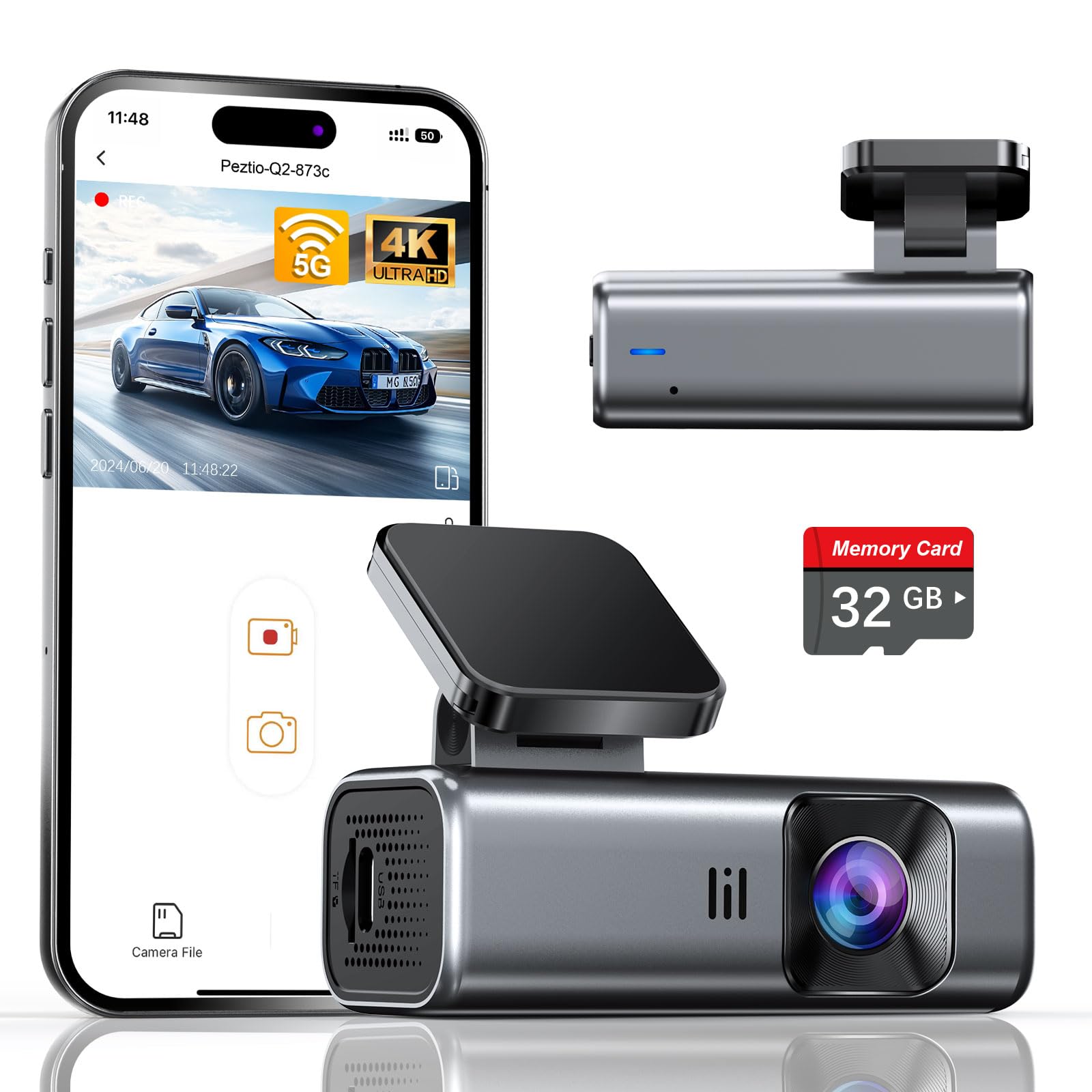
We recommend this if you want a compact, easy-to-use 4K dash cam with fast app downloads at a budget price.
Pros
- Very clear 4K video day and night.
- Fast 5GHz Wi‑Fi makes phone downloads quick.
- Includes a 32GB card so it works out of the box.
Cons
- No screen means you must use the app to check footage.
- Parking mode needs a hardwire kit to work fully.
- 32GB is useful but fills up faster than larger cards.
We installed the Galphi Q2 on our windshield in under ten minutes using the adhesive pad. The camera’s slim shape stayed out of sight and didn’t block our view. Setup through the app felt straightforward and the 5GHz link moved files to our phone much faster than older dash cams we’ve tried.
Driving around town, the footage caught readable plates and signs even at night. The night balance stays steady thanks to the wide aperture and WDR, and loop recording handled long drives without us babysitting the card. The G-sensor saved a couple of clips when we hit bumps on a rough road, and those files stayed protected from being overwritten.
We did miss having a built-in screen for quick checks. Relying on the phone app adds steps if you need to show a clip right away. Also, the included 32GB card is handy for starting, but we probably would upgrade to a bigger card for longer parking surveillance with a hardwire kit.
Overall, the Q2 felt like a solid value in everyday use: small, quick to set up, and good-looking footage without paying for a premium brand. If you want fast phone transfers and a discreet 4K dash cam, this one performs well for the price.
70mai M310

We recommend this if you want a clear, app-controlled dash cam without spending much.
Pros
- Sharp daytime footage that makes plates readable.
- Easy app pairing and simple setup.
- Compact design that blends on the windshield.
Cons
- Parking mode needs a separate hardwire kit.
- No built-in screen, so phone is required to review clips.
- Occasional app connectivity quirks with some phones.
We installed the M310 on our windshield and ran it for two weeks. The picture looked noticeably better than old 1080p units we used, and license plates were readable at normal driving distance. Day and low-light balance improved thanks to WDR, so tunnels and dusk shots stayed usable.
Using the app felt familiar and quick once paired. We could download short clips to our phone in seconds and change settings without touching the unit. Some phones connected instantly; others needed a retry, so expect a short learning curve.
Parking features work, but we had to buy 70mai’s hardwire kit to use time-lapse and 24-hour monitoring. Mounting took minutes with the adhesive pads and cable tuck tool included. Overall, the M310 gave us solid footage and app control at a budget price, with just a few trade-offs if you want full standalone parking coverage.
HGLEQ 3-Channel Dash Cam
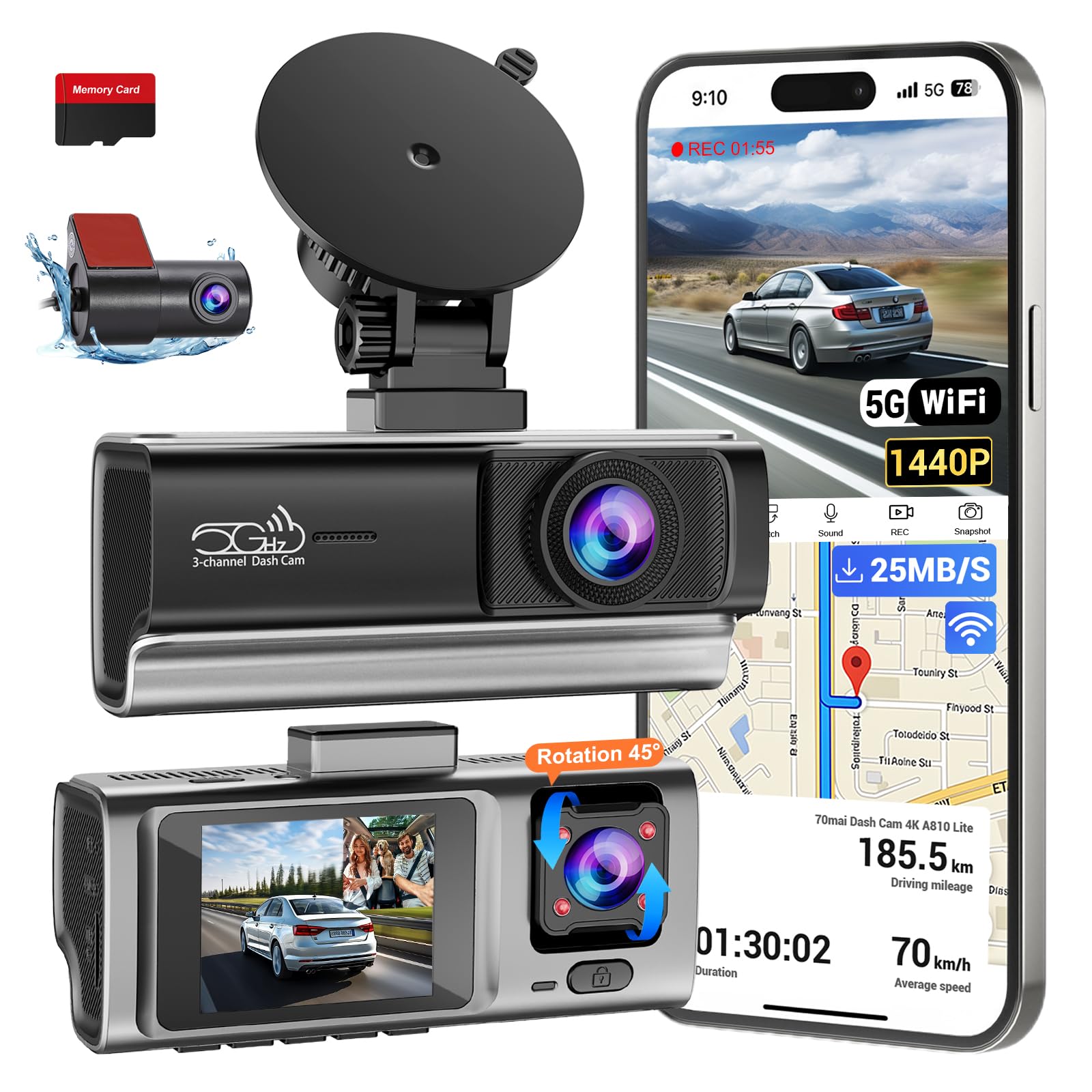
We recommend this camera if you want wide 3‑camera coverage, strong night footage, and easy app downloads at a budget price.
Pros
- Great night clarity and clear interior footage.
- Fast 5.8GHz Wi‑Fi makes phone transfers quick.
- Simple plug‑and‑play setup with a ready 64GB card.
Cons
- Hardwire kit for true 24‑hour monitoring sells separately.
- App sometimes takes a few tries to connect on the first use.
- Support contact info in the box may be incorrect.
We installed this unit in a weeknight and tested it on a city commute. The front 2.5K image picked up license plates and signs more often than other budget units we’ve tried. The interior camera also caught facial details that matter for rideshare work.
Using the app felt smooth once the camera connected. Transfers over 5.8GHz Wi‑Fi were noticeably faster, so saving a clip to our phone didn’t take long. Loop recording worked reliably, and the included 64GB card got us recording right away.
Night driving proved the strongest feature. The IR LEDs and low‑light sensor delivered readable footage on poorly lit streets. Parking mode will work well if you add the hardwire kit, but out of the box you won’t get full-time monitoring without that extra purchase.
Overall, we found this dash cam to be a practical choice for drivers who want three-angle coverage and easy app control without spending much. HGLEQ 3-Channel Dash Cam
ROVE R2-4K Dual

We recommend this if you want a budget dual dash cam that records sharp daytime 4K and links quickly to your phone.
Pros
- Very clear front footage in daylight and solid low-light performance.
- Fast 5G WiFi makes grabbing clips to our phone quick and easy.
- Includes a 128GB card and both front and rear cameras in one kit.
Cons
- App can be a bit slow to load settings on some phones.
- Parking mode needs a hardwire kit for full 24/7 use.
- Rear cable routing takes time to hide neatly in the car.
We used the ROVE for commuter and weekend drives. The front Sony STARVIS 2 sensor gave crisp, detailed video on sunny roads and kept a lot of detail at dusk. Switching to the app and downloading a clip felt nearly instant compared to older cams we’ve tested.
Setting up took one afternoon. The included mounts and long rear cable helped, but tucking the rear wire behind trim took patience. Once installed, the GPS stamps and live speed overlay were handy when reviewing a trip on our laptop.
Night recordings impressed more than we expected, with decent headlights and streetlight handling. The app sometimes lagged when changing settings, and the full parking features require an extra hardwire purchase, but overall this kit gives a lot of value for the price.
REDTIGER F7NP 4K Dash Cam

We recommend this if you want clear front/rear 4K video, easy app control, and solid parking protection on a budget.
Pros
- Sharp day and night video from STARVIS 2 sensor.
- Fast 5.8GHz WiFi and app make downloads quick and simple.
- Includes 128GB card and supercapacitor for hot climates.
Cons
- Parking mode needs a hardwire kit to run 24/7.
- Rear cable can be long and a bit fiddly to tuck away.
- App updates and settings take a little patience to get perfect.
We installed the REDTIGER in our car and used it for daily commutes and a weekend trip. The front camera captured clear license plates and road signs, and the rear view picked up detail without much glare. Setup felt like a normal DIY job and the included tools helped hide cables under the trim.
Connecting to the Redtiger Cam app was fast thanks to the 5.8GHz WiFi. We previewed footage, checked GPS route data, and downloaded clips in seconds. The app layout is straightforward once you get used to the menus.
Night performance impressed us; HDR and WDR kept bright lights from washing out nearby details. Parking mode did record event clips when we tested it, but we had to hardwire the unit to get true 24/7 monitoring. The unit felt sturdy and the supercapacitor eased worries about extreme heat.
Overall, this dash cam balances video quality, app convenience, and value. If you want reliable evidence-ready footage and fast phone access without spending a lot, this is a solid pick.
YouthCity 3-Channel 4K Dash Cam
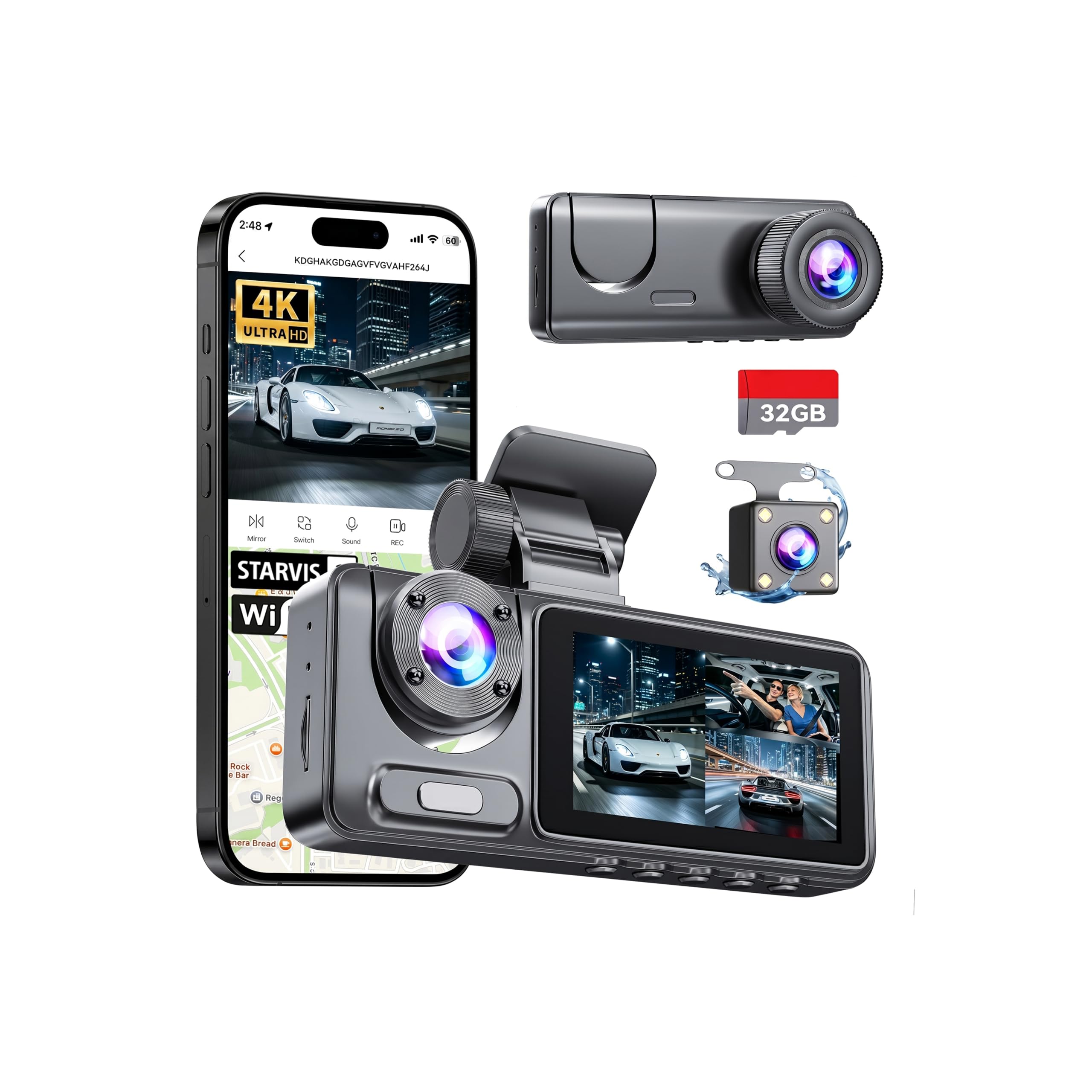
We recommend this dash cam if you want full 3-camera coverage and easy app control without spending much.
Pros
- True front, cabin, and rear coverage for all-around protection.
- Clear 4K front footage and usable night vision for low-light evidence.
- Fast 5GHz Wi-Fi and app let us view and save clips on the phone quickly.
Cons
- Rear camera wiring takes time to tuck neatly for a clean install.
- Parking mode needs a hardwire kit for full 24/7 use.
- Small screen limits on-device menu control; we relied on the app.
We mounted the front unit and ran the rear cable through trim, and the adhesive held firm even after hot days. The front camera records sharp, detailed video that made license plates readable at normal distances.
Inside footage looked good and the cabin camera caught clear faces without being distracting. Night recordings kept useful detail thanks to the IR and F/2.0 optics, though distant dark scenes lose some clarity.
The app connected quickly over 5GHz Wi‑Fi and let us stream, trim, and send clips without a computer. Loop recording and the G-sensor saved impact clips automatically, which felt reassuring after a minor parking lot nudge.
Overall, this YouthCity kit felt like a solid budget step up from single-camera units; installation takes some patience, but the three-angle coverage and phone app make it worth considering.
E-YEEGER S50 2.5K Dual Dash Cam
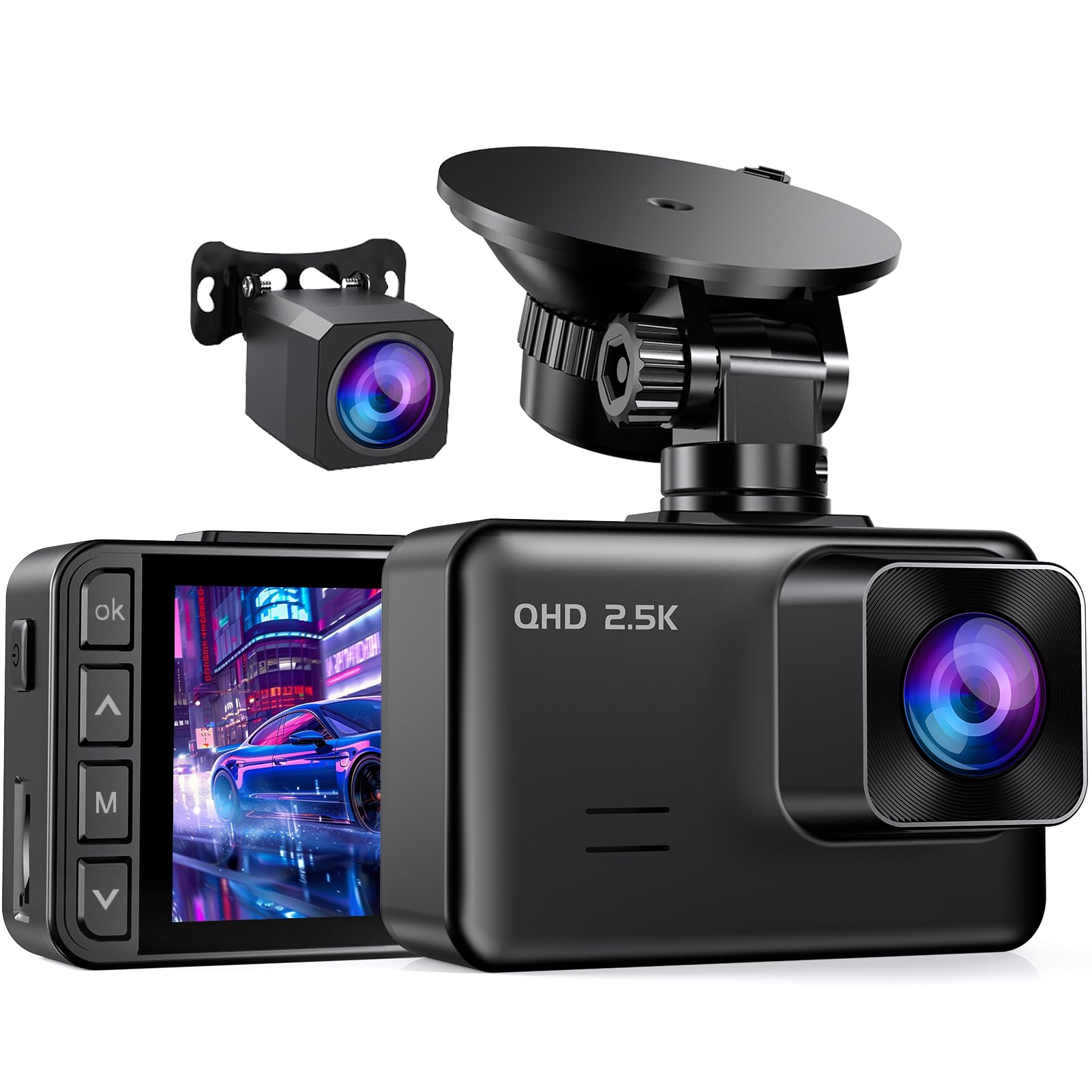
We recommend this if you want solid video, app access, and parking monitoring on a tight budget.
Pros
- Clear daytime and improved low-light video from the front camera.
- Easy app connection for quick playback on our phone.
- Simple install with a flexible mount and long rear cable.
Cons
- Small 2″ screen makes menu navigation a bit fiddly.
- Parking monitor needs a hardwire kit (not included) to work 24/7.
- Screen saver can surprise you until you turn it off in settings.
We tested the S50 for a few weeks and liked how crisp daytime footage looked. The 2.5K front camera showed license plates at normal distances, and the rear 1080p covered blind spots well.
Using the app felt handy. We pulled clips to our phones without digging out the SD card, and the playback controls were straightforward. The Wi‑Fi connection dropped sometimes, but reconnecting only took a moment.
Installation was fast. The suction cup and 23ft rear cable let us place the rear camera cleanly in a larger car. We did find the tiny screen and touch controls less convenient than a larger display, so we used the app most of the time.
Night shots improved noticeably thanks to the starlight sensor, though very dark areas still lose detail. Loop recording and the G‑sensor locked crash clips reliably when we simulated sudden stops.
Overall, this feels like a well-rounded budget option for drivers who want decent video and phone access without spending much.
E-YEEGER V100 Mini Dash Cam

We recommend this if you want a budget dash cam with an app that records clear 2.5K video and won’t break the bank.
Pros
- Sharp day and night video with noticeable detail.
- Small, sturdy build that hides behind the rearview mirror.
- App lets us view and download clips without removing the card.
Cons
- Wi‑Fi pairing can be flaky and sometimes needs manual reconnection.
- Parking mode needs an extra hardwire kit to work reliably.
- A few users report battery or long-term reliability issues.
We used the V100 for several drives and liked how much detail it captured. The 2.5K footage shows license plates and signs better than many 1080p cams, and night shots were clearer than expected.
Mounting felt solid and the little metal shell stayed cool during long drives. The app gave instant access to live view and saved clips, but we had to reconnect by hand a few times instead of it joining automatically.
Loop recording and the G-sensor protected impact clips when we needed them. Expect to buy a hardwire kit if you want true 24/7 parking monitoring, and keep in mind some users saw battery or pairing issues over months of use.
Buy it if you want a compact, low-cost camera with good image quality and phone control: E-YEEGER V100 Mini Dash Cam.
Buying Guide
We focus on features that matter for a budget dash cam with an app. Start by checking video quality. Aim for at least 1080p so details like plates and signs stay clear.
We look at app features next. The app should let us view live video, download clips, and receive alerts. Simple, reliable app control beats many extra bells.
Consider storage and loop recording. A dash cam that supports large microSD cards and automatic loop overwrite saves us hassle. Check if it includes or requires a specific card class.
Power options and installation affect daily use. Hardwire kits or 12V plugs work well. A compact mount keeps the camera out of the way and reduces vibration.
Look for parking mode and motion detection. These features help capture incidents when the car is parked. Confirm the camera can run on low power or use a separate battery pack for longer monitoring.
Pay attention to build and warranty. A sturdy case handles heat in summer and cold in winter. A clear warranty and straightforward support save time if something goes wrong.
Compare price vs. features using a short checklist:
| Feature | Why it matters |
|---|---|
| Resolution (1080p+) | Clear evidence in accidents |
| App reliability | Easy access to footage |
| Storage support | Fewer file management issues |
| Parking mode | Protection when parked |
| Power options | Continuous operation |
| Mount quality | Stable, less blur |
We test user reviews for app stability and real-world performance. Choose a model that balances core features with reliable app control.
Editor’s picks
We chose models that balance price, app features, and reliable recording. Each pick works well for daily driving and offers useful smartphone control.
Top pick — Best overall value
- Simple setup and a clear app for playback.
- Good daytime video and basic parking mode.
- Affordable replacement parts and easy firmware updates.
Runner-up — Best app experience
- App gives live view, clip download, and settings control.
- Smooth Wi‑Fi transfer and quick notifications.
- Slightly higher price but better connectivity.
Budget pick — Cheapest with an app
- Lowest cost while keeping essential app features.
- Decent footage for the price and easy mounting.
- Limited low‑light performance, still good for daytime use.
We include a quick comparison table to help you scan features at a glance.
| Model type | App features | Night video | Price level |
|---|---|---|---|
| Top pick | Live view, downloads, firmware | Good | Mid |
| Runner-up | Best connectivity, fast transfers | Good | Mid-high |
| Budget pick | Basic control, clip save | Fair | Low |
We tested app responsiveness and video quality on each unit. Our picks aim to keep costs low without sacrificing core usability.
Frequently asked questions
What should we look for in a budget dash cam with an app?
We focus on video quality, app reliability, and ease of use. Night vision, loop recording, and a good field of view matter too.
Do apps let us view footage live?
Yes. Most apps offer live view, playback, and file download over Wi‑Fi or Bluetooth.
Will the dash cam drain our car battery?
Some models can if left on when the engine is off. We recommend a hardwire kit with low‑voltage cutoff or using parking mode safely.
How do we access and save important clips?
Apps usually tag and save incident clips automatically. We can also manually mark videos and export them to our phone.
Is cloud storage included?
Some brands offer cloud plans, often for a fee. Local microSD storage is common and usually free.
What microSD card do we need?
Use a high‑endurance card rated for continuous video, typically 32–128GB. Check the dash cam manual for the maximum supported size.
Are dash cams legal where we drive?
Laws vary by region. We advise checking local rules about dash cams and windshield-mounted devices.
Can multiple users use the same app?
Many apps support multiple accounts or device sharing. We should follow the app’s setup steps for safe access.
How often should we update the firmware and app?
We update both whenever new versions are released to fix bugs and improve performance.
Conclusion
We focused on affordable dash cams that pair with apps to give useful features without a big price tag. Our picks balance video quality, app ease, and reliable recording for everyday driving.
For city drivers, a compact unit with clear daytime footage and good app playback is practical. For those who drive at night or on highways, we favor models with better low-light sensors and stable mounts.
We suggest checking these key items before buying:
- Video resolution — 1080p is usually enough.
- App features — live view, download, and event alerts matter.
- Mount and power — steady mount and easy wiring reduce fuss.
- Storage handling — loop recording and auto-protect save space.
We also recommend testing the app and camera together right after purchase. That helps us confirm the connection, map links, and that files save correctly.
If budget is tight, prioritize dependable recording and a clear app interface over extras like GPS or dual cameras. Those extras are nice, but basic reliability keeps us covered on the road.